
- Mail Address info@velnustech.com
- Phone Number +91-90990-05498

Contact Info
- C-1024, Siddhivinayak Tower, Kataria Automobile Road Makarba, Ahmedabad - 380051
- +91 90990 05498
- info@velnustech.com
- Week Days: 09.00 to 18.00 Sunday: Closed
n8n vs Zapier vs Make: Which Automation Platform Should You Choose?
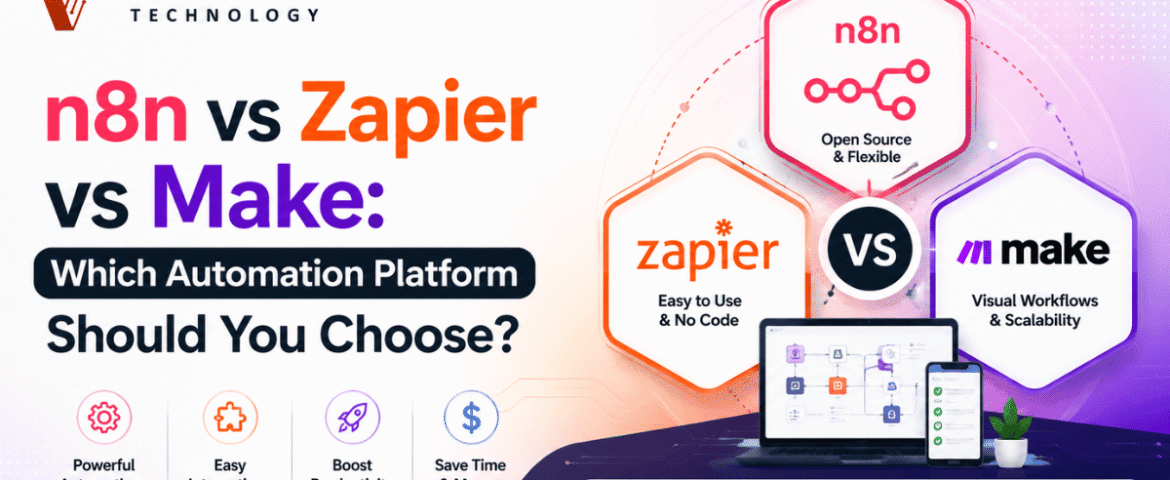
Automation has become an essential part of modern businesses. Whether you want to automate repetitive tasks, connect different applications, or create complex workflows, automation platforms make the process faster and more efficient. Three of the most popular workflow automation tools available today are n8n, Zapier, and Make.
If you’re searching for the best automation platform, you’ve probably come across the debate of n8n vs Zapier. While all three platforms help automate workflows, they differ in pricing, flexibility, customization, ease of use, and scalability.
In this guide, we’ll compare n8n vs Zapier vs Make in detail, covering features, advantages, disadvantages, pricing models, integrations, security, performance, and real-world use cases. By the end, you’ll know which platform is the best fit for your needs.
What Is Workflow Automation?
Workflow automation is the process of connecting different apps and services to perform tasks automatically without manual intervention.
Instead of copying data from one application to another, automation platforms handle these repetitive processes instantly.
Examples include:
- Automatically saving email attachments to cloud storage
- Sending notifications when a form is submitted
- Updating CRM records
- Syncing spreadsheets with databases
- Creating invoices automatically
- Sending WhatsApp notifications
- Generating reports every day
Automation saves time, reduces human errors, and improves productivity.
Understanding n8n
n8n is a workflow automation platform that provides complete flexibility. Unlike many automation tools, n8n allows users to self-host workflows while also offering cloud hosting.
One of its biggest strengths is the ability to write JavaScript code inside workflows, making it ideal for developers and technical users.
Key Features of n8n
- Open-source automation platform
- Self-hosting available
- Cloud hosting option
- Unlimited workflow customization
- JavaScript support
- API integrations
- Webhooks
- Database connectivity
- AI workflow support
- Conditional logic
- Error handling
- Workflow versioning
Understanding Zapier
Zapier is one of the easiest workflow automation tools available. It focuses on simplicity, allowing users to create workflows without writing code.
It supports thousands of app integrations and is popular among marketers, freelancers, startups, and small businesses.
Key Features of Zapier
- No-code automation
- Easy workflow builder
- Thousands of integrations
- Multi-step workflows
- Built-in templates
- AI assistance
- Scheduling
- Filters
- Paths
- Formatter tools
Understanding Make
Make provides a visual automation builder where workflows are designed using drag-and-drop modules.
It offers greater flexibility than Zapier while remaining easier than fully coding workflows.
Key Features of Make
- Visual workflow builder
- Advanced routing
- Conditional logic
- Data transformation
- HTTP requests
- Scheduling
- API integrations
- Error handling
- Real-time execution
- Visual debugging
n8n vs Zapier: Main Differences
The comparison between n8n vs Zapier often comes down to flexibility versus simplicity.
Ease of Use
Zapier is designed for beginners.
n8n has a learning curve but offers much greater customization.
Winner: Zapier
Customization
n8n allows developers to write JavaScript, build custom nodes, and create highly advanced workflows.
Zapier mainly focuses on pre-built automation.
Winner: n8n
Hosting
n8n supports both cloud hosting and self-hosting.
Zapier only offers cloud hosting.
Winner: n8n
Pricing
n8n becomes significantly more affordable for businesses running thousands of workflow executions.
Zapier pricing increases as task usage grows.
Winner: n8n
Integrations
Zapier supports a massive ecosystem of applications.
n8n supports many integrations while allowing API connections for unsupported apps.
Winner: Zapier
Developer Experience
Developers generally prefer n8n because of:
- JavaScript support
- API flexibility
- Custom nodes
- Docker deployment
- Git integration
- Database connectivity
Winner: n8n
n8n vs Make
Many users compare n8n vs Make because both offer advanced workflow builders.
Visual Workflow Builder
Make offers one of the best visual editors.
n8n also provides visual workflows but focuses more on flexibility.
Logic Handling
Both support:
- Conditions
- Loops
- Variables
- Branching
- Error handling
APIs
Both platforms have excellent API capabilities.
Self Hosting
Only n8n supports complete self-hosting.
Advanced Development
n8n is better suited for developers needing custom code execution.
Zapier vs Make
Zapier is ideal for simplicity.
Make is better for users needing complex workflows without coding.
Integration Support
Automation platforms are only as good as the apps they connect.
Popular integrations include:
Productivity
- Gmail
- Outlook
- Google Calendar
- Slack
CRM
- HubSpot
- Salesforce
Project Management
- Trello
- Asana
- ClickUp
Storage
- Google Drive
- Dropbox
- OneDrive
Marketing
- Facebook Lead Ads
- Mailchimp
Databases
- MySQL
- PostgreSQL
- MongoDB
- Airtable
AI
- OpenAI
- Claude
- Gemini
Workflow Building Experience
n8n
Ideal for:
- Developers
- Engineers
- Technical teams
- AI workflow builders
Zapier
Best for:
- Beginners
- Small businesses
- Marketing teams
- Sales teams
Make
Suitable for:
- Intermediate users
- Agencies
- Automation specialists
Performance Comparison
n8n
- Fast execution
- High scalability
- Self-hosted performance
- Queue support
Zapier
- Reliable cloud infrastructure
- Excellent uptime
- Managed hosting
Make
- Smooth execution
- Good visualization
- Stable automation
Security
n8n
- Self-hosted control
- Environment variables
- Secure credentials
- Local data storage
Zapier
- Cloud security
- User authentication
- Data encryption
Make
- Secure cloud infrastructure
- Role management
- Encryption
Pricing Comparison
Pricing frequently changes, but the overall structure remains similar.
n8n
- Free self-hosted option
- Paid cloud plans
- Unlimited customization
Zapier
- Free plan
- Paid plans based on tasks
- Premium integrations
Make
- Free plan
- Paid operations-based pricing
- Multiple subscription levels
Pros and Cons
n8n Pros
- Open source
- Self-hosting
- Flexible
- Developer-friendly
- Cost-effective
- API support
- JavaScript support
n8n Cons
- Learning curve
- Fewer built-in integrations than Zapier
Zapier Pros
- Extremely easy
- Huge integration library
- Fast setup
- Great templates
Zapier Cons
- Higher pricing
- Limited customization
- No self-hosting
Make Pros
- Excellent visual editor
- Advanced workflows
- Good pricing
- Flexible routing
Make Cons
- Slight learning curve
- Complex interface for beginners
Best Use Cases
Choose n8n if you need
- Self-hosting
- AI automation
- API workflows
- Database automation
- Developer flexibility
- Custom scripts
- Enterprise workflows
Choose Zapier if you need
- Quick setup
- No coding
- Marketing automation
- CRM automation
- Small business workflows
Choose Make if you need
- Visual workflow building
- Medium-complex automations
- Advanced routing
- Data transformation
Tips for Choosing the Right Automation Platform
Consider Your Technical Skills
Beginners often prefer Zapier because of its straightforward interface, while developers appreciate n8n for its advanced customization. Make sits comfortably in the middle, offering visual workflow design with more flexibility than typical no-code tools.
Think About Workflow Complexity
If your automation only connects a few applications, almost any platform will work well. For workflows involving multiple branches, APIs, databases, or custom scripts, n8n provides greater control.
Evaluate Long-Term Costs
As your business grows, automation volume usually increases. Compare pricing models carefully, especially if you expect thousands of workflow executions each month.
Consider Hosting Requirements
If data privacy and infrastructure control are priorities, self-hosting with n8n vs Zapier n8n may be the best option. Cloud-only users may find Zapier or Make more convenient.
Common Automation Examples
Here are a few practical workflows you can build using any of these platforms:
Lead Management
- Capture leads from forms
- Send confirmation emails
- Update CRM records
- Notify the sales team
Content Publishing
- Publish blog posts
- Share updates on social platforms
- Create content summaries
- Archive published content
E-commerce
- Process new orders
- Update inventory
- Notify customers
- Generate invoices
Customer Support
- Route support requests
- Assign tickets
- Send automatic replies
- Track resolution status
AI Automation
- Generate content
- Summarize documents
- Categorize emails
- Analyze customer feedback
Also Read : How n8n Workflow Automation Can Save Your Business Time And Money
Conclusion
Choosing between n8n vs Zapier vs Make depends on your goals, technical expertise, and workflow requirements.
If flexibility, self-hosting, and advanced customization are your priorities, n8n vs Zapier is an excellent choice. It is particularly well-suited for developers, businesses managing large-scale automations, and teams building AI-powered workflows.
If ease of use and quick setup matter most, n8n vs Zapier remains one of the best options. It enables users with little or no technical experience to automate everyday tasks quickly using its extensive integration library.
If you want a balance between visual workflow design and advanced automation capabilities, Make offers an intuitive interface with powerful routing and data processing features.
Ultimately, there is no single winner for every scenario. Understanding your automation needs, budget, technical skills, and expected workflow complexity will help you choose the platform that delivers the greatest long-term value.
FAQs
Q1. Is n8n better than Zapier?
For advanced users and developers n8n vs Zapier , n8n offers greater flexibility, self-hosting, and customization. For beginners seeking simple automation, Zapier is generally easier to use.
Q2. Which platform is best for beginners?
Zapier is widely regarded as the most beginner-friendly due to its intuitive interface and large collection of ready-made workflow templates.
Q3. Does n8n require coding?
No. You can build many workflows without coding, but JavaScript support is available for advanced customization.
Q4. Can I self-host n8n?
Yes. One of n8n’s biggest advantages is the ability to self-host workflows while maintaining full control over your infrastructure.
Q5. Which platform offers the most integrations?
Zapier provides one of the largest libraries of pre-built integrations, making it easy to connect a wide range of applications.
Leave A Comment