
- Mail Address info@velnustech.com
- Phone Number +91-90990-05498

Contact Info
- C-1024, Siddhivinayak Tower, Kataria Automobile Road Makarba, Ahmedabad - 380051
- +91 90990 05498
- info@velnustech.com
- Week Days: 09.00 to 18.00 Sunday: Closed
workflow builder
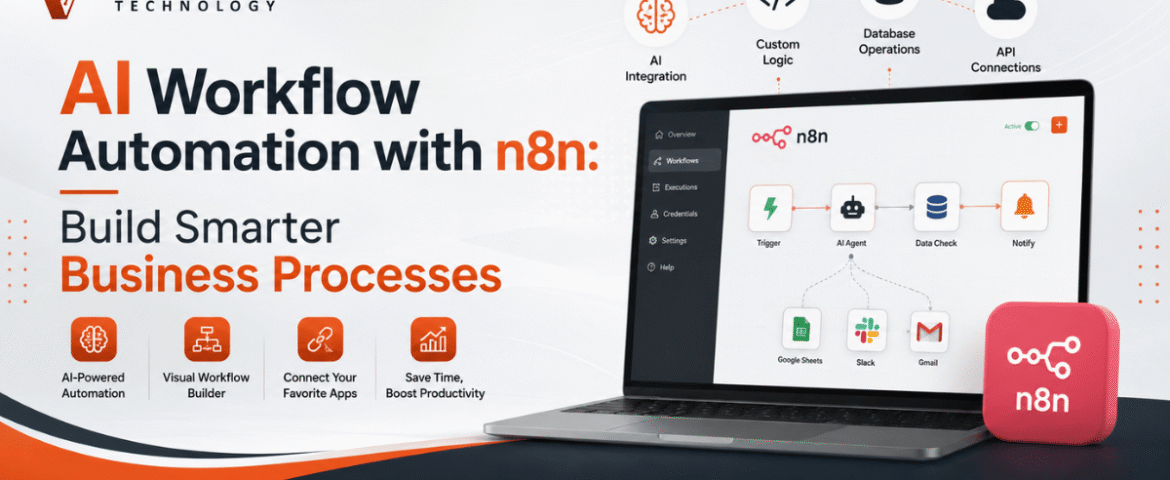
AI Workflow Automation with n8n: Build Smarter Business Processes
- By KHUSHI LIMBASIYA
- 0 Comments
- technology Latest News
Artificial intelligence is transforming the way organizations manage everyday operations. Businesses no longer need to rely on repetitive manual work, disconnected systems, or time-consuming data handling. By combining AI with workflow automation, teams can automate complex tasks, improve productivity, reduce errors, and make faster decisions. AI workflow automation has become one of the most valuable technologies for businesses looking to scale efficiently. With n8n, organizations can connect hundreds of applications, integrate AI models, automate data processing, and build intelligent workflows without spending months on development. Whether you want to automate customer communication, content generation, lead management, reporting, or document processing, n8n provides a flexible and scalable platform for creating AI-powered workflows. What is AI Workflow Automation? AI workflow automation is the process of combining artificial intelligence with workflow automation tools to complete business tasks automatically. Unlike traditional automation, AI-powered workflows can analyze information, generate responses, classify data, summarize documents, and make intelligent decisions. Instead of simply moving data from one application to another, AI enables workflows to understand context and perform tasks that previously required human involvement. Common AI capabilities include: When integrated into n8n workflows, these capabilities become powerful business automation solutions. Why Choose n8n for AI Workflow Automation? n8n is an open-source workflow automation platform that allows users to visually build complex automations while maintaining complete flexibility. Some key advantages include: Visual Workflow Builder Build workflows using drag-and-drop nodes without creating complicated code. AI Integration Connect AI models directly into workflows for intelligent automation. Large Integration Library Connect hundreds of applications from CRM systems to cloud storage and communication platforms. Custom Logic Create advanced conditions, loops, filters, and decision-making paths. Self Hosting Option Maintain full control over your data with self-hosted deployments. API Friendly Integrate with virtually any platform using REST APIs and webhooks. How AI Workflow Automation Works in n8n A typical AI workflow consists of several connected steps. Step 1: Receive Input Data enters the workflow through: Step 2: Process Information n8n transforms and organizes incoming data before passing it to AI services. Step 3: AI Analysis The AI model performs tasks such as: Step 4: Decision Making The workflow decides what action to take based on AI output. Step 5: Automated Actions The workflow automatically: Benefits of AI Workflow Automation Businesses adopting AI automation experience improvements across multiple departments. Increased Productivity Employees spend less time on repetitive work and more time on strategic activities. Faster Response Times Automated workflows operate instantly without waiting for manual intervention. Better Accuracy AI reduces manual data entry mistakes and improves consistency. Lower Operational Costs Automation minimizes labor-intensive tasks and improves resource utilization. Improved Customer Experience Customers receive faster responses and more personalized interactions. Scalable Operations Workflows continue operating efficiently even as business volume increases. Popular AI Workflow Automation Use Cases AI Content Generation Automatically create: Content can then be reviewed before publication. AI Email Automation Incoming emails can be: This reduces inbox overload. Lead Qualification AI analyzes incoming leads based on: Qualified leads can automatically move into sales pipelines. Document Processing AI extracts information from: Extracted data is automatically stored in business systems. Customer Support Automation AI can: Support teams handle only complex issues. Data Synchronization Keep information updated across multiple platforms without manual copying. Whenever records change, every connected application stays synchronized. Meeting Notes Automation AI summarizes meeting transcripts and automatically creates: This saves hours every week. Essential Components of an AI Workflow A well-designed workflow usually contains several important elements. Trigger Starts the automation. Examples include: Data Processing Clean, organize, and transform information before AI processing. AI Model The intelligence layer performs: Decision Logic Conditional branches determine the next workflow path. Output Results may include: AI Workflow Automation for Marketing Marketing teams benefit significantly from AI automation. Examples include: Content Planning Generate weekly content ideas automatically. Campaign Reporting Collect marketing metrics into one dashboard. Audience Segmentation AI categorizes customers based on behavior. SEO Assistance Generate: Social Media Scheduling Automatically generate captions and prepare publishing workflows. AI Workflow Automation for Sales Sales departments can automate repetitive administrative work. Examples include: Lead Routing Assign leads to appropriate sales representatives. Proposal Generation Create customized proposals automatically. Sales Follow-Up Schedule follow-up emails based on customer behavior. CRM Updates Automatically update customer information. AI Workflow Automation for Human Resources HR teams can improve efficiency with AI. Examples include: Resume Screening AI evaluates resumes using predefined criteria. Interview Scheduling Automatically coordinate interview availability. Employee Onboarding Generate onboarding tasks for new employees. Policy Assistance Answer employee questions using AI knowledge. AI Workflow Automation for Finance Finance teams save time through intelligent automation. Examples include: Automation reduces processing delays and human error. AI Workflow Automation for Operations Operations departments often manage numerous repetitive tasks. AI workflows help automate: Best Practices for AI Workflow Automation Start Small Begin with one workflow before expanding automation. Keep Workflows Simple Avoid unnecessary complexity. Simple workflows are easier to maintain. Validate AI Output Review important AI-generated information before final use. Monitor Performance Track execution times and workflow success rates. Handle Errors Create fallback paths whenever external services fail. Secure Sensitive Data Protect confidential information through encryption and access controls. Common Challenges While AI workflow automation offers major benefits, some challenges should be considered. Poor Data Quality Incorrect input leads to poor AI results. Clean data improves workflow accuracy. Over Automation Not every business process should be automated. Human review remains valuable for critical decisions. API Limitations External services may impose request limits. Proper error handling is essential. Workflow Maintenance Regular updates keep automations reliable as connected applications evolve. Tips for Building Better AI Workflows in n8n Design Before Building Create a workflow diagram before implementation. Use Modular Workflows Break large workflows into reusable components. Test Frequently Validate each workflow section individually. Add Logging Track every important workflow step. Optimize Execution Reduce unnecessary processing to improve speed. Keep Documentation Document workflow logic for future maintenance. Future of AI Workflow Automation Artificial intelligence continues to evolve rapidly. Future workflows will become even more intelligent through: Organizations adopting AI workflow automation today
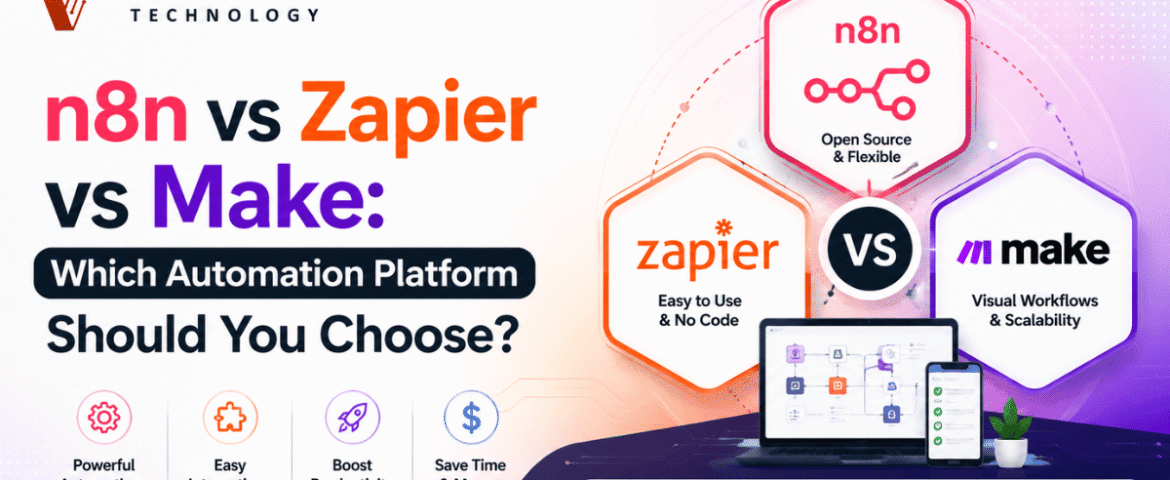
n8n vs Zapier vs Make: Which Automation Platform Should You Choose?
- By KHUSHI LIMBASIYA
- 0 Comments
- technology Latest News
Automation has become an essential part of modern businesses. Whether you want to automate repetitive tasks, connect different applications, or create complex workflows, automation platforms make the process faster and more efficient. Three of the most popular workflow automation tools available today are n8n, Zapier, and Make. If you’re searching for the best automation platform, you’ve probably come across the debate of n8n vs Zapier. While all three platforms help automate workflows, they differ in pricing, flexibility, customization, ease of use, and scalability. In this guide, we’ll compare n8n vs Zapier vs Make in detail, covering features, advantages, disadvantages, pricing models, integrations, security, performance, and real-world use cases. By the end, you’ll know which platform is the best fit for your needs. What Is Workflow Automation? Workflow automation is the process of connecting different apps and services to perform tasks automatically without manual intervention. Instead of copying data from one application to another, automation platforms handle these repetitive processes instantly. Examples include: Automation saves time, reduces human errors, and improves productivity. Understanding n8n n8n is a workflow automation platform that provides complete flexibility. Unlike many automation tools, n8n allows users to self-host workflows while also offering cloud hosting. One of its biggest strengths is the ability to write JavaScript code inside workflows, making it ideal for developers and technical users. Key Features of n8n Understanding Zapier Zapier is one of the easiest workflow automation tools available. It focuses on simplicity, allowing users to create workflows without writing code. It supports thousands of app integrations and is popular among marketers, freelancers, startups, and small businesses. Key Features of Zapier Understanding Make Make provides a visual automation builder where workflows are designed using drag-and-drop modules. It offers greater flexibility than Zapier while remaining easier than fully coding workflows. Key Features of Make n8n vs Zapier: Main Differences The comparison between n8n vs Zapier often comes down to flexibility versus simplicity. Ease of Use Zapier is designed for beginners. n8n has a learning curve but offers much greater customization. Winner: Zapier Customization n8n allows developers to write JavaScript, build custom nodes, and create highly advanced workflows. Zapier mainly focuses on pre-built automation. Winner: n8n Hosting n8n supports both cloud hosting and self-hosting. Zapier only offers cloud hosting. Winner: n8n Pricing n8n becomes significantly more affordable for businesses running thousands of workflow executions. Zapier pricing increases as task usage grows. Winner: n8n Integrations Zapier supports a massive ecosystem of applications. n8n supports many integrations while allowing API connections for unsupported apps. Winner: Zapier Developer Experience Developers generally prefer n8n because of: Winner: n8n n8n vs Make Many users compare n8n vs Make because both offer advanced workflow builders. Visual Workflow Builder Make offers one of the best visual editors. n8n also provides visual workflows but focuses more on flexibility. Logic Handling Both support: APIs Both platforms have excellent API capabilities. Self Hosting Only n8n supports complete self-hosting. Advanced Development n8n is better suited for developers needing custom code execution. Zapier vs Make Zapier is ideal for simplicity. Make is better for users needing complex workflows without coding. Integration Support Automation platforms are only as good as the apps they connect. Popular integrations include: Productivity CRM Project Management Storage Marketing Databases AI Workflow Building Experience n8n Ideal for: Zapier Best for: Make Suitable for: Performance Comparison n8n Zapier Make Security n8n Zapier Make Pricing Comparison Pricing frequently changes, but the overall structure remains similar. n8n Zapier Make Pros and Cons n8n Pros n8n Cons Zapier Pros Zapier Cons Make Pros Make Cons Best Use Cases Choose n8n if you need Choose Zapier if you need Choose Make if you need Tips for Choosing the Right Automation Platform Consider Your Technical Skills Beginners often prefer Zapier because of its straightforward interface, while developers appreciate n8n for its advanced customization. Make sits comfortably in the middle, offering visual workflow design with more flexibility than typical no-code tools. Think About Workflow Complexity If your automation only connects a few applications, almost any platform will work well. For workflows involving multiple branches, APIs, databases, or custom scripts, n8n provides greater control. Evaluate Long-Term Costs As your business grows, automation volume usually increases. Compare pricing models carefully, especially if you expect thousands of workflow executions each month. Consider Hosting Requirements If data privacy and infrastructure control are priorities, self-hosting with n8n vs Zapier n8n may be the best option. Cloud-only users may find Zapier or Make more convenient. Common Automation Examples Here are a few practical workflows you can build using any of these platforms: Lead Management Content Publishing E-commerce Customer Support AI Automation Also Read : How n8n Workflow Automation Can Save Your Business Time And Money Conclusion Choosing between n8n vs Zapier vs Make depends on your goals, technical expertise, and workflow requirements. If flexibility, self-hosting, and advanced customization are your priorities, n8n vs Zapier is an excellent choice. It is particularly well-suited for developers, businesses managing large-scale automations, and teams building AI-powered workflows. If ease of use and quick setup matter most, n8n vs Zapier remains one of the best options. It enables users with little or no technical experience to automate everyday tasks quickly using its extensive integration library. If you want a balance between visual workflow design and advanced automation capabilities, Make offers an intuitive interface with powerful routing and data processing features. Ultimately, there is no single winner for every scenario. Understanding your automation needs, budget, technical skills, and expected workflow complexity will help you choose the platform that delivers the greatest long-term value. FAQs Q1. Is n8n better than Zapier? For advanced users and developers n8n vs Zapier , n8n offers greater flexibility, self-hosting, and customization. For beginners seeking simple automation, Zapier is generally easier to use. Q2. Which platform is best for beginners? Zapier is widely regarded as the most beginner-friendly due to its intuitive interface and large collection of ready-made workflow templates. Q3. Does n8n require coding? No. You can build many workflows without coding, but JavaScript support is available
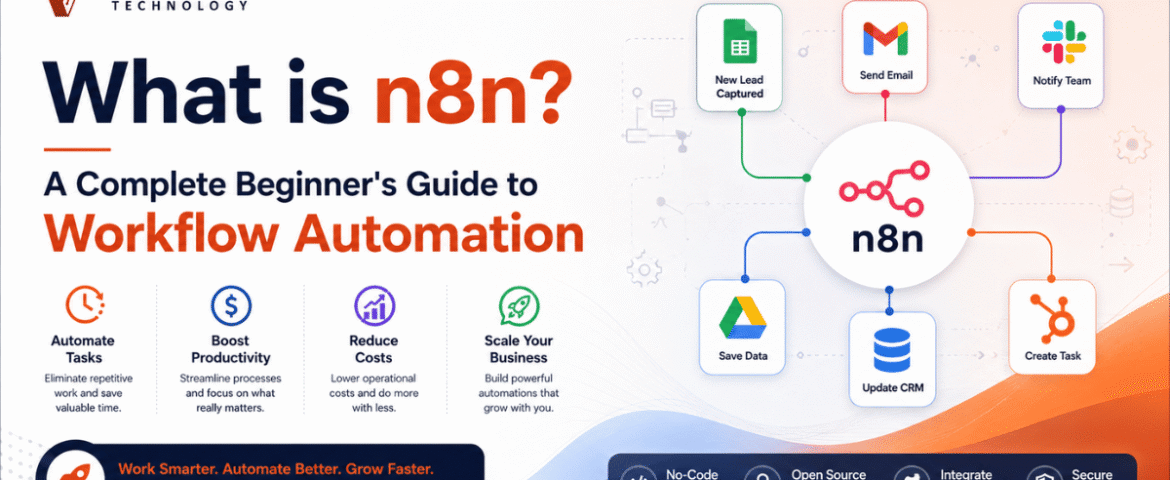
What Is n8n? A Complete Beginner’s Guide To Workflow Automation
- By KHUSHI LIMBASIYA
- 0 Comments
- Latest News technology
Businesses and individuals spend countless hours performing repetitive digital tasks every day. Copying data between applications, sending emails, updating spreadsheets, managing customer information, posting on social media, and organizing files are just a few examples of routine work that consumes valuable time. Workflow automation solves this problem by allowing software to perform repetitive tasks automatically. One of the fastest-growing workflow automation platforms is n8n. It enables users to connect multiple applications, automate processes, and build complex workflows with minimal manual effort. Whether you are a beginner exploring automation or a developer looking for advanced customization, n8n provides the flexibility to automate almost any digital process. Unlike many automation platforms that restrict customization, n8n offers a visual workflow builder combined with the ability to write custom code whenever needed. This makes it suitable for beginners who prefer drag-and-drop automation as well as professionals who require advanced logic. This beginner’s guide explains everything you need to know about n8n, including its features, benefits, use cases, workflow creation process, integrations, AI capabilities, and best practices. What is n8n? n8n is a workflow automation platform that connects different applications and services to automate repetitive tasks. Instead of manually transferring information between multiple systems, users can create workflows that execute automatically based on predefined conditions. A workflow consists of connected steps called nodes. Each node performs a specific task such as: The platform provides a visual interface where workflows are created by connecting these nodes together. One of n8n’s biggest strengths is its flexibility. Simple workflows can be built without coding, while advanced users can extend workflows using JavaScript, APIs, expressions, and custom logic. Why Workflow Automation Matters Modern businesses use dozens of digital tools every day. Managing them manually often results in: Time-consuming repetitive work Employees waste hours copying information between systems. Increased human errors Manual data entry increases the possibility of mistakes. Slow response times Customers expect instant communication and quick processing. Poor productivity Staff spend less time on meaningful work and more time on repetitive tasks. Workflow automation solves these challenges by creating reliable, repeatable, and scalable processes. How Does n8n Work? n8n works by connecting applications through workflows. A typical workflow follows these steps: Trigger The workflow starts when an event occurs. Examples include: Process Data After receiving information, n8n processes the data. This may include: Execute Actions The workflow performs one or more actions. Examples include: End Workflow The workflow finishes after completing all configured actions. Key Features of n8n Visual Workflow Builder The drag-and-drop interface allows users to build workflows without writing large amounts of code. Each node represents one action, making workflows easy to understand. Large Integration Library n8n supports hundreds of integrations with popular services including: It also supports any REST API. Custom Code Support Developers can use JavaScript to: This provides unlimited flexibility. Webhook Support Webhooks allow applications to instantly trigger workflows whenever an event occurs. This enables real-time automation. Scheduling Workflows can run: Perfect for reports, backups, and recurring tasks. Conditional Logic Users can create intelligent workflows using conditions. For example: Different actions can execute based on these conditions. Error Handling n8n includes features for: This improves workflow reliability. Benefits of Using n8n Saves Time Automation eliminates repetitive manual work. Reduces Errors Automated workflows execute consistently without typing mistakes. Improves Productivity Teams focus on important tasks instead of routine operations. Scalable Automation As workloads increase, workflows continue running automatically. Flexible Development Suitable for beginners and developers alike. Cost-Effective Users can automate complex business processes without expensive custom software. Common Use Cases Lead Management Automatically: Email Automation Automatically: Social Media Automation Schedule and publish content automatically. Examples include: Customer Support Automate: Data Synchronization Keep multiple applications synchronized. For example: File Management Automatically: AI Automation Integrate AI services to: Understanding Nodes in n8n Nodes are the building blocks of every workflow. Trigger Nodes Start workflows. Examples: Action Nodes Perform tasks. Examples: Logic Nodes Control workflow behavior. Examples: Data Nodes Transform information. Examples: Creating Your First Workflow Step 1 Create a new workflow. Step 2 Add a trigger. Example: Manual Trigger Step 3 Connect another node. Example: Google Sheets Step 4 Configure credentials. Step 5 Choose the desired action. Step 6 Test the workflow. Step 7 Activate the workflow. Once activated, it will run automatically whenever the trigger occurs. Popular n8n Integrations Some commonly used integrations include: Productivity Communication Databases Marketing Development Cloud Storage AI and n8n Artificial Intelligence has become an important part of workflow automation. n8n allows users to combine AI with automation to create intelligent workflows. Examples include: AI Content Generation Generate: AI Chatbots Create automated conversations with customers. Document Processing Automatically: Customer Sentiment Analysis Analyze customer messages and classify them as: Data Classification Automatically organize large datasets using AI. Best Practices for Beginners Start Small Build simple workflows before creating advanced automations. Name Every Node Clear names make workflows easier to understand. Test Frequently Run workflows step by step before activating them. Handle Errors Always create fallback paths for failed executions. Use Variables Avoid hardcoding values whenever possible. Organize Workflows Group related workflows into logical folders or projects. Monitor Executions Regularly review execution history to identify issues. Common Beginner Mistakes Overcomplicating Workflows Keep workflows simple. Ignoring Error Handling Always prepare for unexpected failures. Not Testing Test every workflow before deploying it. Poor Documentation Document workflow logic for future maintenance. Forgetting Security Protect credentials and sensitive data. Future of Workflow Automation Workflow automation continues to evolve rapidly with artificial intelligence, machine learning, and cloud computing. Future automation trends include: As organizations continue adopting digital transformation, workflow automation platforms like n8n will become increasingly important for improving efficiency and reducing manual work. Also Read : WhatsApp Chat Automation: The Complete Guide to Smarter Customer Communication Conclusion n8n is a powerful and flexible workflow automation platform that helps automate repetitive digital tasks across multiple applications. Its visual workflow builder, extensive integrations, custom code support, AI capabilities, and scalable architecture make it suitable for beginners and experienced users alike. Whether you want to automate emails, synchronize databases,