
- Mail Address info@velnustech.com
- Phone Number +91-90990-05498

Contact Info
- C-1024, Siddhivinayak Tower, Kataria Automobile Road Makarba, Ahmedabad - 380051
- +91 90990 05498
- info@velnustech.com
- Week Days: 09.00 to 18.00 Sunday: Closed
sales automation

Grow Your Business Digitally With WhatsApp Automation: Convert More Leads & Increase Sales
- By KHUSHI LIMBASIYA
- 0 Comments
- technology Latest News
The digital landscape is shifting, and the way consumers communicate with businesses has evolved dramatically. In 2026, relying purely on traditional email capture forms and slow-moving sales funnels means leaving massive amounts of revenue on the table. Modern consumers demand instant, personalized, and interactive communication. Enter WhatsApp Automation—the single most powerful lead generation and sales channel available today. With over 3 billion active users globally, this messaging platform is no longer just a way to chat with friends. It has transformed into a highly efficient business ecosystem. By implementing WhatsApp Automation, businesses can capture verified leads instantly, reduce response times from hours to seconds, and guide prospects seamlessly through the sales funnel. If your goal is to convert more leads and increase sales, adopting this technology is no longer optional; it is an absolute necessity. The Shift from Traditional Funnels to Conversational Commerce Why Email and Web Forms Are Falling Behind For years, the standard lead generation model involved driving traffic to a landing page, forcing visitors to fill out a static form, and adding them to an automated email sequence. While this method once worked, it is fundamentally broken in today’s fast-paced digital economy. When a potential customer receives an automated email, there is a high probability it lands in a promotions folder or spam filter. Average email open rates hover around 20%, and click-through rates rarely exceed 2% to 5%. Furthermore, web forms often result in drop-offs; every extra field you ask a user to fill out decreases the likelihood of conversion. The traditional funnel creates friction, delays communication, and causes businesses to lose high-intent prospects simply because the response was not fast enough. The Superiority of Messaging Platforms By contrast, WhatsApp Automation completely flips this dynamic. Messages sent through this platform boast an astounding open rate of over 98%, with the vast majority of them read within three minutes of delivery. This medium is inherently conversational. Because it happens in an environment users are already familiar with and trust, they are far more likely to engage, answer qualification questions, and build a relationship with your brand. Key Benefits of WhatsApp Automation for Business Growth Capturing Verified Data Instantly One of the biggest hurdles in traditional lead generation is fake data. Users frequently submit temporary or “junk” email addresses to bypass forms. When you leverage WhatsApp Automation, you automatically capture a verified phone number and a real profile name. This ensures your sales team is dedicating their time to real people, completely eliminating the guesswork and dramatically improving the quality of your database. Achieving Lightning-Fast Response Times Speed is the ultimate competitive advantage. Studies consistently show that businesses replying within the first five minutes of an inquiry see significantly higher conversion rates. WhatsApp Automation allows you to deploy intelligent workflows that respond to new leads instantly, 24/7. Whether it is the middle of the night or a busy holiday weekend, your automated system ensures that no prospect is ever left waiting. A prompt, helpful response captures the lead while their interest is at its absolute peak. Gathering Zero-Party Data Without Friction Instead of relying on complex buyer persona assumptions or long surveys, WhatsApp Automation enables you to ask direct, conversational questions. By setting up an automated qualification flow, you can playfully ask a prospect about their budget, timeline, and specific needs. This zero-party data is given willingly by the customer in a chat interface, providing you with a perfectly qualified lead without the friction of a traditional web form. Powerful Strategies to Convert More Leads and Increase Sales Deploying Click-to-Chat Advertisements One of the most effective ways to fill your sales pipeline is by combining your paid advertising efforts with WhatsApp Automation. Instead of directing ad clicks to a slow-loading website, Click-to-Chat ads instantly open a conversation in the messaging app. When the user hits send on a pre-filled message, your automated system takes over. This strategy opens a crucial messaging window where you can interact with the prospect, answer their questions, and guide them toward a purchase without them ever leaving the app. By minimizing redirects and keeping the user in a native environment, you significantly lower your cost per acquisition and increase your return on ad spend. Utilizing Interactive Conversational Flows Modern WhatsApp Automation goes far beyond basic text replies. You can now build highly interactive flows directly within the chat window. Imagine a potential customer wanting to book an appointment, configure a product, or check availability. Instead of sending them a link to a website, the automation provides a rich, app-like interface right inside the conversation. These interactive elements reduce abandonment rates drastically because they eliminate the need for page loads and external navigation. The entire transaction, from initial inquiry to final confirmation, happens seamlessly in one place. Automated Lead Nurturing and Drip Campaigns Not every lead is ready to buy on day one. For those who need more time, WhatsApp Automation allows you to create sophisticated nurturing sequences. Unlike easily ignored email drip campaigns, conversational nudges delivered directly to a user’s phone are highly effective. If a prospect abandons a transaction or stops responding during the qualification phase, the system can automatically send a gentle, personalized follow-up message 24 hours later. You can share product tutorials, success stories, or limited-time offers, systematically moving the lead closer to a purchasing decision. Partnering with Velnus Technology for Automation Success Implementing a robust automation strategy requires technical expertise and a deep understanding of conversational design. This is where Velnus Technology excels. By partnering with Velnus Technology, businesses can unlock the full potential of WhatsApp Automation without struggling through a steep learning curve. Velnus Technology specializes in building tailored communication workflows that align perfectly with your specific sales objectives. From setting up complex API integrations to designing intelligent qualification chatbots, Velnus Technology ensures that your automated systems run flawlessly. Their expertise means you get a customized solution that not only captures leads but strategically guides them through a high-converting pipeline, leaving your competitors far behind. Step-by-Step Guide
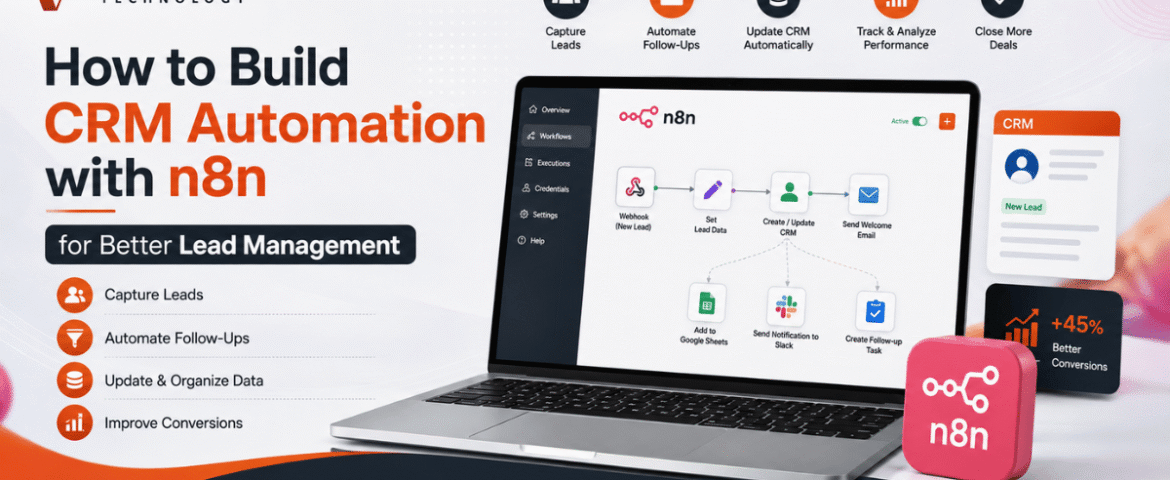
How to Build CRM Automation with n8n for Better Lead Management
- By KHUSHI LIMBASIYA
- 0 Comments
- technology Latest News
Generating and managing leads manually is one of the biggest challenges for growing businesses. As the number of inquiries increases, manually updating customer records, assigning follow-ups, and sending emails becomes time-consuming and prone to errors. This is where CRM Automation becomes a game changer. With n8n, businesses can automate repetitive CRM tasks without relying on expensive enterprise software or complex coding. Whether leads come from contact forms, social media campaigns, WhatsApp, Google Sheets, landing pages, or email, n8n can connect multiple platforms and automatically manage every step of the lead lifecycle. In this guide, you’ll learn how to build CRM Automation with n8n, create automated lead management workflows, improve response times, reduce manual work, and increase conversion rates. Why CRM Automation Matters Every business receives leads from different sources. Without automation, teams often face problems such as: CRM Automation removes these issues by automatically capturing, organizing, qualifying, and tracking leads. Some major advantages include: What is n8n? n8n is an open-source workflow automation platform that allows users to connect applications through visual workflows. Instead of writing lengthy code, users create automation using drag-and-drop nodes. n8n supports hundreds of integrations including: Its flexibility makes it one of the most powerful automation tools for CRM Automation. Why Use n8n for CRM Automation? Unlike traditional automation platforms, n8n provides complete workflow customization. Benefits include: No-Code and Low-Code Automation Business users can create workflows visually without programming knowledge. Multiple Integrations Connect multiple lead sources into one workflow. Self-Hosted Option Maintain full control over customer data. Advanced Logic Use conditions, loops, filters, delays, and custom scripts. Cost-Effective Reduce software expenses while building powerful automation. Essential Components of CRM Automation A complete CRM Automation workflow usually contains several stages. Lead Capture Collect leads from: Lead Validation Automatically verify: Lead Qualification Assign scores based on: Lead Assignment Automatically assign qualified leads to sales representatives. Follow-Up Automation Trigger: Activity Tracking Log every interaction inside the CRM automatically. Step 1: Connect Your Lead Sources The first workflow starts with lead collection. Common lead sources include: Website Contact Forms Whenever someone submits a form, n8n instantly receives the information. Collected information may include: Landing Pages Automatically push landing page submissions into your CRM. Social Media Leads Capture leads generated through advertising campaigns without manual downloads. WhatsApp Collect customer details directly from incoming conversations. Google Sheets Automatically monitor new spreadsheet entries. Step 2: Clean and Validate Lead Data Poor-quality data reduces CRM performance. n8n can automatically: Remove Duplicate Leads Search the CRM before adding new contacts. Verify Email Addresses Ensure emails follow valid formats. Format Phone Numbers Standardize country codes and mobile numbers. Normalize Customer Data Convert names into consistent formats. Example: Instead of: john smith The workflow stores: John Smith Step 3: Automatically Create CRM Records After validation, n8n creates new customer records. Each CRM entry may include: Everything happens automatically. Step 4: Lead Scoring Automation Not every lead has equal value. CRM Automation can assign scores using conditions. Example scoring: Total score determines priority. High-value leads receive immediate attention. Step 5: Assign Leads Automatically Instead of manually distributing leads, n8n can assign them based on rules. Examples: Round Robin Assignment Each sales member receives leads equally. Region-Based Assignment Assign according to customer location. Product-Based Assignment Different products go to different teams. Industry-Based Assignment Healthcare, retail, manufacturing, education, and technology leads go to specialists. Step 6: Trigger Instant Customer Responses Customers expect quick replies. CRM Automation allows immediate communication. Possible actions: Instant responses improve customer satisfaction. Step 7: Notify Sales Teams Sales teams receive instant alerts whenever new leads arrive. Notifications may be sent through: Notifications contain: Step 8: Schedule Follow-Up Activities Follow-ups are critical for lead conversion. n8n can automatically: No opportunity gets forgotten. Step 9: Update Lead Status Automatically Every interaction updates the CRM. Status examples: Sales pipelines remain accurate without manual updates. Step 10: Generate Reports Automatically CRM Automation can generate reports including: Daily Lead Reports Monitor new inquiries. Weekly Performance Reports Evaluate sales productivity. Conversion Reports Measure lead-to-customer ratio. Source Analysis Identify top-performing lead sources. Sales Pipeline Reports Understand deal progress. Reports can be emailed automatically. Popular n8n CRM Automation Workflows Website Form to CRM Automatically collect website inquiries and create CRM records. Google Sheets to CRM Import spreadsheet leads instantly. Email to CRM Convert incoming inquiries into customer records. WhatsApp to CRM Store conversations and customer details automatically. CRM to Email Marketing Send targeted campaigns based on CRM data. CRM to Calendar Schedule meetings automatically. CRM Reminder Workflow Send reminders before follow-up dates. Best Practices for CRM Automation Keep Workflows Simple Begin with basic automations before adding advanced logic. Eliminate Duplicate Records Prevent duplicate customers from entering the CRM. Use Lead Scoring Prioritize high-value opportunities. Maintain Data Quality Validate every incoming lead. Monitor Workflow Performance Regularly review execution logs. Secure Customer Information Use secure authentication and encrypted connections. Test Before Deployment Verify every workflow with sample data. Common CRM Automation Mistakes Avoid these mistakes: Overcomplicated Workflows Complex automation becomes difficult to maintain. Ignoring Error Handling Always create backup paths for failures. Missing Notifications Ensure failed workflows generate alerts. Poor Data Validation Invalid customer information reduces CRM accuracy. No Workflow Documentation Document automation logic for future updates. Advanced CRM Automation Ideas Once the basic workflow is running, additional automation can include: Benefits of CRM Automation with n8n Businesses using CRM Automation experience several long-term benefits. These include: Automation allows teams to spend more time building customer relationships instead of performing repetitive administrative tasks. Also Read : AI Workflow Automation with n8n: Build Smarter Business Processes Conclusion CRM Automation with n8n transforms the way businesses capture, organize, and manage leads. Instead of manually updating records, assigning leads, and sending follow-up messages, every process can run automatically through intelligent workflows. From lead collection and validation to scoring, assignment, notifications, reporting, and customer communication, n8n helps streamline the entire sales pipeline. As your business grows, automated workflows ensure consistency, improve efficiency, reduce errors, and enable faster responses that lead to higher conversion rates. By implementing CRM Automation with
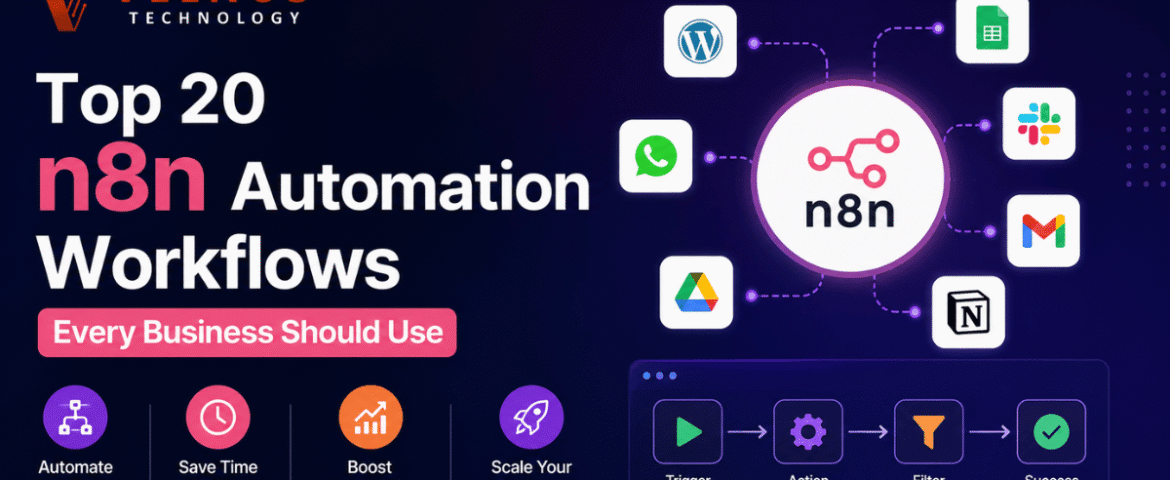
Top 20 n8n Automation Workflows Every Business Should Use
- By KHUSHI LIMBASIYA
- 0 Comments
- technology Latest News
Introduction Businesses today are constantly looking for ways to reduce manual work, improve efficiency, and increase productivity. One of the most effective solutions is n8n Automation, an open-source workflow automation platform that connects apps, APIs, and services without requiring extensive coding knowledge. Whether you’re managing customer inquiries, marketing campaigns, sales pipelines, or internal operations, automation can eliminate repetitive tasks and help teams focus on strategic work. With thousands of integrations and powerful workflow capabilities, n8n allows businesses to automate processes across departments. From lead management to reporting and customer communication, businesses of all sizes can save countless hours every week. In this article, we’ll explore the Top 20 n8n Automation Workflows Every Business Should Use to improve productivity, streamline operations, and accelerate growth. Why Businesses Choose n8n Automation Flexible Workflow Design n8n provides a visual workflow builder that makes it easy to connect multiple applications and automate complex business processes. Saves Time Manual repetitive work is replaced with automated workflows, allowing employees to focus on more valuable tasks. Improves Accuracy Automation reduces human errors by following predefined rules and conditions consistently. Easy Integration n8n connects with hundreds of popular platforms, APIs, databases, and cloud services. Scalable Solution Whether you’re a startup or a large organization, workflows can easily grow alongside your business. Top 20 n8n Automation Workflows Every Business Should Use 1. Automatic Lead Collection Capture leads from websites, landing pages, and online forms, then automatically organize them into your CRM or database. Benefits 2. Email Notification Workflow Automatically send confirmation emails whenever a new inquiry, registration, or request is received. Benefits 3. Contact Synchronization Keep customer information synchronized between multiple applications automatically. Benefits 4. Task Creation Automation Create tasks automatically whenever a new project, request, or inquiry is received. Benefits 5. Social Media Scheduling Publish content automatically according to a predefined schedule across multiple platforms. Benefits 6. Customer Support Ticket Workflow Automatically organize incoming support requests based on categories, urgency, or keywords. Benefits 7. Invoice Generation Workflow Generate invoices automatically after orders or completed services. Benefits 8. Sales Pipeline Automation Automatically move opportunities through different sales stages based on customer activities. Benefits 9. Data Backup Workflow Schedule automatic backups of important business data. Benefits 10. File Organization Workflow Automatically move, rename, and organize uploaded files into structured folders. Benefits 11. Appointment Reminder Workflow Automatically send reminders before scheduled meetings or appointments. Benefits 12. Marketing Campaign Automation Trigger marketing actions based on customer behavior or predefined conditions. Benefits 13. Report Generation Workflow Generate daily, weekly, or monthly reports automatically. Benefits 14. Internal Team Notifications Notify team members instantly whenever important events occur. Benefits 15. Inventory Monitoring Workflow Track inventory changes automatically and receive alerts when stock reaches a predefined level. Benefits 16. Order Processing Automation Automatically process incoming orders and update workflow statuses. Benefits 17. Document Approval Workflow Route documents automatically for approvals based on predefined conditions. Benefits 18. Feedback Collection Workflow Collect customer feedback automatically after product delivery or service completion. Benefits 19. Event Registration Automation Automatically organize event registrations and send confirmations. Benefits 20. Business Dashboard Workflow Automatically collect business metrics from multiple systems into a centralized dashboard. Benefits Best Practices for n8n Automation Start with Small Workflows Begin with simple automations before building larger, more complex workflows. Test Before Deployment Always test workflows thoroughly to ensure accurate execution. Use Error Handling Implement error notifications and retry mechanisms for reliable automation. Secure Sensitive Data Protect credentials and sensitive information using secure authentication methods. Monitor Workflow Performance Regularly review workflow execution to identify bottlenecks and optimize performance. Document Your Workflows Maintain clear documentation to simplify maintenance and future improvements. Benefits of Using n8n Automation Increased Productivity Employees spend less time on repetitive tasks and more time on strategic activities. Lower Operational Costs Automation reduces labor costs while increasing overall efficiency. Better Customer Experience Faster responses and consistent communication improve customer satisfaction. Improved Accuracy Automated workflows minimize manual mistakes and maintain data consistency. Scalability Businesses can easily expand automation as operations grow. Faster Decision Making Automated reports and dashboards provide real-time business insights. Common Mistakes to Avoid Automating Poor Processes Optimize existing processes before automating them. Ignoring Workflow Testing Untested workflows can cause unexpected errors. Lack of Monitoring Monitor workflow performance regularly to ensure reliability. Missing Error Handling Always configure notifications for workflow failures. Overcomplicating Workflows Keep workflows simple, modular, and easy to maintain. Future of n8n Automation Automation continues to evolve with artificial intelligence, machine learning, and advanced integrations. Businesses increasingly rely on automated workflows to improve efficiency, enhance customer experiences, and reduce operational costs. As organizations adopt more cloud-based applications and digital services, n8n Automation will play an even greater role in connecting systems, streamlining operations, and enabling smarter decision-making. Companies that embrace workflow automation today will be better prepared for future growth, scalability, and innovation. Also Read : n8n vs Zapier vs Make: Which Automation Platform Should You Choose? Conclusion Modern businesses depend on speed, accuracy, and efficiency to stay competitive. n8n Automation offers a flexible and powerful way to automate repetitive tasks, connect applications, and streamline operations without unnecessary complexity. Whether you’re managing leads, processing orders, generating reports, organizing documents, or improving internal communication, these top 20 workflows can significantly reduce manual effort and improve productivity. By implementing the right automation strategies, businesses can save time, reduce errors, enhance customer experiences, and focus on growth instead of routine tasks. Start with a few essential workflows, optimize them over time, and gradually expand your automation ecosystem to unlock the full potential of n8n Automation. Frequently Asked Questions (FAQs) Q1. What is n8n Automation? n8n Automation is a workflow automation platform that connects applications, APIs, and services to automate repetitive business tasks. Q2. Is n8n suitable for small businesses? Yes. It is highly scalable and works well for startups, small businesses, and large organizations. Q3. Can n8n connect with multiple applications? Yes. It supports hundreds of integrations and custom API connections. Q4. Does n8n require coding knowledge? No. Most workflows can be built using a visual workflow