
- Mail Address info@velnustech.com
- Phone Number +91-90990-05498

Contact Info
- C-1024, Siddhivinayak Tower, Kataria Automobile Road Makarba, Ahmedabad - 380051
- +91 90990 05498
- info@velnustech.com
- Week Days: 09.00 to 18.00 Sunday: Closed
AI Agents
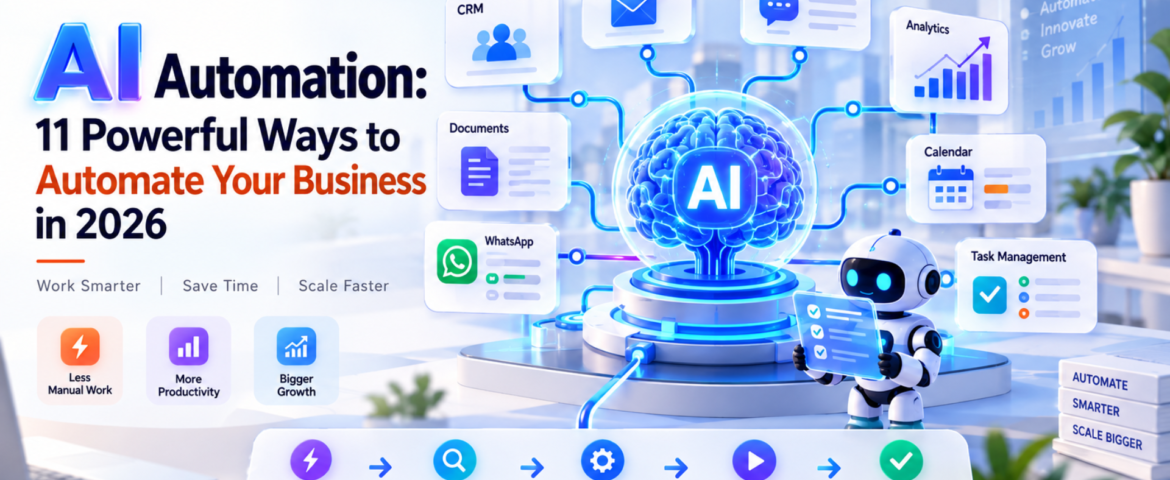
AI Automation: 11 Powerful Ways to Automate Your Business in 2026
- By pmayank658@gmail.com
- 0 Comments
- Latest News technology
AI Automation: 11 Powerful Ways to Automate Your Business in 2026 AI Automation means using artificial intelligence to understand information, make decisions, and complete repetitive business tasks with little or no manual effort. For beginners, freelancers, and small business owners, it can automate everything from lead follow-ups and customer support to reporting, scheduling, and data entry. The important point is this: AI automation is not about replacing every person with AI. It is about removing repetitive work so people can focus on work that actually needs human judgment. In 2026, businesses are moving beyond simple chatbots toward AI-powered workflows and agents that can perform multiple steps inside a business process. Google Cloud’s 2026 AI Agent Trends report, for example, identifies agentic workflows as an important direction for business automation. In simple words: AI automation lets you tell a system what needs to happen, and the system handles much of the work for you. Table of Contents What Is AI Automation? AI automation is the use of artificial intelligence within automated workflows to understand inputs, make decisions, generate outputs, and perform actions. Traditional automation usually follows fixed rules. For example: If a customer fills out a form → send an email. AI automation can handle a more flexible situation: A customer submits an enquiry → AI understands the enquiry → identifies the customer’s requirement → checks relevant information → creates or updates a CRM record → sends a personalized response → alerts a salesperson when human attention is needed. That’s the major difference. Traditional automation mostly follows predefined instructions. AI automation can interpret information and handle situations that aren’t always perfectly predictable. What is a simple example of AI automation? Imagine a small web-design agency receiving 30 enquiries every day. Without automation, someone might need to: With AI automation, much of this workflow can happen automatically. The AI can understand the enquiry, categorize it, update the CRM, draft a personalized response, and trigger a follow-up sequence. The human still controls important decisions. How Does AI Automation Work? A typical AI automation workflow has five basic stages: Trigger → Understand → Decide → Act → Verify 1. Trigger Something starts the workflow. Examples: 2. Understand AI processes the information. For example, it can identify: 3. Decide The system determines what should happen next. For example: “This customer wants a product demo, so create a qualified sales lead.” 4. Act The automation performs an action. It could: 5. Verify A good AI automation system shouldn’t blindly trust every AI output. For sensitive actions, it can ask a person for approval. This human-in-the-loop approach is especially useful for financial, legal, customer-facing, or high-risk workflows. What Are the Best AI Automation Use Cases? AI automation can be applied to almost any repetitive workflow. But small businesses should start with tasks that happen frequently and follow a reasonably clear process. Here are 11 practical examples. 1. Lead Generation and Qualification AI can read incoming enquiries and identify potential customers based on criteria such as: Instead of manually checking every lead, the sales team can focus on qualified prospects. 2. Customer Support AI automation can answer common questions, classify support requests, find relevant information, and escalate complicated cases to a human. For example: Customer question → AI understands request → searches knowledge base → responds → escalates if necessary This doesn’t mean every customer interaction should be handled by AI. Complex or sensitive issues should still have a human escalation path. 3. Email Automation AI can classify incoming emails and decide what should happen next. For example: Sales enquiry → CRMInvoice email → Finance folderSupport issue → Help deskMeeting request → Calendar workflow This can save small teams a surprising amount of administrative time. 4. CRM Updates CRM data often becomes outdated because employees don’t have time to update it. AI automation can extract information from emails, calls, forms, or messages and use it to update customer records. This makes the CRM more useful without forcing employees to enter every detail manually. 5. Appointment Scheduling Instead of exchanging multiple messages to find a suitable time, automation can: This is particularly useful for consultants, agencies, clinics, coaches, and service businesses. 6. Content Creation AI automation can support a content workflow: Topic → Research → Brief → Draft → Review → Publish But there’s an important difference between automating content production and publishing everything generated by AI. Human review is still valuable for: Google’s current guidance emphasizes useful, original content rather than simply producing more AI-generated pages. 7. Social Media Workflows AI can help transform one piece of content into multiple formats. For example: Blog article → LinkedIn post → Instagram caption → short video script → email newsletter A person can then review and approve the content before publishing. 8. Invoicing and Administrative Work AI automation can extract information from invoices, organize documents, identify missing information, and trigger reminders. For example: Invoice received → extract vendor + amount + date → categorize → send for approval → update accounting workflow. Financial actions should generally have appropriate approval and security controls. 9. Weekly Business Reports Instead of manually collecting data from multiple systems, an automation can gather information and prepare a summary. For example: CRM + website analytics + sales data → AI analysis → weekly business report The owner can then spend time interpreting the results rather than assembling spreadsheets. 10. WhatsApp Customer Communication For businesses that receive many customer enquiries through WhatsApp, AI automation can help with: The key is to connect the automation to accurate business information rather than allowing the AI to invent answers. 11. Internal Task Management AI can turn conversations and messages into actionable tasks. For example: “Please prepare the proposal for ABC before Friday.” An automation could identify the task, assign it to the correct person, set a deadline, and add it to a project-management system. How Can Small Businesses Use AI Automation? Small businesses don’t need to automate everything. In fact, trying to automate the entire business at once is
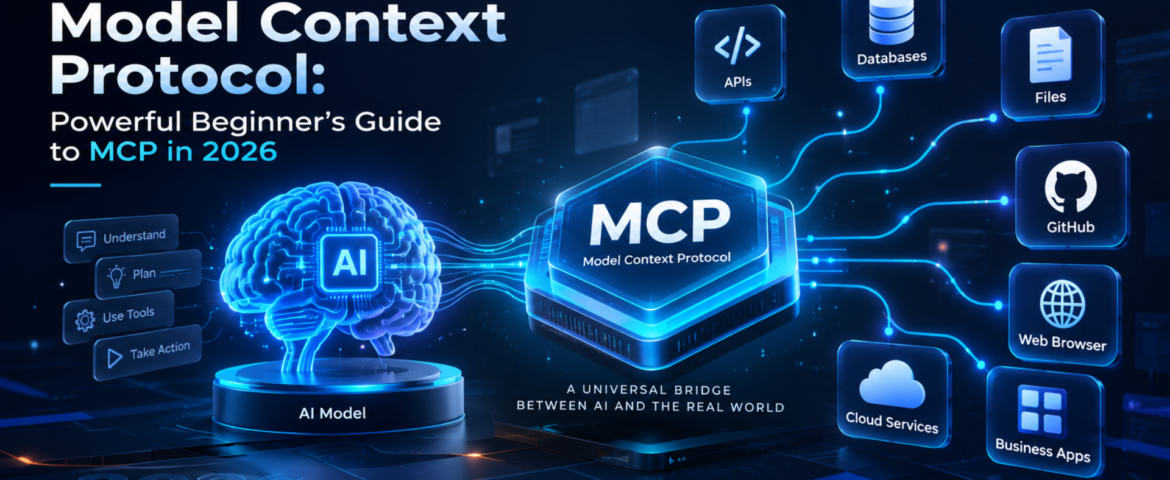
Model Context Protocol: Powerful Beginner’s Guide to MCP in 2026
- By pmayank658@gmail.com
- 1 Comment
- Latest News technology
Model Context Protocol (MCP) is an open standard that gives AI applications a consistent way to connect with external data, tools, and services. Instead of building a separate custom integration for every AI application, developers can use MCP to create a standardized connection between an AI system and the capabilities it needs. In simple words: MCP helps AI move beyond just answering questions and interact with the tools and information it needs to complete a task. For example, imagine asking an AI assistant to check your customer database, find an order, create a report, and send the result to your team. MCP can provide a standardized way for the AI application to discover and use those external capabilities. MCP was introduced by Anthropic and has since developed into a broader ecosystem. The current specification defines MCP around hosts, clients, and servers, with servers exposing resources, prompts, and tools. In this guide, you’ll learn what Model Context Protocol is, how it works, MCP vs API, real-world examples, security considerations, and how beginners and small businesses can use it. Table of Contents What Is Model Context Protocol? Model Context Protocol is an open protocol that standardizes how AI applications connect to external context, data sources, and tools. Think of MCP like a USB-C connection for AI applications. USB-C gives different devices a common way to connect with accessories. Similarly, MCP provides a common way for AI applications to connect with external systems. Without a common protocol, developers may need to create individual integrations between every AI application and every external service. With MCP, a compatible AI application can connect to an MCP server that exposes specific capabilities. For example: AI assistant → MCP → CRM The AI can then potentially use approved CRM capabilities instead of relying only on information already inside the model. The official MCP specification describes three major concepts: hosts, clients and servers. MCP uses JSON-RPC for communication. Why Does Model Context Protocol Matter? Traditional AI chatbots are excellent at generating and explaining information, but an AI system becomes much more useful when it can interact with external systems. Consider a small business owner who asks: “Show me this week’s highest-value leads and summarize which ones need follow-up.” A basic chatbot may not know the company’s latest lead data. An AI application connected through MCP could potentially access an approved CRM tool, retrieve relevant information, analyze it and return a useful summary. That creates a shift: From: AI that mainly generates responses To: AI that can work with external context and tools. This is particularly important for AI agents, where the system may need to use multiple tools to accomplish a goal. How Does Model Context Protocol Work? The basic MCP workflow looks like this: User → AI application → MCP client → MCP server → External system Here’s the simple version. 1. The user gives the AI a goal For example: “Find my latest customer orders.” 2. The AI application identifies the required capability The application may determine that it needs access to an order-management system. 3. The MCP client connects to an MCP server The client acts as the connector inside the host AI application. 4. The MCP server exposes capabilities The server can provide resources, prompts and tools. 5. The AI uses an approved capability For example, it might call a tool that retrieves order information. 6. The result goes back to the AI application The AI can then use that information to generate the final response. The important point is that MCP standardizes the communication layer. The external system still controls what capabilities are exposed and what permissions are available. What Are the Main Components of MCP? MCP becomes much easier to understand when you separate its three main components. What is an MCP host? The host is the AI application that wants to use MCP. It could be an AI assistant, development environment or another application capable of working with MCP. What is an MCP client? The MCP client is the connector inside the host application. It communicates with MCP servers and handles the protocol interaction. What is an MCP server? An MCP server exposes specific data or capabilities that an MCP client can use. For example, an MCP server could provide access to: MCP servers can expose three important types of capabilities: Resources: information or context that can be provided to the AI. Tools: functions that the AI can call. Prompts: reusable prompt templates or workflows. These concepts are defined in the official MCP specification. What Is the Difference Between MCP and an API? This is one of the most common MCP questions. An API is a way for software systems to communicate with a particular service. MCP is a standardized protocol for making AI applications interact with tools and context through a common interface. Here’s a simple comparison: MCP Traditional API Designed around AI application interoperability Designed for software-to-software communication Standardizes AI access to tools and context Defines a service’s own endpoints Can expose tools, resources and prompts Usually exposes endpoints and data Useful for AI agents Useful for applications and services Helps AI applications discover and use capabilities Requires understanding the API’s interface They aren’t competitors. In fact, an MCP server can sit in front of an existing API. For example: AI application → MCP server → CRM API → CRM database This allows the existing business system to remain in place while MCP provides a standardized AI-facing interface. What Can You Do With MCP? MCP can support many AI workflows. Connect AI to business data An AI application can potentially access approved business information such as customer records, documents or inventory data. Connect AI to development tools Developers can connect AI applications to repositories, files, issue trackers and other development capabilities. GitHub documents MCP support across several development environments and GitHub Copilot experiences. Build AI-powered workflows Instead of creating one-off integrations for every AI application, developers can expose reusable capabilities through MCP. Give AI access to external tools An
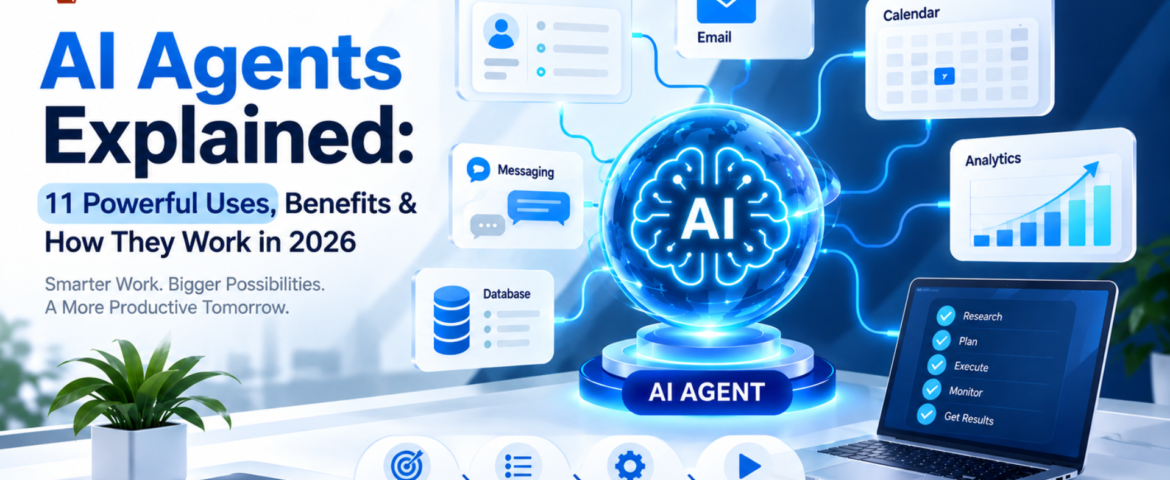
AI Agents Explained: 11 Powerful Uses, Benefits & How They Work in 2026
- By pmayank658@gmail.com
- 1 Comment
- Latest News technology
An AI agent is a software system that can understand a goal, decide what steps are needed, use connected tools, and take actions to complete a task with limited human intervention. Unlike a traditional chatbot that mainly responds to questions, an AI agent can work through a multi-step workflow. Depending on its design and permissions, it can retrieve information, update a CRM, create tasks, send messages, search approved sources, prepare reports, and hand complicated situations to a human. In simple terms: A chatbot mainly talks. An AI agent can understand, decide, use tools, and act. For a freelancer, that could mean turning a new client inquiry into a project brief and follow-up task. For a small business, it could mean qualifying leads, updating a CRM, answering customer questions, and escalating unusual cases. This guide explains what AI agents are, how they work, what they can do, how they differ from chatbots and traditional automation, how much they cost, their limitations, and how beginners can start using them. What Is an AI Agent? An AI agent is an AI-powered software system designed to pursue a goal and complete a workflow rather than simply generate a single response. A practical AI agent generally combines: OpenAI describes agents as systems that can independently accomplish tasks on a user’s behalf, use tools to interact with external systems, and operate within defined instructions and guardrails. Google Cloud similarly describes modern agents in terms of capabilities such as reasoning, planning, memory, and action. A simple example Imagine telling an AI agent: “Find today’s new leads, identify which ones are high priority, update the CRM, prepare personalized follow-ups, and create reminders for leads that need another contact.” A basic chatbot might explain how you could perform those steps. An appropriately configured AI agent can potentially perform the workflow itself by: The important difference is that an agent is designed around completing work, not simply producing text. How Does an AI Agent Work? The easiest way to understand an AI agent is to think of it as a digital worker operating within a defined set of rules. A typical workflow looks like this: Goal → Understand → Plan → Use Tools → Take Action → Check Result → Complete or Escalate Let’s break that down. 1. The AI Agent Understands the Goal The user or business provides an objective. For example: “Follow up with customers who haven’t replied for seven days.” The agent needs to understand what the desired result is and what information it needs before taking action. A clear goal is important because vague instructions can produce inconsistent results. 2. It Determines the Required Steps Instead of immediately generating an answer, an agent can determine the sequence of actions required to reach the goal. For the follow-up example, it might need to: The exact process depends on the agent’s instructions, tools, and permissions. 3. It Uses Tools Tools are one of the most important differences between a simple conversational AI application and an agent designed to perform work. An agent may connect to tools such as: Tools allow an agent to retrieve information and, where permitted, take actions in external systems. OpenAI’s agent guidance describes data tools for retrieving context and action tools for changing systems or performing actions such as updating CRM records or sending messages. 4. It Takes an Action After determining what needs to happen, the agent can perform an approved action. For example, it might: Not every action should happen automatically. Sensitive or irreversible actions may require human approval. 5. It Checks the Result A reliable agent should not simply assume that every action worked. It can check whether: If something falls outside its instructions, the safest behavior may be to stop and request human intervention. This is why testing, monitoring, permissions, and guardrails are important when deploying AI agents. What Are the Main Components of an AI Agent? Most practical AI agents can be understood through several building blocks. Component What it does AI Model Understands information and supports reasoning or decision-making Instructions Defines what the agent should do and how it should behave Tools Connects the agent to external systems Knowledge Provides relevant business information and context Memory Helps maintain useful context when the system supports it Guardrails Restricts unsafe, unauthorized, or unwanted behavior Orchestration Controls how tasks, tools, and agents work together A simple way to remember this is: Model = brainTools = handsKnowledge = reference materialInstructions = operating procedureGuardrails = boundaries OpenAI identifies the model, tools, and instructions as fundamental components of an agent, while more complex systems can add orchestration and multiple specialized agents. AI Agent vs Chatbot: What’s the Difference? This is one of the most common questions beginners ask. Feature Traditional Chatbot AI Agent Answers questions Yes Yes Understands natural language Yes Yes Performs multi-step tasks Limited Yes Uses external tools Sometimes Common Retrieves information Sometimes Yes, when connected Makes bounded decisions Limited Yes Takes actions Limited Yes, when permitted Works toward a goal Usually limited Yes Operates with less supervision Limited More capable Example: “Where is my order?” A traditional chatbot might: An AI agent could potentially: The difference is not simply that one uses AI and the other doesn’t. The bigger difference is workflow execution. AI Agent vs Traditional Automation AI agents are also different from traditional rule-based automation. Traditional automation A conventional workflow might look like: Trigger → Rule → Action For example: New form submission → Add contact to CRM → Send predefined email The path is generally predetermined. AI agent An agent-based workflow can look more like: Goal → Interpret context → Decide next step → Select tool → Act → Check result For example: New lead → Understand inquiry → Check CRM → Determine lead type → Choose appropriate action → Update CRM → Prepare follow-up → Escalate if needed Traditional automation is often better when the process is completely predictable. An AI agent becomes more useful when the workflow involves unstructured information, changing context, tool selection, or