- Mail Address info@velnustech.com
- Phone Number +91-90990-05498

Contact Info
- C-1024, Siddhivinayak Tower, Kataria Automobile Road Makarba, Ahmedabad - 380051
- +91 90990 05498
- info@velnustech.com
- Week Days: 09.00 to 18.00 Sunday: Closed
business automation
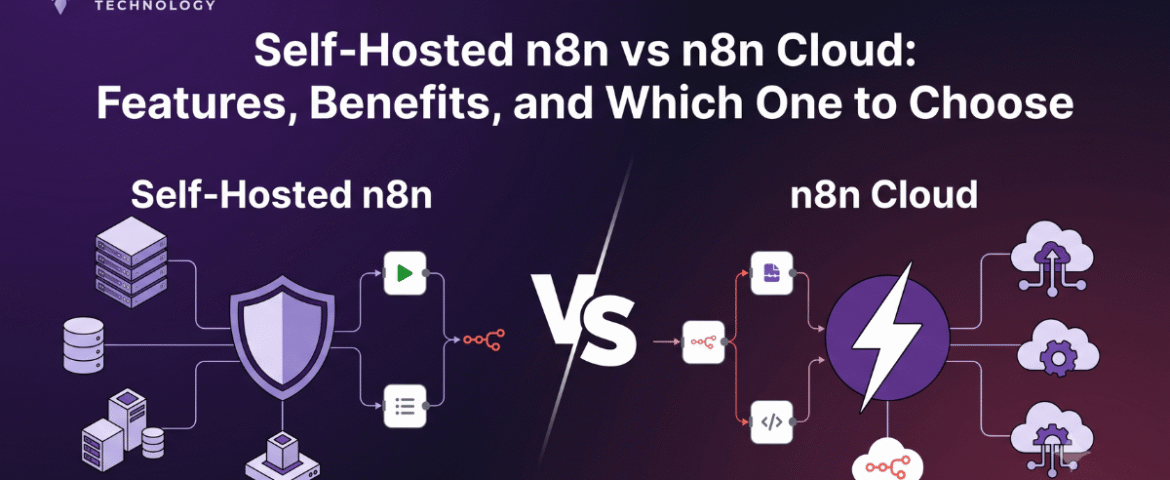
10 Powerful n8n Integrations That Can Transform Your Business Workflow
- By KHUSHI LIMBASIYA
- 0 Comments
- Latest News technology
n8n integrations streamline workflows by automating the connections between various applications, allowing for seamless data transfer and communication. By leveraging these integrations, businesses can reduce manual input, minimize errors, and enhance overall efficiency. Implementing n8n integrations not only saves time but also empowers teams to focus on strategic tasks that drive growth and innovation. Embracing these powerful tools can significantly enhance operational effectiveness and competitive advantage. n8n is a flexible workflow automation platform that allows businesses to connect hundreds of applications and automate repetitive tasks without writing complex code. Whether you’re managing leads, sending notifications, syncing customer data, or generating reports, n8n helps create seamless workflows that improve efficiency and reduce manual effort. The real power of n8n lies in its ability to integrate with popular business applications. By connecting multiple services into one automated workflow, organizations can save time, improve accuracy, and scale operations with minimal human intervention. In this article, we’ll explore the 10 most powerful n8n integrations that can transform your business workflow and help you automate smarter. Why n8n Integrations Matter Modern businesses often use multiple software platforms simultaneously. Without automation, employees spend hours copying data, sending updates, creating reports, and managing repetitive tasks. Using n8n integrations offers several advantages: Instead of manually transferring information between platforms, n8n automates the entire process. 1. Google Sheets Integration Automate Data Management Google Sheets remains one of the most commonly used tools for storing and organizing business data. Integrating it with n8n enables automatic data synchronization from multiple platforms. Common Automation Ideas Benefits 2. Gmail Integration Automate Email Workflows Email remains an essential communication channel for every business. With n8n, Gmail workflows become fully automated. Automation Examples Benefits 3. Slack Integration Improve Team Communication Internal communication becomes much more efficient when Slack is integrated into automated workflows. Automation Examples Benefits 4. Trello Integration Simplify Project Management Project management becomes easier when task creation happens automatically. Automation Ideas Benefits 5. Discord Integration Automate Community Communication Many online communities and internal teams use Discord for communication. Workflow Ideas Benefits 6. Telegram Integration Send Instant Notifications Telegram is widely used for personal and business communication. Automation Examples Benefits 7. Airtable Integration Organize Business Information Airtable combines spreadsheet simplicity with database functionality. Automation Possibilities Benefits 8. Notion Integration Automate Documentation Notion is increasingly used for documentation, knowledge management, and project planning. Workflow Examples Benefits 9. HubSpot Integration Streamline Sales Processes Sales teams benefit significantly from workflow automation. Automation Ideas Benefits 10. OpenAI Integration Add AI to Your Business Workflow Artificial intelligence is transforming business operations. Combining AI with n8n enables intelligent automation. Workflow Examples Benefits Additional n8n Integration Ideas Beyond the top ten integrations, n8n supports hundreds of additional applications that help businesses automate nearly every workflow. Popular automation categories include: Marketing Automation Sales Automation Customer Support HR Automation Finance Automation Benefits of Using n8n Integrations Businesses adopting n8n integrations experience improvements across multiple departments. Increased Productivity Employees spend less time on repetitive work and more time on strategic tasks. Reduced Errors Automation minimizes mistakes caused by manual data entry. Faster Decision Making Real-time data synchronization provides accurate business information instantly. Cost Savings Automation reduces operational costs by minimizing manual processes. Better Customer Experience Customers receive quicker responses, faster updates, and more reliable service. Flexible Customization Businesses can build workflows tailored to their exact requirements. Scalability As businesses grow, workflows can easily expand without increasing manual workload. Secure Automation Self-hosted deployment options provide greater control over sensitive business data. Best Practices for Building n8n Integrations Creating efficient workflows requires thoughtful planning. Identify Repetitive Tasks Begin with processes performed every day or every week. Keep Workflows Modular Separate complex workflows into smaller reusable components. Test Before Deployment Validate every automation before using it in production. Monitor Workflow Performance Review execution logs regularly to identify failures. Add Error Handling Prepare workflows for unexpected errors and exceptions. Secure Sensitive Data Protect credentials and restrict workflow permissions appropriately. Document Your Automations Maintain documentation for easier maintenance and future updates. Common Business Use Cases Businesses across industries use n8n integrations for numerous automation scenarios. Lead Generation Automatically collect leads from forms and organize them for follow-up. Order Processing Process customer orders and notify relevant teams automatically. Customer Support Route inquiries to appropriate channels instantly. Marketing Campaigns Automate campaign launches, reports, and customer engagement. Data Synchronization Keep information updated across multiple platforms. Reporting Generate daily, weekly, and monthly reports without manual work. Notifications Receive instant alerts for important business events. AI Automation Use artificial intelligence to classify, summarize, and generate content automatically. Future of n8n Integrations Workflow automation continues evolving rapidly. Businesses increasingly depend on automation to remain competitive. Future trends include: AI-Powered Automation Artificial intelligence will make workflows smarter and more adaptive. Low-Code Development More businesses will create automations without advanced programming skills. Intelligent Decision Making Automation platforms will make context-aware decisions based on data. Cross-Platform Connectivity Businesses will integrate even more applications into unified workflows. Predictive Automation Future workflows will proactively identify issues before they occur. Also Read : Self-Hosted n8n vs n8n Cloud: Features, Benefits, and Which One to Choose Conclusion Modern businesses can no longer afford inefficient manual processes. n8n integrations provide a powerful way to connect applications, automate repetitive tasks, improve collaboration, and enhance productivity across every department. Whether you’re managing customer data, handling emails, coordinating projects, documenting knowledge, communicating with teams, or leveraging AI, n8n enables seamless automation that saves time and reduces operational costs. By implementing the right integrations and following automation best practices, businesses can build scalable workflows that support long-term growth while allowing teams to focus on higher-value work. As automation technology continues to evolve, n8n integrations will remain an essential solution for organizations seeking smarter, faster, and more efficient business operations. FAQs Q1. What are n8n integrations? n8n integrations connect different applications and services, allowing data and tasks to flow automatically between them through customizable workflows. Q2. Is n8n suitable for small businesses? Yes. n8n is highly flexible and can automate simple or complex workflows, making it suitable
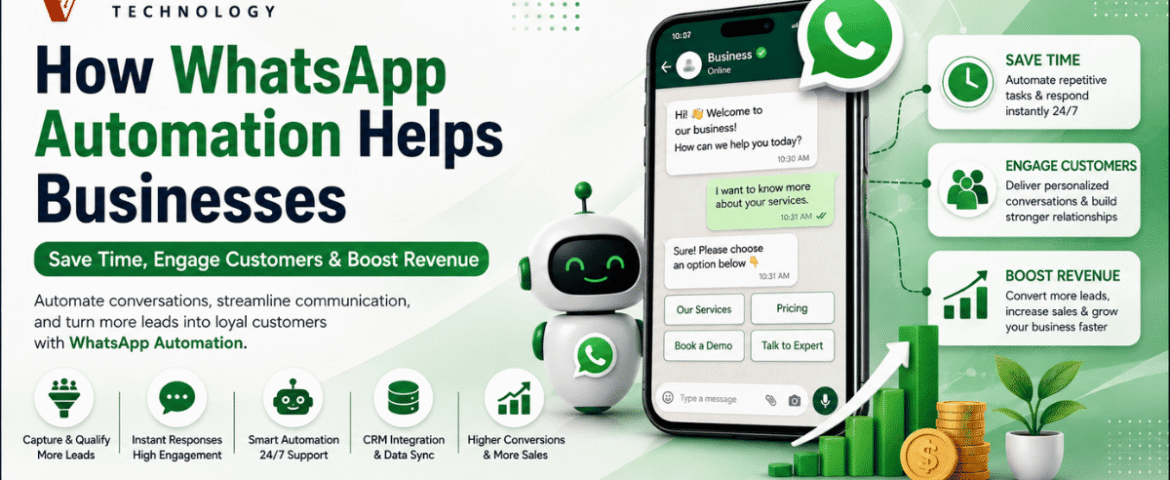
How WhatsApp Automation Helps Businesses Save Time, Engage Customers & Boost Revenue
- By KHUSHI LIMBASIYA
- 0 Comments
- Latest News technology
Introduction to the Power of WhatsApp Automation In the modern digital economy, the speed and quality of customer communication can dictate the success or failure of a business. As traditional channels like email and phone calls become increasingly saturated, businesses are looking for more direct and effective ways to connect with their audiences. With over 3 billion people globally checking the app multiple times a day, WhatsApp has emerged as the premier platform for customer interaction. However, managing a massive influx of messages manually is impossible for growing teams. This is where WhatsApp automation becomes an essential strategy. WhatsApp automation involves utilizing intelligent workflows, chatbots, and application programming interfaces (APIs) to handle conversations and send messages without requiring manual human intervention. Rather than being simple auto-responders, these systems provide smart, context-aware interactions that closely mimic human responses, allowing a business to scale its customer service seamlessly. By integrating WhatsApp automation, organizations can fundamentally transform their operations, significantly reducing manual effort while maximizing engagement and sales. The Shift from Traditional Channels to Messaging For years, businesses relied heavily on email marketing and standard customer service desks. Unfortunately, email campaigns today often struggle, typically yielding open rates of only around 20 percent and minimal click-through rates of 2 to 5 percent. Consumers are fatigued by cluttered inboxes and delayed email responses. In stark contrast, WhatsApp campaigns achieve staggering open rates of 98 percent. Furthermore, click-through rates on automated WhatsApp messages range between 45 and 60 percent. This massive disparity exists because WhatsApp feels inherently personal, immediate, and conversational to the user. When a business leverages WhatsApp automation, they are placing their brand directly into an environment that customers already trust and check constantly. How WhatsApp Automation Saves Time and Resources One of the most immediate and measurable impacts of implementing WhatsApp automation is the sheer amount of time and effort it saves for internal teams. By automating routine interactions, businesses can reallocate their human resources to more complex, strategic tasks. Providing True 24/7 Customer Support Customers do not only browse products or experience issues during standard business hours. Decision-makers and consumers alike frequently research solutions late at night or on weekends. Most businesses simply cannot afford the overhead of maintaining a 24/7 human support team. WhatsApp automation solves this by keeping your business available around the clock. Automated responses ensure that no inquiry goes unanswered, regardless of the time of day. Whether a customer is asking for a product catalog at midnight or requesting an appointment early Sunday morning, the automated system can acknowledge the request, provide the necessary information, or confirm a future meeting instantly. One sports facility that implemented such automation saved significant capital by avoiding the cost of hiring two full-time employees for off-hour shifts, all while providing continuous support. Resolving Common Queries Instantly A significant portion of incoming customer messages consists of repetitive, frequently asked questions (FAQs). Handling these manually creates bottlenecks and frustrates both customers and staff. By deploying AI-driven chatbots to handle the bulk of basic inquiries, businesses report that their response times improve drastically, sometimes by as much as 90 to 97 percent. This immediate resolution keeps the customer satisfied and allows live agents to dedicate their time to high-value, complex problem-solving. Streamlining Internal Workflows Beyond customer-facing interactions, WhatsApp automation can also be utilized for internal communications and operational workflows. Boosting Customer Engagement with WhatsApp Engagement is the lifeblood of customer retention and brand loyalty. Because WhatsApp is a platform that consumers actively monitor, businesses leveraging automation can achieve unprecedented levels of interaction. Leveraging Unmatched Visibility When you send an automated message via email, it may sit unread for days. When you send it via WhatsApp, it is almost guaranteed to be seen immediately. WhatsApp automation ensures that campaigns, from simple birthday greetings to localized promotions, enjoy exceptional visibility. This directness makes the platform ideal for quickly raising brand awareness and ensuring critical marketing messages are actually consumed by the target audience. Personalization at Scale A common misconception about automation is that it feels cold and robotic. However, modern WhatsApp automation can be highly personalized and contextually relevant, which actively builds customer trust. By integrating WhatsApp automation with your CRM platform, the system can dynamically pull specific customer data—such as their name, previous order history, or preferences—into the automated messages. Nurturing Leads Automatically A slow reply can quickly cost a business a valuable deal. Many potential sales are lost simply because leads are not nurtured quickly or consistently enough. WhatsApp automation ensures that no opportunity slips through the cracks by deploying automated follow-ups and continuous lead nurturing sequences. If a prospect abandons a booking or leaves a conversation, an automated message can gently nudge them to continue. Automated systems can even run interactive quizzes or chatbot flows to naturally qualify prospects and segment them before passing them to a human sales representative. Businesses utilizing automated follow-ups report seeing engagement levels 20 percent higher than when relying solely on manual follow-ups. Driving Revenue Growth Through WhatsApp Automation Ultimately, the goal of saving time and engaging customers is to drive bottom-line revenue. WhatsApp automation directly contributes to sales growth through several powerful mechanisms. Recovering Abandoned Carts In the e-commerce sector, shopping cart abandonment is a massive source of lost revenue. Customers frequently add items to their digital carts but leave the site before checking out. Upselling and Cross-Selling Strategies Once a customer is engaged, automated systems can actively recommend complementary products or upgrades. Utilizing AI suggestions for upselling and cross-selling through WhatsApp can boost a business’s average order value by 25 to 35 percent. Additionally, features like in-chat payments allow customers to complete their purchases directly within the messaging interface via one-click checkout links, drastically reducing purchase friction and accelerating the sales cycle. Lowering Customer Acquisition and Support Costs Revenue growth is not just about making more sales; it is also about reducing operational expenses. By successfully implementing these automated workflows, businesses globally are saving vast amounts of capital, freeing up resources for innovation and expansion.
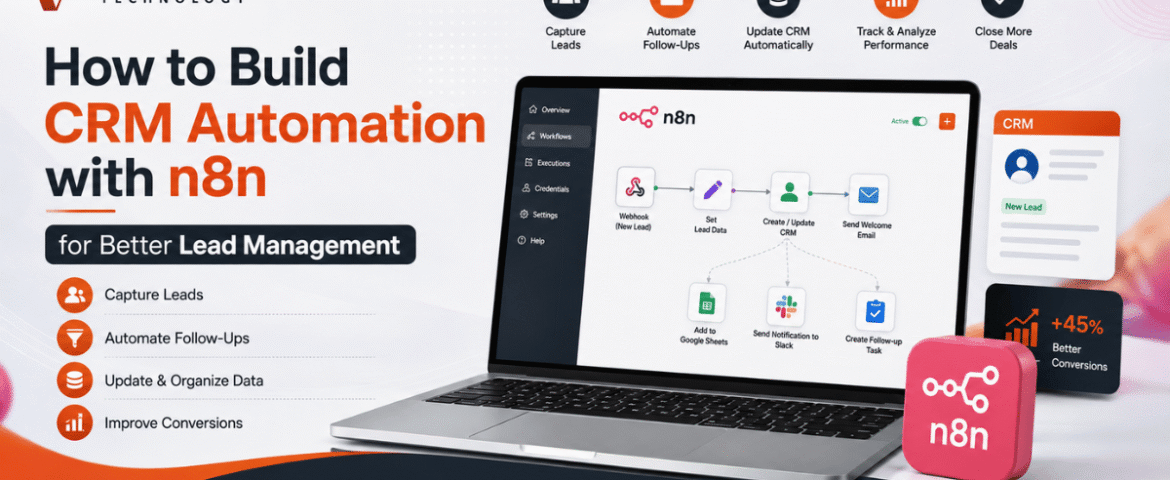
How to Build CRM Automation with n8n for Better Lead Management
- By KHUSHI LIMBASIYA
- 0 Comments
- technology Latest News
Generating and managing leads manually is one of the biggest challenges for growing businesses. As the number of inquiries increases, manually updating customer records, assigning follow-ups, and sending emails becomes time-consuming and prone to errors. This is where CRM Automation becomes a game changer. With n8n, businesses can automate repetitive CRM tasks without relying on expensive enterprise software or complex coding. Whether leads come from contact forms, social media campaigns, WhatsApp, Google Sheets, landing pages, or email, n8n can connect multiple platforms and automatically manage every step of the lead lifecycle. In this guide, you’ll learn how to build CRM Automation with n8n, create automated lead management workflows, improve response times, reduce manual work, and increase conversion rates. Why CRM Automation Matters Every business receives leads from different sources. Without automation, teams often face problems such as: CRM Automation removes these issues by automatically capturing, organizing, qualifying, and tracking leads. Some major advantages include: What is n8n? n8n is an open-source workflow automation platform that allows users to connect applications through visual workflows. Instead of writing lengthy code, users create automation using drag-and-drop nodes. n8n supports hundreds of integrations including: Its flexibility makes it one of the most powerful automation tools for CRM Automation. Why Use n8n for CRM Automation? Unlike traditional automation platforms, n8n provides complete workflow customization. Benefits include: No-Code and Low-Code Automation Business users can create workflows visually without programming knowledge. Multiple Integrations Connect multiple lead sources into one workflow. Self-Hosted Option Maintain full control over customer data. Advanced Logic Use conditions, loops, filters, delays, and custom scripts. Cost-Effective Reduce software expenses while building powerful automation. Essential Components of CRM Automation A complete CRM Automation workflow usually contains several stages. Lead Capture Collect leads from: Lead Validation Automatically verify: Lead Qualification Assign scores based on: Lead Assignment Automatically assign qualified leads to sales representatives. Follow-Up Automation Trigger: Activity Tracking Log every interaction inside the CRM automatically. Step 1: Connect Your Lead Sources The first workflow starts with lead collection. Common lead sources include: Website Contact Forms Whenever someone submits a form, n8n instantly receives the information. Collected information may include: Landing Pages Automatically push landing page submissions into your CRM. Social Media Leads Capture leads generated through advertising campaigns without manual downloads. WhatsApp Collect customer details directly from incoming conversations. Google Sheets Automatically monitor new spreadsheet entries. Step 2: Clean and Validate Lead Data Poor-quality data reduces CRM performance. n8n can automatically: Remove Duplicate Leads Search the CRM before adding new contacts. Verify Email Addresses Ensure emails follow valid formats. Format Phone Numbers Standardize country codes and mobile numbers. Normalize Customer Data Convert names into consistent formats. Example: Instead of: john smith The workflow stores: John Smith Step 3: Automatically Create CRM Records After validation, n8n creates new customer records. Each CRM entry may include: Everything happens automatically. Step 4: Lead Scoring Automation Not every lead has equal value. CRM Automation can assign scores using conditions. Example scoring: Total score determines priority. High-value leads receive immediate attention. Step 5: Assign Leads Automatically Instead of manually distributing leads, n8n can assign them based on rules. Examples: Round Robin Assignment Each sales member receives leads equally. Region-Based Assignment Assign according to customer location. Product-Based Assignment Different products go to different teams. Industry-Based Assignment Healthcare, retail, manufacturing, education, and technology leads go to specialists. Step 6: Trigger Instant Customer Responses Customers expect quick replies. CRM Automation allows immediate communication. Possible actions: Instant responses improve customer satisfaction. Step 7: Notify Sales Teams Sales teams receive instant alerts whenever new leads arrive. Notifications may be sent through: Notifications contain: Step 8: Schedule Follow-Up Activities Follow-ups are critical for lead conversion. n8n can automatically: No opportunity gets forgotten. Step 9: Update Lead Status Automatically Every interaction updates the CRM. Status examples: Sales pipelines remain accurate without manual updates. Step 10: Generate Reports Automatically CRM Automation can generate reports including: Daily Lead Reports Monitor new inquiries. Weekly Performance Reports Evaluate sales productivity. Conversion Reports Measure lead-to-customer ratio. Source Analysis Identify top-performing lead sources. Sales Pipeline Reports Understand deal progress. Reports can be emailed automatically. Popular n8n CRM Automation Workflows Website Form to CRM Automatically collect website inquiries and create CRM records. Google Sheets to CRM Import spreadsheet leads instantly. Email to CRM Convert incoming inquiries into customer records. WhatsApp to CRM Store conversations and customer details automatically. CRM to Email Marketing Send targeted campaigns based on CRM data. CRM to Calendar Schedule meetings automatically. CRM Reminder Workflow Send reminders before follow-up dates. Best Practices for CRM Automation Keep Workflows Simple Begin with basic automations before adding advanced logic. Eliminate Duplicate Records Prevent duplicate customers from entering the CRM. Use Lead Scoring Prioritize high-value opportunities. Maintain Data Quality Validate every incoming lead. Monitor Workflow Performance Regularly review execution logs. Secure Customer Information Use secure authentication and encrypted connections. Test Before Deployment Verify every workflow with sample data. Common CRM Automation Mistakes Avoid these mistakes: Overcomplicated Workflows Complex automation becomes difficult to maintain. Ignoring Error Handling Always create backup paths for failures. Missing Notifications Ensure failed workflows generate alerts. Poor Data Validation Invalid customer information reduces CRM accuracy. No Workflow Documentation Document automation logic for future updates. Advanced CRM Automation Ideas Once the basic workflow is running, additional automation can include: Benefits of CRM Automation with n8n Businesses using CRM Automation experience several long-term benefits. These include: Automation allows teams to spend more time building customer relationships instead of performing repetitive administrative tasks. Also Read : AI Workflow Automation with n8n: Build Smarter Business Processes Conclusion CRM Automation with n8n transforms the way businesses capture, organize, and manage leads. Instead of manually updating records, assigning leads, and sending follow-up messages, every process can run automatically through intelligent workflows. From lead collection and validation to scoring, assignment, notifications, reporting, and customer communication, n8n helps streamline the entire sales pipeline. As your business grows, automated workflows ensure consistency, improve efficiency, reduce errors, and enable faster responses that lead to higher conversion rates. By implementing CRM Automation with

How AI Chatbots Are Transforming Customer Support And Engagement
- By KHUSHI LIMBASIYA
- 0 Comments
- Latest News technology
The landscape of customer experience has undergone a seismic shift. In 2026, we have definitively crossed the tipping point where artificial intelligence is no longer an experimental novelty but the foundational pillar of digital communication. At the heart of this transformation are AI Chatbots, intelligent systems that have evolved far beyond the rigid, rule-based scripts of the past. Today, these conversational engines are autonomous, context-aware, and emotionally intelligent tools capable of resolving complex issues, predicting user needs, and driving measurable business outcomes across every industry. The Evolution of Customer Support: From Rule-Based Scripts to Conversational AI Chatbots To understand the magnitude of today’s technology, one must look at how quickly the industry has evolved. For years, digital support was synonymous with frustration. Early iterations of virtual assistants were built on simple decision trees. If a user’s query did not exactly match a pre-programmed keyword, the bot would fail, leading to cyclical errors and ultimate user abandonment. Breaking the Limitations of Legacy Systems Legacy systems relied on static logic. They were fundamentally reactive, waiting for a user to input a command and responding with a generic, one-size-fits-all answer. These systems lacked memory, meaning that if a user switched from a mobile app to a desktop browser, the conversation would reset. This lack of continuity was a primary driver of customer dissatisfaction. Modern AI Chatbots have completely broken free from these limitations. Driven by advanced Large Language Models (LLMs) and sophisticated machine learning algorithms, today’s conversational AI does not look for exact keyword matches. Instead, it understands the underlying intent and semantic meaning behind a user’s words. It can decipher colloquialisms, handle typos, and even interpret the emotional state of the user, crafting responses that are dynamic, empathetic, and highly accurate. The Rise of Context-Aware AI Chatbots The most significant leap in modern customer support is the transition to context-aware systems. In 2026, an AI Chatbot does not treat each message in a vacuum. It accesses a rich tapestry of historical data—previous purchases, past support tickets, browsing behavior, and real-time signals—to inform its responses. If a user visits a pricing page, leaves, and later opens a chat widget, the AI Chatbot already knows what the user was looking at and can proactively offer tailored assistance or relevant discounts. This level of contextual awareness transforms a simple support tool into a proactive engagement engine. Core Capabilities of Modern AI Chatbots The transformation of customer engagement is fueled by several core technological advancements. The capabilities of AI Chatbots have expanded rapidly, making them indistinguishable from top-tier human representatives in many routine scenarios. Natural Language Processing and Sentiment Analysis At the core of every modern AI Chatbot is Natural Language Processing (NLP). NLP allows the system to read, decipher, and understand human language in a way that is highly valuable. However, the true game-changer in 2026 is the integration of real-time Sentiment Analysis. AI Chatbots can now detect frustration, urgency, or satisfaction in a user’s text or voice. If a customer uses urgent language or types in all caps to express dissatisfaction about a delayed delivery, the AI Chatbot recognizes this negative sentiment immediately. It can automatically adjust its tone to be more empathetic, prioritize the ticket, or instantly route the conversation to a specialized human escalation team, ensuring that high-risk situations are diffused rapidly. Memory-Rich and Omnichannel Experiences Personalization is no longer a luxury; it is a baseline expectation. AI Chatbots now operate with shared memory across all communication channels. Whether a customer initiates contact via SMS, transitions to a web chat, and finally sends an email, the AI Chatbot maintains the entire thread of the conversation. This omnichannel consistency eliminates the most universally despised aspect of customer support: forcing the user to repeat their problem multiple times to different systems. By providing a continuous, unbroken narrative, AI Chatbots ensure that every interaction feels like an ongoing relationship rather than an isolated transaction. Multimodal Interactions Text-based chat is no longer the sole medium for support. The latest AI Chatbots are multimodal, meaning they can process and respond to multiple forms of input simultaneously. A user attempting to assemble a piece of furniture or troubleshoot a blinking router can now upload a photo or a short video directly into the chat. The AI Chatbot analyzes the visual input alongside the text, identifies the specific model or the error in the setup, and provides visual annotations or step-by-step video responses to solve the problem. This multimodal capability bridges the gap between digital convenience and the hands-on guidance traditionally requiring a physical technician. How AI Chatbots Are Driving Unprecedented Business Outcomes The financial and operational impacts of deploying sophisticated conversational AI are staggering. The global AI customer service market is projected to reach $15.12 billion in 2026, on its way to $47.82 billion by 2030, representing a compound annual growth rate (CAGR) of over 25%. This growth is driven by tangible, measurable returns. Scalability and 24/7 Availability One of the most immediate benefits of AI Chatbots is infinite scalability. A human workforce is limited by physical constraints, time zones, and shift schedules. During seasonal spikes, product launches, or unexpected outages, support queues can stretch for hours. AI Chatbots absorb these massive spikes in volume instantaneously. They provide instant resolutions at 2:00 AM on a Sunday just as effectively as they do at 10:00 AM on a Tuesday. This 24/7 availability ensures that global consumer bases receive immediate attention, fundamentally eliminating the concept of “business hours” in the context of customer support. Substantial Return on Investment (ROI) The deployment of AI Chatbots is no longer viewed purely as a cost center, but as a massive driver of profitability. Organizations implementing advanced AI support are currently seeing returns on investment ranging from 3.5x to 8x. By successfully resolving up to 80% of routine interactions autonomously—such as password resets, order tracking, and basic troubleshooting—AI Chatbots drastically reduce overhead. It is estimated that conversational AI will reduce contact center labor costs by a staggering $80 billion globally in 2026 alone.
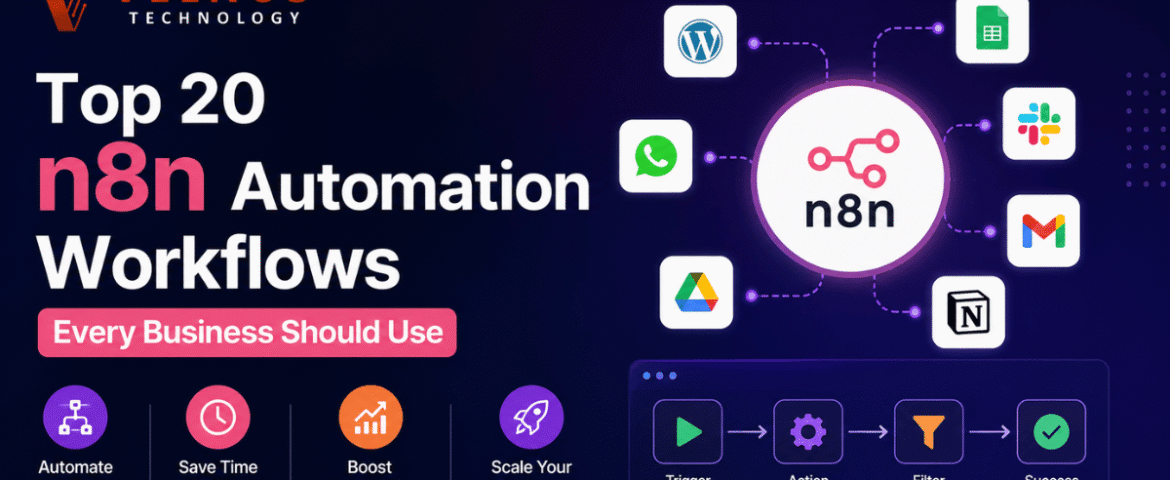
Top 20 n8n Automation Workflows Every Business Should Use
- By KHUSHI LIMBASIYA
- 0 Comments
- technology Latest News
Introduction Businesses today are constantly looking for ways to reduce manual work, improve efficiency, and increase productivity. One of the most effective solutions is n8n Automation, an open-source workflow automation platform that connects apps, APIs, and services without requiring extensive coding knowledge. Whether you’re managing customer inquiries, marketing campaigns, sales pipelines, or internal operations, automation can eliminate repetitive tasks and help teams focus on strategic work. With thousands of integrations and powerful workflow capabilities, n8n allows businesses to automate processes across departments. From lead management to reporting and customer communication, businesses of all sizes can save countless hours every week. In this article, we’ll explore the Top 20 n8n Automation Workflows Every Business Should Use to improve productivity, streamline operations, and accelerate growth. Why Businesses Choose n8n Automation Flexible Workflow Design n8n provides a visual workflow builder that makes it easy to connect multiple applications and automate complex business processes. Saves Time Manual repetitive work is replaced with automated workflows, allowing employees to focus on more valuable tasks. Improves Accuracy Automation reduces human errors by following predefined rules and conditions consistently. Easy Integration n8n connects with hundreds of popular platforms, APIs, databases, and cloud services. Scalable Solution Whether you’re a startup or a large organization, workflows can easily grow alongside your business. Top 20 n8n Automation Workflows Every Business Should Use 1. Automatic Lead Collection Capture leads from websites, landing pages, and online forms, then automatically organize them into your CRM or database. Benefits 2. Email Notification Workflow Automatically send confirmation emails whenever a new inquiry, registration, or request is received. Benefits 3. Contact Synchronization Keep customer information synchronized between multiple applications automatically. Benefits 4. Task Creation Automation Create tasks automatically whenever a new project, request, or inquiry is received. Benefits 5. Social Media Scheduling Publish content automatically according to a predefined schedule across multiple platforms. Benefits 6. Customer Support Ticket Workflow Automatically organize incoming support requests based on categories, urgency, or keywords. Benefits 7. Invoice Generation Workflow Generate invoices automatically after orders or completed services. Benefits 8. Sales Pipeline Automation Automatically move opportunities through different sales stages based on customer activities. Benefits 9. Data Backup Workflow Schedule automatic backups of important business data. Benefits 10. File Organization Workflow Automatically move, rename, and organize uploaded files into structured folders. Benefits 11. Appointment Reminder Workflow Automatically send reminders before scheduled meetings or appointments. Benefits 12. Marketing Campaign Automation Trigger marketing actions based on customer behavior or predefined conditions. Benefits 13. Report Generation Workflow Generate daily, weekly, or monthly reports automatically. Benefits 14. Internal Team Notifications Notify team members instantly whenever important events occur. Benefits 15. Inventory Monitoring Workflow Track inventory changes automatically and receive alerts when stock reaches a predefined level. Benefits 16. Order Processing Automation Automatically process incoming orders and update workflow statuses. Benefits 17. Document Approval Workflow Route documents automatically for approvals based on predefined conditions. Benefits 18. Feedback Collection Workflow Collect customer feedback automatically after product delivery or service completion. Benefits 19. Event Registration Automation Automatically organize event registrations and send confirmations. Benefits 20. Business Dashboard Workflow Automatically collect business metrics from multiple systems into a centralized dashboard. Benefits Best Practices for n8n Automation Start with Small Workflows Begin with simple automations before building larger, more complex workflows. Test Before Deployment Always test workflows thoroughly to ensure accurate execution. Use Error Handling Implement error notifications and retry mechanisms for reliable automation. Secure Sensitive Data Protect credentials and sensitive information using secure authentication methods. Monitor Workflow Performance Regularly review workflow execution to identify bottlenecks and optimize performance. Document Your Workflows Maintain clear documentation to simplify maintenance and future improvements. Benefits of Using n8n Automation Increased Productivity Employees spend less time on repetitive tasks and more time on strategic activities. Lower Operational Costs Automation reduces labor costs while increasing overall efficiency. Better Customer Experience Faster responses and consistent communication improve customer satisfaction. Improved Accuracy Automated workflows minimize manual mistakes and maintain data consistency. Scalability Businesses can easily expand automation as operations grow. Faster Decision Making Automated reports and dashboards provide real-time business insights. Common Mistakes to Avoid Automating Poor Processes Optimize existing processes before automating them. Ignoring Workflow Testing Untested workflows can cause unexpected errors. Lack of Monitoring Monitor workflow performance regularly to ensure reliability. Missing Error Handling Always configure notifications for workflow failures. Overcomplicating Workflows Keep workflows simple, modular, and easy to maintain. Future of n8n Automation Automation continues to evolve with artificial intelligence, machine learning, and advanced integrations. Businesses increasingly rely on automated workflows to improve efficiency, enhance customer experiences, and reduce operational costs. As organizations adopt more cloud-based applications and digital services, n8n Automation will play an even greater role in connecting systems, streamlining operations, and enabling smarter decision-making. Companies that embrace workflow automation today will be better prepared for future growth, scalability, and innovation. Also Read : n8n vs Zapier vs Make: Which Automation Platform Should You Choose? Conclusion Modern businesses depend on speed, accuracy, and efficiency to stay competitive. n8n Automation offers a flexible and powerful way to automate repetitive tasks, connect applications, and streamline operations without unnecessary complexity. Whether you’re managing leads, processing orders, generating reports, organizing documents, or improving internal communication, these top 20 workflows can significantly reduce manual effort and improve productivity. By implementing the right automation strategies, businesses can save time, reduce errors, enhance customer experiences, and focus on growth instead of routine tasks. Start with a few essential workflows, optimize them over time, and gradually expand your automation ecosystem to unlock the full potential of n8n Automation. Frequently Asked Questions (FAQs) Q1. What is n8n Automation? n8n Automation is a workflow automation platform that connects applications, APIs, and services to automate repetitive business tasks. Q2. Is n8n suitable for small businesses? Yes. It is highly scalable and works well for startups, small businesses, and large organizations. Q3. Can n8n connect with multiple applications? Yes. It supports hundreds of integrations and custom API connections. Q4. Does n8n require coding knowledge? No. Most workflows can be built using a visual workflow
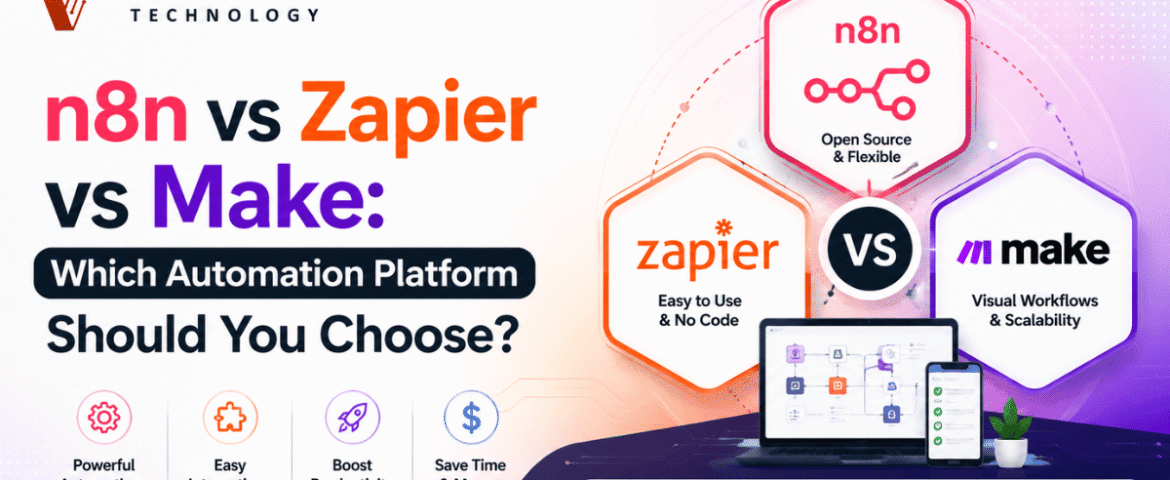
n8n vs Zapier vs Make: Which Automation Platform Should You Choose?
- By KHUSHI LIMBASIYA
- 0 Comments
- technology Latest News
Automation has become an essential part of modern businesses. Whether you want to automate repetitive tasks, connect different applications, or create complex workflows, automation platforms make the process faster and more efficient. Three of the most popular workflow automation tools available today are n8n, Zapier, and Make. If you’re searching for the best automation platform, you’ve probably come across the debate of n8n vs Zapier. While all three platforms help automate workflows, they differ in pricing, flexibility, customization, ease of use, and scalability. In this guide, we’ll compare n8n vs Zapier vs Make in detail, covering features, advantages, disadvantages, pricing models, integrations, security, performance, and real-world use cases. By the end, you’ll know which platform is the best fit for your needs. What Is Workflow Automation? Workflow automation is the process of connecting different apps and services to perform tasks automatically without manual intervention. Instead of copying data from one application to another, automation platforms handle these repetitive processes instantly. Examples include: Automation saves time, reduces human errors, and improves productivity. Understanding n8n n8n is a workflow automation platform that provides complete flexibility. Unlike many automation tools, n8n allows users to self-host workflows while also offering cloud hosting. One of its biggest strengths is the ability to write JavaScript code inside workflows, making it ideal for developers and technical users. Key Features of n8n Understanding Zapier Zapier is one of the easiest workflow automation tools available. It focuses on simplicity, allowing users to create workflows without writing code. It supports thousands of app integrations and is popular among marketers, freelancers, startups, and small businesses. Key Features of Zapier Understanding Make Make provides a visual automation builder where workflows are designed using drag-and-drop modules. It offers greater flexibility than Zapier while remaining easier than fully coding workflows. Key Features of Make n8n vs Zapier: Main Differences The comparison between n8n vs Zapier often comes down to flexibility versus simplicity. Ease of Use Zapier is designed for beginners. n8n has a learning curve but offers much greater customization. Winner: Zapier Customization n8n allows developers to write JavaScript, build custom nodes, and create highly advanced workflows. Zapier mainly focuses on pre-built automation. Winner: n8n Hosting n8n supports both cloud hosting and self-hosting. Zapier only offers cloud hosting. Winner: n8n Pricing n8n becomes significantly more affordable for businesses running thousands of workflow executions. Zapier pricing increases as task usage grows. Winner: n8n Integrations Zapier supports a massive ecosystem of applications. n8n supports many integrations while allowing API connections for unsupported apps. Winner: Zapier Developer Experience Developers generally prefer n8n because of: Winner: n8n n8n vs Make Many users compare n8n vs Make because both offer advanced workflow builders. Visual Workflow Builder Make offers one of the best visual editors. n8n also provides visual workflows but focuses more on flexibility. Logic Handling Both support: APIs Both platforms have excellent API capabilities. Self Hosting Only n8n supports complete self-hosting. Advanced Development n8n is better suited for developers needing custom code execution. Zapier vs Make Zapier is ideal for simplicity. Make is better for users needing complex workflows without coding. Integration Support Automation platforms are only as good as the apps they connect. Popular integrations include: Productivity CRM Project Management Storage Marketing Databases AI Workflow Building Experience n8n Ideal for: Zapier Best for: Make Suitable for: Performance Comparison n8n Zapier Make Security n8n Zapier Make Pricing Comparison Pricing frequently changes, but the overall structure remains similar. n8n Zapier Make Pros and Cons n8n Pros n8n Cons Zapier Pros Zapier Cons Make Pros Make Cons Best Use Cases Choose n8n if you need Choose Zapier if you need Choose Make if you need Tips for Choosing the Right Automation Platform Consider Your Technical Skills Beginners often prefer Zapier because of its straightforward interface, while developers appreciate n8n for its advanced customization. Make sits comfortably in the middle, offering visual workflow design with more flexibility than typical no-code tools. Think About Workflow Complexity If your automation only connects a few applications, almost any platform will work well. For workflows involving multiple branches, APIs, databases, or custom scripts, n8n provides greater control. Evaluate Long-Term Costs As your business grows, automation volume usually increases. Compare pricing models carefully, especially if you expect thousands of workflow executions each month. Consider Hosting Requirements If data privacy and infrastructure control are priorities, self-hosting with n8n vs Zapier n8n may be the best option. Cloud-only users may find Zapier or Make more convenient. Common Automation Examples Here are a few practical workflows you can build using any of these platforms: Lead Management Content Publishing E-commerce Customer Support AI Automation Also Read : How n8n Workflow Automation Can Save Your Business Time And Money Conclusion Choosing between n8n vs Zapier vs Make depends on your goals, technical expertise, and workflow requirements. If flexibility, self-hosting, and advanced customization are your priorities, n8n vs Zapier is an excellent choice. It is particularly well-suited for developers, businesses managing large-scale automations, and teams building AI-powered workflows. If ease of use and quick setup matter most, n8n vs Zapier remains one of the best options. It enables users with little or no technical experience to automate everyday tasks quickly using its extensive integration library. If you want a balance between visual workflow design and advanced automation capabilities, Make offers an intuitive interface with powerful routing and data processing features. Ultimately, there is no single winner for every scenario. Understanding your automation needs, budget, technical skills, and expected workflow complexity will help you choose the platform that delivers the greatest long-term value. FAQs Q1. Is n8n better than Zapier? For advanced users and developers n8n vs Zapier , n8n offers greater flexibility, self-hosting, and customization. For beginners seeking simple automation, Zapier is generally easier to use. Q2. Which platform is best for beginners? Zapier is widely regarded as the most beginner-friendly due to its intuitive interface and large collection of ready-made workflow templates. Q3. Does n8n require coding? No. You can build many workflows without coding, but JavaScript support is available
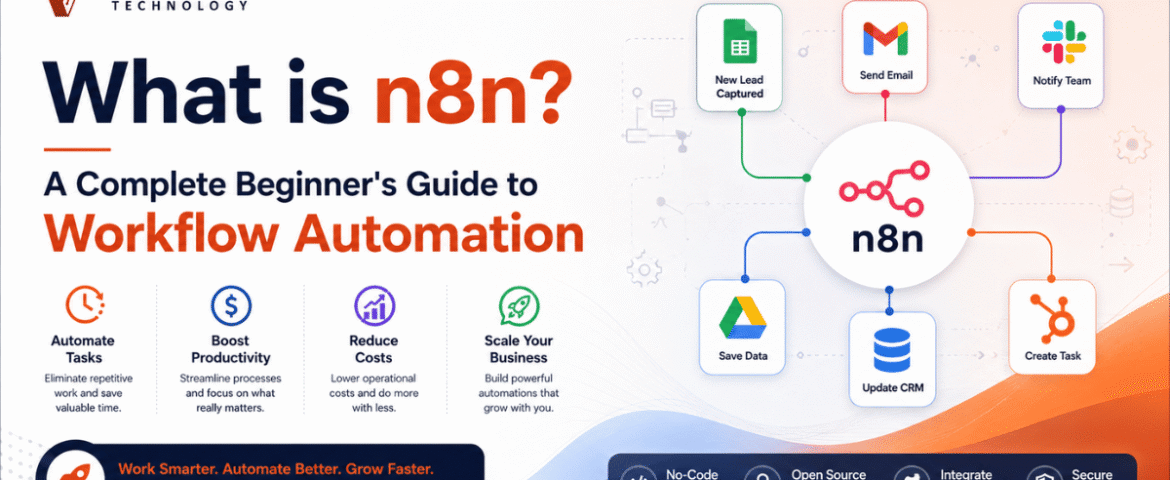
What Is n8n? A Complete Beginner’s Guide To Workflow Automation
- By KHUSHI LIMBASIYA
- 0 Comments
- Latest News technology
Businesses and individuals spend countless hours performing repetitive digital tasks every day. Copying data between applications, sending emails, updating spreadsheets, managing customer information, posting on social media, and organizing files are just a few examples of routine work that consumes valuable time. Workflow automation solves this problem by allowing software to perform repetitive tasks automatically. One of the fastest-growing workflow automation platforms is n8n. It enables users to connect multiple applications, automate processes, and build complex workflows with minimal manual effort. Whether you are a beginner exploring automation or a developer looking for advanced customization, n8n provides the flexibility to automate almost any digital process. Unlike many automation platforms that restrict customization, n8n offers a visual workflow builder combined with the ability to write custom code whenever needed. This makes it suitable for beginners who prefer drag-and-drop automation as well as professionals who require advanced logic. This beginner’s guide explains everything you need to know about n8n, including its features, benefits, use cases, workflow creation process, integrations, AI capabilities, and best practices. What is n8n? n8n is a workflow automation platform that connects different applications and services to automate repetitive tasks. Instead of manually transferring information between multiple systems, users can create workflows that execute automatically based on predefined conditions. A workflow consists of connected steps called nodes. Each node performs a specific task such as: The platform provides a visual interface where workflows are created by connecting these nodes together. One of n8n’s biggest strengths is its flexibility. Simple workflows can be built without coding, while advanced users can extend workflows using JavaScript, APIs, expressions, and custom logic. Why Workflow Automation Matters Modern businesses use dozens of digital tools every day. Managing them manually often results in: Time-consuming repetitive work Employees waste hours copying information between systems. Increased human errors Manual data entry increases the possibility of mistakes. Slow response times Customers expect instant communication and quick processing. Poor productivity Staff spend less time on meaningful work and more time on repetitive tasks. Workflow automation solves these challenges by creating reliable, repeatable, and scalable processes. How Does n8n Work? n8n works by connecting applications through workflows. A typical workflow follows these steps: Trigger The workflow starts when an event occurs. Examples include: Process Data After receiving information, n8n processes the data. This may include: Execute Actions The workflow performs one or more actions. Examples include: End Workflow The workflow finishes after completing all configured actions. Key Features of n8n Visual Workflow Builder The drag-and-drop interface allows users to build workflows without writing large amounts of code. Each node represents one action, making workflows easy to understand. Large Integration Library n8n supports hundreds of integrations with popular services including: It also supports any REST API. Custom Code Support Developers can use JavaScript to: This provides unlimited flexibility. Webhook Support Webhooks allow applications to instantly trigger workflows whenever an event occurs. This enables real-time automation. Scheduling Workflows can run: Perfect for reports, backups, and recurring tasks. Conditional Logic Users can create intelligent workflows using conditions. For example: Different actions can execute based on these conditions. Error Handling n8n includes features for: This improves workflow reliability. Benefits of Using n8n Saves Time Automation eliminates repetitive manual work. Reduces Errors Automated workflows execute consistently without typing mistakes. Improves Productivity Teams focus on important tasks instead of routine operations. Scalable Automation As workloads increase, workflows continue running automatically. Flexible Development Suitable for beginners and developers alike. Cost-Effective Users can automate complex business processes without expensive custom software. Common Use Cases Lead Management Automatically: Email Automation Automatically: Social Media Automation Schedule and publish content automatically. Examples include: Customer Support Automate: Data Synchronization Keep multiple applications synchronized. For example: File Management Automatically: AI Automation Integrate AI services to: Understanding Nodes in n8n Nodes are the building blocks of every workflow. Trigger Nodes Start workflows. Examples: Action Nodes Perform tasks. Examples: Logic Nodes Control workflow behavior. Examples: Data Nodes Transform information. Examples: Creating Your First Workflow Step 1 Create a new workflow. Step 2 Add a trigger. Example: Manual Trigger Step 3 Connect another node. Example: Google Sheets Step 4 Configure credentials. Step 5 Choose the desired action. Step 6 Test the workflow. Step 7 Activate the workflow. Once activated, it will run automatically whenever the trigger occurs. Popular n8n Integrations Some commonly used integrations include: Productivity Communication Databases Marketing Development Cloud Storage AI and n8n Artificial Intelligence has become an important part of workflow automation. n8n allows users to combine AI with automation to create intelligent workflows. Examples include: AI Content Generation Generate: AI Chatbots Create automated conversations with customers. Document Processing Automatically: Customer Sentiment Analysis Analyze customer messages and classify them as: Data Classification Automatically organize large datasets using AI. Best Practices for Beginners Start Small Build simple workflows before creating advanced automations. Name Every Node Clear names make workflows easier to understand. Test Frequently Run workflows step by step before activating them. Handle Errors Always create fallback paths for failed executions. Use Variables Avoid hardcoding values whenever possible. Organize Workflows Group related workflows into logical folders or projects. Monitor Executions Regularly review execution history to identify issues. Common Beginner Mistakes Overcomplicating Workflows Keep workflows simple. Ignoring Error Handling Always prepare for unexpected failures. Not Testing Test every workflow before deploying it. Poor Documentation Document workflow logic for future maintenance. Forgetting Security Protect credentials and sensitive data. Future of Workflow Automation Workflow automation continues to evolve rapidly with artificial intelligence, machine learning, and cloud computing. Future automation trends include: As organizations continue adopting digital transformation, workflow automation platforms like n8n will become increasingly important for improving efficiency and reducing manual work. Also Read : WhatsApp Chat Automation: The Complete Guide to Smarter Customer Communication Conclusion n8n is a powerful and flexible workflow automation platform that helps automate repetitive digital tasks across multiple applications. Its visual workflow builder, extensive integrations, custom code support, AI capabilities, and scalable architecture make it suitable for beginners and experienced users alike. Whether you want to automate emails, synchronize databases,