
- Mail Address info@velnustech.com
- Phone Number +91-90990-05498

Contact Info
- C-1024, Siddhivinayak Tower, Kataria Automobile Road Makarba, Ahmedabad - 380051
- +91 90990 05498
- info@velnustech.com
- Week Days: 09.00 to 18.00 Sunday: Closed
artificial intelligence
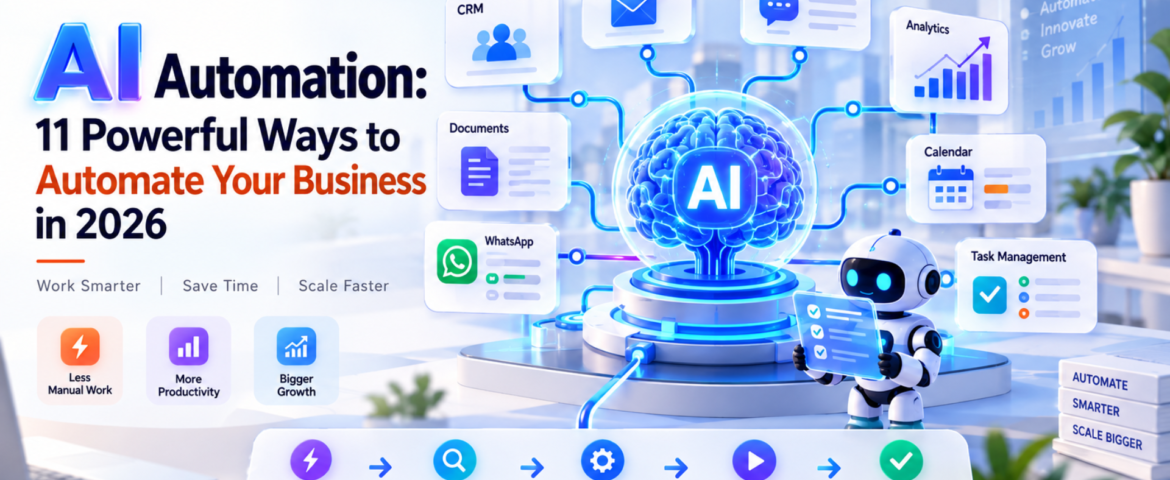
AI Automation: 11 Powerful Ways to Automate Your Business in 2026
- By pmayank658@gmail.com
- 0 Comments
- Latest News technology
AI Automation: 11 Powerful Ways to Automate Your Business in 2026 AI Automation means using artificial intelligence to understand information, make decisions, and complete repetitive business tasks with little or no manual effort. For beginners, freelancers, and small business owners, it can automate everything from lead follow-ups and customer support to reporting, scheduling, and data entry. The important point is this: AI automation is not about replacing every person with AI. It is about removing repetitive work so people can focus on work that actually needs human judgment. In 2026, businesses are moving beyond simple chatbots toward AI-powered workflows and agents that can perform multiple steps inside a business process. Google Cloud’s 2026 AI Agent Trends report, for example, identifies agentic workflows as an important direction for business automation. In simple words: AI automation lets you tell a system what needs to happen, and the system handles much of the work for you. Table of Contents What Is AI Automation? AI automation is the use of artificial intelligence within automated workflows to understand inputs, make decisions, generate outputs, and perform actions. Traditional automation usually follows fixed rules. For example: If a customer fills out a form → send an email. AI automation can handle a more flexible situation: A customer submits an enquiry → AI understands the enquiry → identifies the customer’s requirement → checks relevant information → creates or updates a CRM record → sends a personalized response → alerts a salesperson when human attention is needed. That’s the major difference. Traditional automation mostly follows predefined instructions. AI automation can interpret information and handle situations that aren’t always perfectly predictable. What is a simple example of AI automation? Imagine a small web-design agency receiving 30 enquiries every day. Without automation, someone might need to: With AI automation, much of this workflow can happen automatically. The AI can understand the enquiry, categorize it, update the CRM, draft a personalized response, and trigger a follow-up sequence. The human still controls important decisions. How Does AI Automation Work? A typical AI automation workflow has five basic stages: Trigger → Understand → Decide → Act → Verify 1. Trigger Something starts the workflow. Examples: 2. Understand AI processes the information. For example, it can identify: 3. Decide The system determines what should happen next. For example: “This customer wants a product demo, so create a qualified sales lead.” 4. Act The automation performs an action. It could: 5. Verify A good AI automation system shouldn’t blindly trust every AI output. For sensitive actions, it can ask a person for approval. This human-in-the-loop approach is especially useful for financial, legal, customer-facing, or high-risk workflows. What Are the Best AI Automation Use Cases? AI automation can be applied to almost any repetitive workflow. But small businesses should start with tasks that happen frequently and follow a reasonably clear process. Here are 11 practical examples. 1. Lead Generation and Qualification AI can read incoming enquiries and identify potential customers based on criteria such as: Instead of manually checking every lead, the sales team can focus on qualified prospects. 2. Customer Support AI automation can answer common questions, classify support requests, find relevant information, and escalate complicated cases to a human. For example: Customer question → AI understands request → searches knowledge base → responds → escalates if necessary This doesn’t mean every customer interaction should be handled by AI. Complex or sensitive issues should still have a human escalation path. 3. Email Automation AI can classify incoming emails and decide what should happen next. For example: Sales enquiry → CRMInvoice email → Finance folderSupport issue → Help deskMeeting request → Calendar workflow This can save small teams a surprising amount of administrative time. 4. CRM Updates CRM data often becomes outdated because employees don’t have time to update it. AI automation can extract information from emails, calls, forms, or messages and use it to update customer records. This makes the CRM more useful without forcing employees to enter every detail manually. 5. Appointment Scheduling Instead of exchanging multiple messages to find a suitable time, automation can: This is particularly useful for consultants, agencies, clinics, coaches, and service businesses. 6. Content Creation AI automation can support a content workflow: Topic → Research → Brief → Draft → Review → Publish But there’s an important difference between automating content production and publishing everything generated by AI. Human review is still valuable for: Google’s current guidance emphasizes useful, original content rather than simply producing more AI-generated pages. 7. Social Media Workflows AI can help transform one piece of content into multiple formats. For example: Blog article → LinkedIn post → Instagram caption → short video script → email newsletter A person can then review and approve the content before publishing. 8. Invoicing and Administrative Work AI automation can extract information from invoices, organize documents, identify missing information, and trigger reminders. For example: Invoice received → extract vendor + amount + date → categorize → send for approval → update accounting workflow. Financial actions should generally have appropriate approval and security controls. 9. Weekly Business Reports Instead of manually collecting data from multiple systems, an automation can gather information and prepare a summary. For example: CRM + website analytics + sales data → AI analysis → weekly business report The owner can then spend time interpreting the results rather than assembling spreadsheets. 10. WhatsApp Customer Communication For businesses that receive many customer enquiries through WhatsApp, AI automation can help with: The key is to connect the automation to accurate business information rather than allowing the AI to invent answers. 11. Internal Task Management AI can turn conversations and messages into actionable tasks. For example: “Please prepare the proposal for ABC before Friday.” An automation could identify the task, assign it to the correct person, set a deadline, and add it to a project-management system. How Can Small Businesses Use AI Automation? Small businesses don’t need to automate everything. In fact, trying to automate the entire business at once is
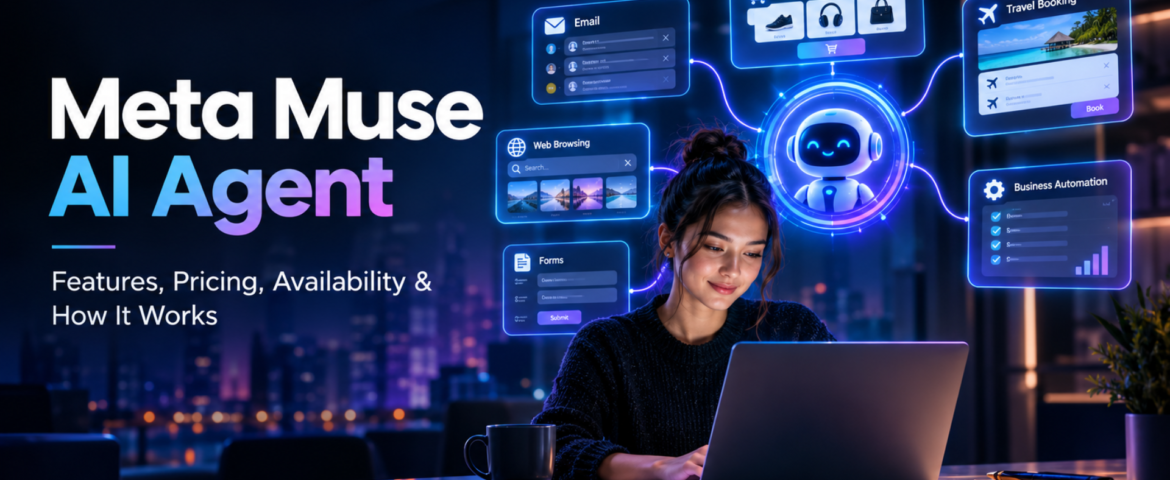
Meta Muse AI Agent: 7 Powerful Features, Pricing, Availability & How It Works
- By pmayank658@gmail.com
- 1 Comment
- Latest News technology
In brief: Meta Muse is a new personal AI agent designed to perform tasks for users rather than simply answering questions. You can tell Muse what you want to achieve, and—based on the task, permissions, and necessary approvals—it can plan the work, browse websites, fill out forms, send emails, assist with completing purchases, and continue working on longer tasks even after you close the app. Meta officially launched Muse on September 8, 2026, initially making it available in the US via the Muse app and WhatsApp. And yes, Meta Muse AI Agent is trending right now. Google Trends’ India trending page currently shows the query “meta muse ai agent” at 20K+ searches, up 900%, with the trend active around two hours ago. But the interesting part is not just that Meta launched another AI product. The bigger story is that AI is moving from “I will give you an answer” toward “I will try to get the task done for you.” What Is Meta Muse AI Agent? Meta Muse is a personal AI agent developed by Meta. A normal AI chatbot generally waits for your prompt, generates an answer and then waits again. An AI agent works differently. You can give an agent a goal, and it can decide which steps are needed to move toward that goal. For example, instead of asking: “How do I plan a trip to Dubai?” you could potentially tell an agent: “Plan my Dubai trip for next month, find suitable flights and hotels within my budget, and prepare the options for me.” The important difference is action. Meta says Muse can work across applications and websites, open a browser, fill forms, coordinate tasks and continue working on longer jobs. In simple words: Chatbot = gives you information. AI agent = can use information and tools to take action. That difference is the main reason Meta Muse is getting so much attention. How Does Meta Muse AI Agent Work? Muse is powered by Muse Spark, which Meta describes as its most capable model for real-world agentic work. But the model itself isn’t the whole story. Meta has built a separate environment called Muse Secure VM. A VM, or virtual machine, is basically an isolated computer environment running in the cloud. Meta says every Muse operates inside a dedicated secure virtual machine containing the agent and the user’s data. It also has its own browser so Muse can interact with websites while keeping that activity inside the controlled environment. What is agentic AI? Agentic AI refers to AI systems that can do more than generate text or images. They can: That makes agentic AI particularly interesting for automation. For example, a freelancer could theoretically ask an AI agent to research potential clients, organize information and prepare outreach material instead of manually completing every small step. The agent still needs supervision, especially when money, private information or important decisions are involved. What is Muse Spark? Muse Spark is the AI model powering the Muse personal agent. Meta says it was designed for real-world agentic work rather than simply producing conversational answers. This distinction is important because Muse and Muse Spark are not exactly the same thing. Muse is the personal AI agent/product. Muse Spark is the model powering that agent. What is Sentinel? Meta also describes a separate safety system called Sentinel. According to Meta, Sentinel controls what Muse can send to the internet and can require user permission for sensitive actions. Muse can also show an audit trail of actions it has taken or plans to take. This matters because an AI that can actually act needs stronger controls than a chatbot that only generates text. What Can Meta Muse AI Agent Actually Do? This is probably the biggest question for beginners. Meta says Muse can perform a range of tasks across connected services. Can Meta Muse AI Agent send emails? Yes. Muse can help draft and send emails, although sensitive actions can require user approval. This is different from asking ChatGPT: “Write an email to my client.” Muse’s goal is to move further toward: “Write the email, send it to my client and let me know when they respond.” The second example involves an actual workflow. Can Meta Muse book travel? Meta says Muse can help with travel planning and booking. It can search, compare information, fill forms and work through the steps required to complete a task. That makes travel planning an interesting example of agentic AI because it often involves several connected tasks rather than one answer. Can Meta Muse shop online? Yes, shopping is another major use case. Meta says Muse can help search for products and make purchases. For payments, Meta has partnered with Stripe’s Link system, including one-time-use card details intended to keep a user’s actual payment information hidden from the agent. However, users should still review purchases before approving them. An AI finding a product is one thing. An AI spending your money is a much bigger responsibility. Can Meta Muse fill forms? Yes. Meta says Muse can open a browser and fill out forms on a user’s behalf. This could be useful for repetitive online tasks where the user has to enter the same type of information again and again. Can Meta Muse work on long-term goals? This is one of the more interesting parts. Meta says Muse isn’t limited to one simple command. Users can give it bigger goals, and Muse can help create a personalized action plan and continue working on it. For example: “Help me organize my fitness routine for the next few months.” or “Help me plan the launch of my small online business.” The important idea is that the user describes the outcome, rather than every individual step. Why Is Meta Muse AI Agent Trending Right Now? There are a few reasons. First, the timing is huge. Meta launched Muse on September 8, 2026, and major technology and news publications immediately started covering it. Reuters described it as an AI agent capable
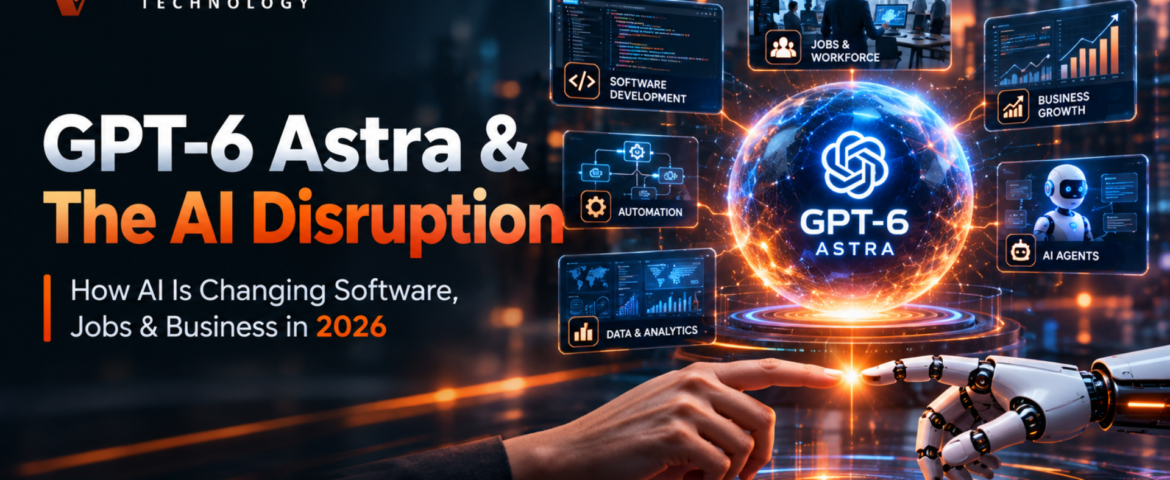
GPT-6 Astra and AI Disruption: The Powerful Shift Changing Software, Jobs & Business
- By pmayank658@gmail.com
- 2 Comments
- Latest News technology
GPT-6 Astrais most important for us because ai is moving beyond simply genrating answers , text and code. OpenAI says that astra is designed for computer use, browsing, software engineering, cybersecurity, science and professional work. In practical terms, the bigger shift is from AI as a tool you use to AI as an agent that can carry out multi-step work for you. That shift could change how companies buy software, how freelancers work, how employees complete routine tasks, and how small businesses automate their operations. But does that mean that traditional software and human jobs will disappear? Not exactly. The more realistic picture is that the way we use software and divide work between humans and AI is changing very quickly. And GPT-6 Astra is one of the clearest examples of that transition. What Is GPT-6 Astra? GPT-6 Astra is OpenAI’s latest advanced AI model, announced on September 3, 2026. OpenAI describes Astra as its most intelligent and aligned model to date. According to the company, the model brings significant advances in computer use, web browsing, software engineering, cybersecurity, scientific work, and other professional tasks. OpenAI has also published strong benchmark results for Astra, including 99.9% on ARC-AGI-3, 98% on FrontierMath Tier 4, and 100% on ExploitBench. Those numbers are worth paying attention to, but there is an important distinction to make: these are results from OpenAI’s own evaluations. They show how Astra performed under particular benchmark conditions; they do not establish that the model is better than humans at every kind of work. The more interesting question, then, is not simply how high Astra can score on a benchmark. It is what the model can actually do when given a complicated task. Consider a typical business request: “Research these 20 competitors, compare their pricing, put the information into a spreadsheet, identify the strongest opportunities, and prepare a presentation.” A conventional chatbot could help with parts of that assignment. You could ask it to write a competitor-analysis template, summarize information, generate spreadsheet formulas, or create presentation content. But a person would generally still have to move between websites, applications, documents, and other tools to complete the entire workflow. That is where the agent-style approach becomes important. Instead of treating every instruction as a separate question, an agent can approach the request as a larger task. It can reason about the steps involved, interact with available tools and computer interfaces, work through several actions, and move toward a final deliverable. That changes the role AI can play. The conversation is no longer only about generating an answer. It is increasingly about whether the system can participate in the process that produces the answer. For GPT-6 Astra, that distinction is central. The potential impact of the model comes from its ability to handle more of the work between an initial instruction and the final result—not simply from producing better-written paragraphs. Why Is GPT-6 Astra Different From Previous AI Models? The difference becomes clearer when traditional AI assistants are compared with agent-style systems. Traditional AI Assistant Agent-Style AI Answers questions Works toward a specific goal Generates text Can work through multiple steps Suggests code Can assist with software-engineering tasks Explains a process Can execute parts of the process Usually waits for the next instruction Can continue through a workflow Produces individual outputs Can work toward an end-to-end result This does not mean Astra can simply be given control of an entire company and left to operate without supervision. Real-world AI systems still depend on permissions, connected tools, available data, context, and appropriate human oversight. The quality of the final result can also depend heavily on how clearly a task is defined and what information the system is allowed to access. The important change is happening at the level of interaction. AI systems are moving beyond the traditional question-and-answer interface and becoming increasingly capable of working inside the digital environments where modern work takes place. According to OpenAI, Astra can use computers, browse the web, create documents, spreadsheets, and presentations, and work through complex multi-step tasks. That matters because most professional work is rarely a single action. A marketer might research a market, collect information, analyze the results, update a campaign document, and prepare a report. A developer might inspect a codebase, identify a problem, modify several files, run tests, and review the results. A researcher might gather sources, organize findings, compare evidence, and turn the analysis into a structured report. The value of an agent-style model lies in its ability to connect those individual steps. That is the larger shift represented by GPT-6 Astra: AI is being developed not only as something that answers questions, but as a system that can potentially participate in the workflows people use to get work done. What Can GPT-6 Astra Actually Do? Computer Use One of the most important capabilities is computer use. Instead of only telling you which buttons to click, an advanced AI agent can potentially interact with software and websites as part of completing a task. For example, imagine a small business owner needs to organize customer information. A traditional workflow might look like this: Open CRM → search customers → update records → create follow-ups → prepare report → send report. With an AI-agent workflow, the long-term goal is closer to: Give the AI the objective → AI works through the CRM and other tools → human reviews the result. That could save considerable time on repetitive digital work. Of course, businesses should not give an AI unrestricted access to important systems simply because the technology can operate a computer. Permissions and human approval still matter. Coding and Software Engineering Software development is another major area. AI coding tools are already useful for: A more capable model can take a larger software task and reason through multiple stages. For a freelancer, this could mean spending less time writing repetitive code and more time understanding the client’s actual problem. For a small software company, it could mean a smaller team can build and
How AI Chatbots Are Transforming Customer Support And Engagement
- By KHUSHI LIMBASIYA
- 0 Comments
- Latest News technology
The landscape of customer experience has undergone a seismic shift. In 2026, we have definitively crossed the tipping point where artificial intelligence is no longer an experimental novelty but the foundational pillar of digital communication. At the heart of this transformation are AI Chatbots, intelligent systems that have evolved far beyond the rigid, rule-based scripts of the past. Today, these conversational engines are autonomous, context-aware, and emotionally intelligent tools capable of resolving complex issues, predicting user needs, and driving measurable business outcomes across every industry. The Evolution of Customer Support: From Rule-Based Scripts to Conversational AI Chatbots To understand the magnitude of today’s technology, one must look at how quickly the industry has evolved. For years, digital support was synonymous with frustration. Early iterations of virtual assistants were built on simple decision trees. If a user’s query did not exactly match a pre-programmed keyword, the bot would fail, leading to cyclical errors and ultimate user abandonment. Breaking the Limitations of Legacy Systems Legacy systems relied on static logic. They were fundamentally reactive, waiting for a user to input a command and responding with a generic, one-size-fits-all answer. These systems lacked memory, meaning that if a user switched from a mobile app to a desktop browser, the conversation would reset. This lack of continuity was a primary driver of customer dissatisfaction. Modern AI Chatbots have completely broken free from these limitations. Driven by advanced Large Language Models (LLMs) and sophisticated machine learning algorithms, today’s conversational AI does not look for exact keyword matches. Instead, it understands the underlying intent and semantic meaning behind a user’s words. It can decipher colloquialisms, handle typos, and even interpret the emotional state of the user, crafting responses that are dynamic, empathetic, and highly accurate. The Rise of Context-Aware AI Chatbots The most significant leap in modern customer support is the transition to context-aware systems. In 2026, an AI Chatbot does not treat each message in a vacuum. It accesses a rich tapestry of historical data—previous purchases, past support tickets, browsing behavior, and real-time signals—to inform its responses. If a user visits a pricing page, leaves, and later opens a chat widget, the AI Chatbot already knows what the user was looking at and can proactively offer tailored assistance or relevant discounts. This level of contextual awareness transforms a simple support tool into a proactive engagement engine. Core Capabilities of Modern AI Chatbots The transformation of customer engagement is fueled by several core technological advancements. The capabilities of AI Chatbots have expanded rapidly, making them indistinguishable from top-tier human representatives in many routine scenarios. Natural Language Processing and Sentiment Analysis At the core of every modern AI Chatbot is Natural Language Processing (NLP). NLP allows the system to read, decipher, and understand human language in a way that is highly valuable. However, the true game-changer in 2026 is the integration of real-time Sentiment Analysis. AI Chatbots can now detect frustration, urgency, or satisfaction in a user’s text or voice. If a customer uses urgent language or types in all caps to express dissatisfaction about a delayed delivery, the AI Chatbot recognizes this negative sentiment immediately. It can automatically adjust its tone to be more empathetic, prioritize the ticket, or instantly route the conversation to a specialized human escalation team, ensuring that high-risk situations are diffused rapidly. Memory-Rich and Omnichannel Experiences Personalization is no longer a luxury; it is a baseline expectation. AI Chatbots now operate with shared memory across all communication channels. Whether a customer initiates contact via SMS, transitions to a web chat, and finally sends an email, the AI Chatbot maintains the entire thread of the conversation. This omnichannel consistency eliminates the most universally despised aspect of customer support: forcing the user to repeat their problem multiple times to different systems. By providing a continuous, unbroken narrative, AI Chatbots ensure that every interaction feels like an ongoing relationship rather than an isolated transaction. Multimodal Interactions Text-based chat is no longer the sole medium for support. The latest AI Chatbots are multimodal, meaning they can process and respond to multiple forms of input simultaneously. A user attempting to assemble a piece of furniture or troubleshoot a blinking router can now upload a photo or a short video directly into the chat. The AI Chatbot analyzes the visual input alongside the text, identifies the specific model or the error in the setup, and provides visual annotations or step-by-step video responses to solve the problem. This multimodal capability bridges the gap between digital convenience and the hands-on guidance traditionally requiring a physical technician. How AI Chatbots Are Driving Unprecedented Business Outcomes The financial and operational impacts of deploying sophisticated conversational AI are staggering. The global AI customer service market is projected to reach $15.12 billion in 2026, on its way to $47.82 billion by 2030, representing a compound annual growth rate (CAGR) of over 25%. This growth is driven by tangible, measurable returns. Scalability and 24/7 Availability One of the most immediate benefits of AI Chatbots is infinite scalability. A human workforce is limited by physical constraints, time zones, and shift schedules. During seasonal spikes, product launches, or unexpected outages, support queues can stretch for hours. AI Chatbots absorb these massive spikes in volume instantaneously. They provide instant resolutions at 2:00 AM on a Sunday just as effectively as they do at 10:00 AM on a Tuesday. This 24/7 availability ensures that global consumer bases receive immediate attention, fundamentally eliminating the concept of “business hours” in the context of customer support. Substantial Return on Investment (ROI) The deployment of AI Chatbots is no longer viewed purely as a cost center, but as a massive driver of profitability. Organizations implementing advanced AI support are currently seeing returns on investment ranging from 3.5x to 8x. By successfully resolving up to 80% of routine interactions autonomously—such as password resets, order tracking, and basic troubleshooting—AI Chatbots drastically reduce overhead. It is estimated that conversational AI will reduce contact center labor costs by a staggering $80 billion globally in 2026 alone.