
- Mail Address info@velnustech.com
- Phone Number +91-90990-05498

Contact Info
- C-1024, Siddhivinayak Tower, Kataria Automobile Road Makarba, Ahmedabad - 380051
- +91 90990 05498
- info@velnustech.com
- Week Days: 09.00 to 18.00 Sunday: Closed
technology
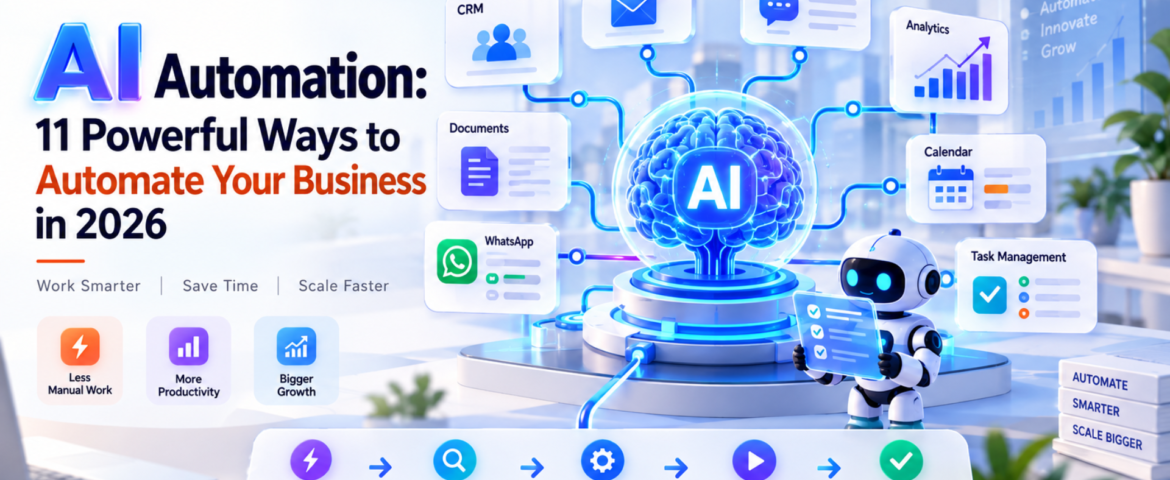
AI Automation: 11 Powerful Ways to Automate Your Business in 2026
- By pmayank658@gmail.com
- 0 Comments
- Latest News technology
AI Automation: 11 Powerful Ways to Automate Your Business in 2026 AI Automation means using artificial intelligence to understand information, make decisions, and complete repetitive business tasks with little or no manual effort. For beginners, freelancers, and small business owners, it can automate everything from lead follow-ups and customer support to reporting, scheduling, and data entry. The important point is this: AI automation is not about replacing every person with AI. It is about removing repetitive work so people can focus on work that actually needs human judgment. In 2026, businesses are moving beyond simple chatbots toward AI-powered workflows and agents that can perform multiple steps inside a business process. Google Cloud’s 2026 AI Agent Trends report, for example, identifies agentic workflows as an important direction for business automation. In simple words: AI automation lets you tell a system what needs to happen, and the system handles much of the work for you. Table of Contents What Is AI Automation? AI automation is the use of artificial intelligence within automated workflows to understand inputs, make decisions, generate outputs, and perform actions. Traditional automation usually follows fixed rules. For example: If a customer fills out a form → send an email. AI automation can handle a more flexible situation: A customer submits an enquiry → AI understands the enquiry → identifies the customer’s requirement → checks relevant information → creates or updates a CRM record → sends a personalized response → alerts a salesperson when human attention is needed. That’s the major difference. Traditional automation mostly follows predefined instructions. AI automation can interpret information and handle situations that aren’t always perfectly predictable. What is a simple example of AI automation? Imagine a small web-design agency receiving 30 enquiries every day. Without automation, someone might need to: With AI automation, much of this workflow can happen automatically. The AI can understand the enquiry, categorize it, update the CRM, draft a personalized response, and trigger a follow-up sequence. The human still controls important decisions. How Does AI Automation Work? A typical AI automation workflow has five basic stages: Trigger → Understand → Decide → Act → Verify 1. Trigger Something starts the workflow. Examples: 2. Understand AI processes the information. For example, it can identify: 3. Decide The system determines what should happen next. For example: “This customer wants a product demo, so create a qualified sales lead.” 4. Act The automation performs an action. It could: 5. Verify A good AI automation system shouldn’t blindly trust every AI output. For sensitive actions, it can ask a person for approval. This human-in-the-loop approach is especially useful for financial, legal, customer-facing, or high-risk workflows. What Are the Best AI Automation Use Cases? AI automation can be applied to almost any repetitive workflow. But small businesses should start with tasks that happen frequently and follow a reasonably clear process. Here are 11 practical examples. 1. Lead Generation and Qualification AI can read incoming enquiries and identify potential customers based on criteria such as: Instead of manually checking every lead, the sales team can focus on qualified prospects. 2. Customer Support AI automation can answer common questions, classify support requests, find relevant information, and escalate complicated cases to a human. For example: Customer question → AI understands request → searches knowledge base → responds → escalates if necessary This doesn’t mean every customer interaction should be handled by AI. Complex or sensitive issues should still have a human escalation path. 3. Email Automation AI can classify incoming emails and decide what should happen next. For example: Sales enquiry → CRMInvoice email → Finance folderSupport issue → Help deskMeeting request → Calendar workflow This can save small teams a surprising amount of administrative time. 4. CRM Updates CRM data often becomes outdated because employees don’t have time to update it. AI automation can extract information from emails, calls, forms, or messages and use it to update customer records. This makes the CRM more useful without forcing employees to enter every detail manually. 5. Appointment Scheduling Instead of exchanging multiple messages to find a suitable time, automation can: This is particularly useful for consultants, agencies, clinics, coaches, and service businesses. 6. Content Creation AI automation can support a content workflow: Topic → Research → Brief → Draft → Review → Publish But there’s an important difference between automating content production and publishing everything generated by AI. Human review is still valuable for: Google’s current guidance emphasizes useful, original content rather than simply producing more AI-generated pages. 7. Social Media Workflows AI can help transform one piece of content into multiple formats. For example: Blog article → LinkedIn post → Instagram caption → short video script → email newsletter A person can then review and approve the content before publishing. 8. Invoicing and Administrative Work AI automation can extract information from invoices, organize documents, identify missing information, and trigger reminders. For example: Invoice received → extract vendor + amount + date → categorize → send for approval → update accounting workflow. Financial actions should generally have appropriate approval and security controls. 9. Weekly Business Reports Instead of manually collecting data from multiple systems, an automation can gather information and prepare a summary. For example: CRM + website analytics + sales data → AI analysis → weekly business report The owner can then spend time interpreting the results rather than assembling spreadsheets. 10. WhatsApp Customer Communication For businesses that receive many customer enquiries through WhatsApp, AI automation can help with: The key is to connect the automation to accurate business information rather than allowing the AI to invent answers. 11. Internal Task Management AI can turn conversations and messages into actionable tasks. For example: “Please prepare the proposal for ABC before Friday.” An automation could identify the task, assign it to the correct person, set a deadline, and add it to a project-management system. How Can Small Businesses Use AI Automation? Small businesses don’t need to automate everything. In fact, trying to automate the entire business at once is
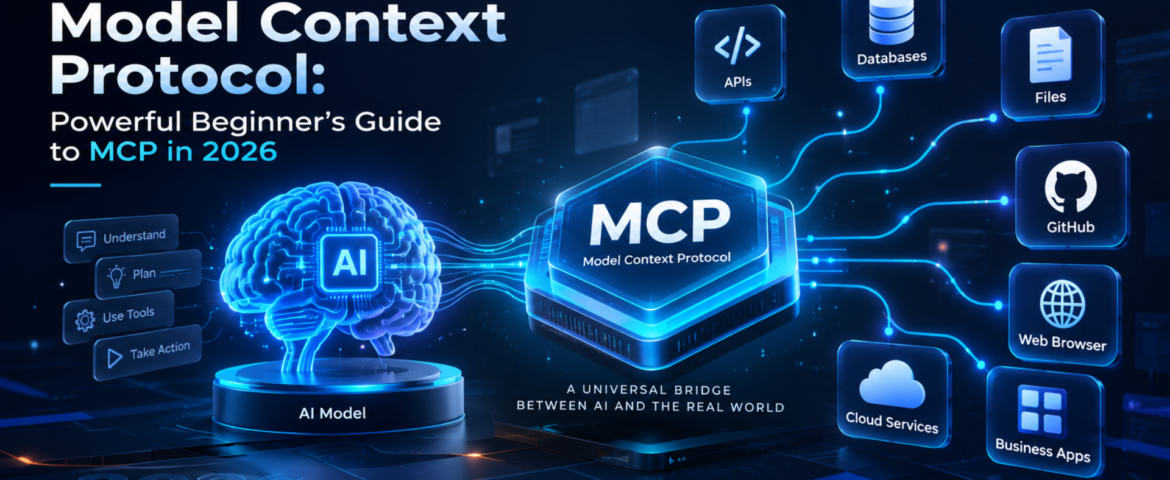
Model Context Protocol: Powerful Beginner’s Guide to MCP in 2026
- By pmayank658@gmail.com
- 1 Comment
- Latest News technology
Model Context Protocol (MCP) is an open standard that gives AI applications a consistent way to connect with external data, tools, and services. Instead of building a separate custom integration for every AI application, developers can use MCP to create a standardized connection between an AI system and the capabilities it needs. In simple words: MCP helps AI move beyond just answering questions and interact with the tools and information it needs to complete a task. For example, imagine asking an AI assistant to check your customer database, find an order, create a report, and send the result to your team. MCP can provide a standardized way for the AI application to discover and use those external capabilities. MCP was introduced by Anthropic and has since developed into a broader ecosystem. The current specification defines MCP around hosts, clients, and servers, with servers exposing resources, prompts, and tools. In this guide, you’ll learn what Model Context Protocol is, how it works, MCP vs API, real-world examples, security considerations, and how beginners and small businesses can use it. Table of Contents What Is Model Context Protocol? Model Context Protocol is an open protocol that standardizes how AI applications connect to external context, data sources, and tools. Think of MCP like a USB-C connection for AI applications. USB-C gives different devices a common way to connect with accessories. Similarly, MCP provides a common way for AI applications to connect with external systems. Without a common protocol, developers may need to create individual integrations between every AI application and every external service. With MCP, a compatible AI application can connect to an MCP server that exposes specific capabilities. For example: AI assistant → MCP → CRM The AI can then potentially use approved CRM capabilities instead of relying only on information already inside the model. The official MCP specification describes three major concepts: hosts, clients and servers. MCP uses JSON-RPC for communication. Why Does Model Context Protocol Matter? Traditional AI chatbots are excellent at generating and explaining information, but an AI system becomes much more useful when it can interact with external systems. Consider a small business owner who asks: “Show me this week’s highest-value leads and summarize which ones need follow-up.” A basic chatbot may not know the company’s latest lead data. An AI application connected through MCP could potentially access an approved CRM tool, retrieve relevant information, analyze it and return a useful summary. That creates a shift: From: AI that mainly generates responses To: AI that can work with external context and tools. This is particularly important for AI agents, where the system may need to use multiple tools to accomplish a goal. How Does Model Context Protocol Work? The basic MCP workflow looks like this: User → AI application → MCP client → MCP server → External system Here’s the simple version. 1. The user gives the AI a goal For example: “Find my latest customer orders.” 2. The AI application identifies the required capability The application may determine that it needs access to an order-management system. 3. The MCP client connects to an MCP server The client acts as the connector inside the host AI application. 4. The MCP server exposes capabilities The server can provide resources, prompts and tools. 5. The AI uses an approved capability For example, it might call a tool that retrieves order information. 6. The result goes back to the AI application The AI can then use that information to generate the final response. The important point is that MCP standardizes the communication layer. The external system still controls what capabilities are exposed and what permissions are available. What Are the Main Components of MCP? MCP becomes much easier to understand when you separate its three main components. What is an MCP host? The host is the AI application that wants to use MCP. It could be an AI assistant, development environment or another application capable of working with MCP. What is an MCP client? The MCP client is the connector inside the host application. It communicates with MCP servers and handles the protocol interaction. What is an MCP server? An MCP server exposes specific data or capabilities that an MCP client can use. For example, an MCP server could provide access to: MCP servers can expose three important types of capabilities: Resources: information or context that can be provided to the AI. Tools: functions that the AI can call. Prompts: reusable prompt templates or workflows. These concepts are defined in the official MCP specification. What Is the Difference Between MCP and an API? This is one of the most common MCP questions. An API is a way for software systems to communicate with a particular service. MCP is a standardized protocol for making AI applications interact with tools and context through a common interface. Here’s a simple comparison: MCP Traditional API Designed around AI application interoperability Designed for software-to-software communication Standardizes AI access to tools and context Defines a service’s own endpoints Can expose tools, resources and prompts Usually exposes endpoints and data Useful for AI agents Useful for applications and services Helps AI applications discover and use capabilities Requires understanding the API’s interface They aren’t competitors. In fact, an MCP server can sit in front of an existing API. For example: AI application → MCP server → CRM API → CRM database This allows the existing business system to remain in place while MCP provides a standardized AI-facing interface. What Can You Do With MCP? MCP can support many AI workflows. Connect AI to business data An AI application can potentially access approved business information such as customer records, documents or inventory data. Connect AI to development tools Developers can connect AI applications to repositories, files, issue trackers and other development capabilities. GitHub documents MCP support across several development environments and GitHub Copilot experiences. Build AI-powered workflows Instead of creating one-off integrations for every AI application, developers can expose reusable capabilities through MCP. Give AI access to external tools An
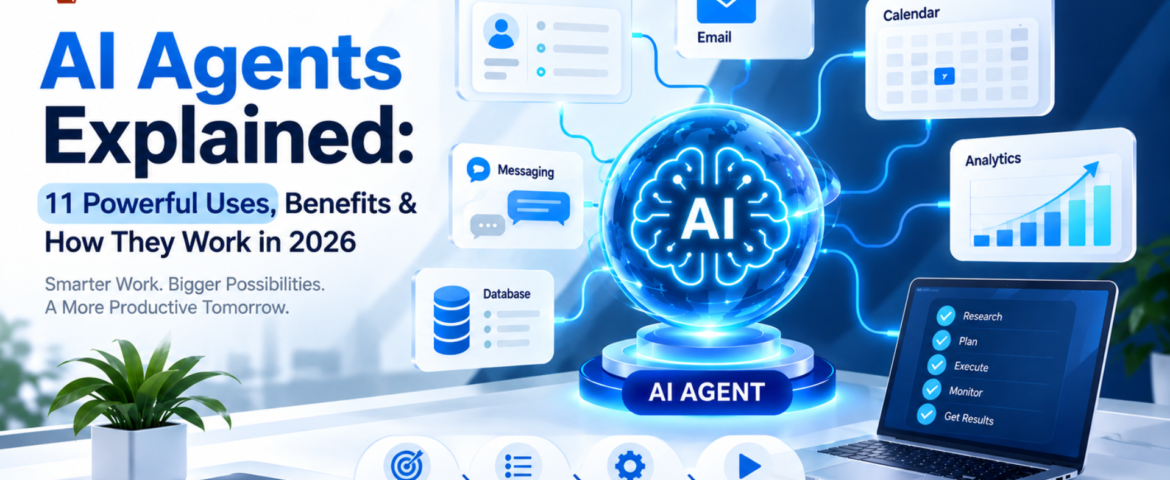
AI Agents Explained: 11 Powerful Uses, Benefits & How They Work in 2026
- By pmayank658@gmail.com
- 1 Comment
- Latest News technology
An AI agent is a software system that can understand a goal, decide what steps are needed, use connected tools, and take actions to complete a task with limited human intervention. Unlike a traditional chatbot that mainly responds to questions, an AI agent can work through a multi-step workflow. Depending on its design and permissions, it can retrieve information, update a CRM, create tasks, send messages, search approved sources, prepare reports, and hand complicated situations to a human. In simple terms: A chatbot mainly talks. An AI agent can understand, decide, use tools, and act. For a freelancer, that could mean turning a new client inquiry into a project brief and follow-up task. For a small business, it could mean qualifying leads, updating a CRM, answering customer questions, and escalating unusual cases. This guide explains what AI agents are, how they work, what they can do, how they differ from chatbots and traditional automation, how much they cost, their limitations, and how beginners can start using them. What Is an AI Agent? An AI agent is an AI-powered software system designed to pursue a goal and complete a workflow rather than simply generate a single response. A practical AI agent generally combines: OpenAI describes agents as systems that can independently accomplish tasks on a user’s behalf, use tools to interact with external systems, and operate within defined instructions and guardrails. Google Cloud similarly describes modern agents in terms of capabilities such as reasoning, planning, memory, and action. A simple example Imagine telling an AI agent: “Find today’s new leads, identify which ones are high priority, update the CRM, prepare personalized follow-ups, and create reminders for leads that need another contact.” A basic chatbot might explain how you could perform those steps. An appropriately configured AI agent can potentially perform the workflow itself by: The important difference is that an agent is designed around completing work, not simply producing text. How Does an AI Agent Work? The easiest way to understand an AI agent is to think of it as a digital worker operating within a defined set of rules. A typical workflow looks like this: Goal → Understand → Plan → Use Tools → Take Action → Check Result → Complete or Escalate Let’s break that down. 1. The AI Agent Understands the Goal The user or business provides an objective. For example: “Follow up with customers who haven’t replied for seven days.” The agent needs to understand what the desired result is and what information it needs before taking action. A clear goal is important because vague instructions can produce inconsistent results. 2. It Determines the Required Steps Instead of immediately generating an answer, an agent can determine the sequence of actions required to reach the goal. For the follow-up example, it might need to: The exact process depends on the agent’s instructions, tools, and permissions. 3. It Uses Tools Tools are one of the most important differences between a simple conversational AI application and an agent designed to perform work. An agent may connect to tools such as: Tools allow an agent to retrieve information and, where permitted, take actions in external systems. OpenAI’s agent guidance describes data tools for retrieving context and action tools for changing systems or performing actions such as updating CRM records or sending messages. 4. It Takes an Action After determining what needs to happen, the agent can perform an approved action. For example, it might: Not every action should happen automatically. Sensitive or irreversible actions may require human approval. 5. It Checks the Result A reliable agent should not simply assume that every action worked. It can check whether: If something falls outside its instructions, the safest behavior may be to stop and request human intervention. This is why testing, monitoring, permissions, and guardrails are important when deploying AI agents. What Are the Main Components of an AI Agent? Most practical AI agents can be understood through several building blocks. Component What it does AI Model Understands information and supports reasoning or decision-making Instructions Defines what the agent should do and how it should behave Tools Connects the agent to external systems Knowledge Provides relevant business information and context Memory Helps maintain useful context when the system supports it Guardrails Restricts unsafe, unauthorized, or unwanted behavior Orchestration Controls how tasks, tools, and agents work together A simple way to remember this is: Model = brainTools = handsKnowledge = reference materialInstructions = operating procedureGuardrails = boundaries OpenAI identifies the model, tools, and instructions as fundamental components of an agent, while more complex systems can add orchestration and multiple specialized agents. AI Agent vs Chatbot: What’s the Difference? This is one of the most common questions beginners ask. Feature Traditional Chatbot AI Agent Answers questions Yes Yes Understands natural language Yes Yes Performs multi-step tasks Limited Yes Uses external tools Sometimes Common Retrieves information Sometimes Yes, when connected Makes bounded decisions Limited Yes Takes actions Limited Yes, when permitted Works toward a goal Usually limited Yes Operates with less supervision Limited More capable Example: “Where is my order?” A traditional chatbot might: An AI agent could potentially: The difference is not simply that one uses AI and the other doesn’t. The bigger difference is workflow execution. AI Agent vs Traditional Automation AI agents are also different from traditional rule-based automation. Traditional automation A conventional workflow might look like: Trigger → Rule → Action For example: New form submission → Add contact to CRM → Send predefined email The path is generally predetermined. AI agent An agent-based workflow can look more like: Goal → Interpret context → Decide next step → Select tool → Act → Check result For example: New lead → Understand inquiry → Check CRM → Determine lead type → Choose appropriate action → Update CRM → Prepare follow-up → Escalate if needed Traditional automation is often better when the process is completely predictable. An AI agent becomes more useful when the workflow involves unstructured information, changing context, tool selection, or

What Is SaaS? 7 Powerful Reasons It’s a Game-Changer for Beginners
- By pmayank658@gmail.com
- 0 Comments
- Latest News technology
SaaS (Software as a Service) is a way of using software over the internet instead of buying and installing it on your computer. You pay a subscription fee, log in through a browser, and start working immediately. There’s no installation process, no manual updates, and no need to manage servers or storage. This guide breaks down what SaaS actually means, how it works, and why it has become the default choice for beginners, freelancers, and small business owners. What Is SaaS in Simple Terms? The Core Idea SaaS refers to software that is hosted remotely on servers and delivered to users through the internet. Instead of purchasing a license and installing a program on your device, you simply subscribe and access the tool through a web browser or app. The provider is responsible for hosting, security, updates, and performance, while you focus purely on using the software. This is very different from how software used to work. In the past, buying software meant a large one-time payment, followed by manual installation, and periodic updates that you had to download yourself. SaaS removed all of that friction. A Simple Analogy Think about how people used to buy music. You’d purchase a physical album, and once you owned it, that was it. Today, most people pay a small monthly fee to stream music instead of owning it outright. Software went through the exact same transformation. Instead of owning a program permanently, you now rent access to it for as long as you need it. How Does SaaS Work? Understanding the mechanics behind SaaS helps clarify why it feels so simple to use. Step 1: Hosting The software is built and hosted on remote servers, usually maintained through cloud infrastructure. This means the application doesn’t live on your personal device. Step 2: Access Users log in through a browser or dedicated app using their credentials. Because everything is stored in the cloud, the same account can be accessed from a laptop, tablet, or phone without any loss of data or functionality. Step 3: Subscription Instead of a one-time purchase, users pay a recurring fee — monthly or yearly — to continue using the service. If the subscription lapses, access is typically paused rather than permanently removed. This three-step cycle is what makes SaaS so lightweight compared to traditional software ownership. 7 Powerful Reasons SaaS Is a Game-Changer for Beginners Reason 1: Low Starting Cost Traditional software often required a large upfront payment before you could even start using it. SaaS flips this model by charging a small recurring fee instead. This makes it far easier for beginners, freelancers, and small business owners to get started without a big financial commitment. Reason 2: No Technical Maintenance With SaaS, you’re not responsible for server management, security patches, or backend performance. The provider handles all of it. This is especially valuable for beginners who don’t have a technical background or an IT team to rely on. Reason 3: Access From Anywhere Since SaaS tools run in the cloud, you can access your work from any device with an internet connection. This is a major shift from traditional software, which was often tied to a single installed machine. Reason 4: Automatic Updates New features, bug fixes, and security improvements are rolled out automatically by the provider. Users don’t need to manually download or install anything — the next time they log in, the update is already live. Reason 5: Scalability As a business grows, its software needs change. SaaS tools typically offer multiple pricing tiers, so users can upgrade for more features or storage, or downgrade when their needs shrink. This flexibility is difficult to replicate with traditional, one-time-purchase software. Reason 6: Easy to Try Before Committing Most SaaS products offer free trials or limited free versions. This allows beginners to test a tool thoroughly before spending any money, significantly reducing the risk of choosing the wrong solution. Reason 7: Faster Time to Start Working Because there’s no installation process, users can sign up and start working within minutes. This speed is especially useful for freelancers juggling multiple projects who don’t have time for lengthy setup processes. SaaS vs Traditional Software Factor Traditional Software SaaS Payment structure Large one-time cost Small recurring subscription Installation Required on each device None — accessed via browser Updates Manual downloads Automatic Data storage Local device Cloud servers Device flexibility Limited to one machine Accessible from multiple devices Maintenance responsibility User Provider What This Means in Practice The biggest shift is ownership versus access. Traditional software gives you a copy that belongs to you indefinitely. SaaS gives you continuous access as long as you keep paying, but in exchange, you get lower costs, less responsibility, and far more flexibility. Common SaaS Pricing Models Flat-Rate Pricing A single fixed price unlocks all features, regardless of usage or team size. This model is simple and predictable, making it appealing to beginners who want to avoid pricing complexity. Tiered Pricing Providers offer multiple plans — often labeled Basic, Standard, and Premium — with increasing features at each level. This is the most common pricing structure and allows users to pick a plan that matches their actual needs. Per-User Pricing The cost increases based on how many people are using the account. This model works well for growing teams but can become expensive quickly if not monitored. Usage-Based Pricing Costs are calculated based on actual consumption, such as the number of transactions, emails sent, or storage used. This model rewards light users but can be unpredictable for businesses with fluctuating usage. How to Choose the Right SaaS Tool Step 1: Identify the Exact Problem You’re Solving Vague goals like “I need better software” lead to poor decisions. Instead, define a specific need, such as “I need a tool to send professional invoices.” Step 2: Shortlist and Actually Test Options Reviews and rankings only tell part of the story. Signing up for free trials gives you a much clearer picture of how a tool fits your

Claude AI: The Best Beginner’s Guide (2026)
- By pmayank658@gmail.com
- 1 Comment
- technology Latest News
What Is Claude AI, How Does It Work, and Should You Use It? Quick Answer:Claude AI is an advanced artificial intelligence assistant developed by Anthropic. It helps you write content, answer questions, summarize documents, analyze data, generate code, brainstorm ideas, and automate everyday tasks using natural language. If you’re a beginner, freelancer, or small business owner, Claude can save hours of manual work while improving productivity. What Is Claude AI? If you’ve heard people talking about ChatGPT, Gemini, or Microsoft Copilot, you’ve probably also come across Claude AI. Simply put, Claude is an AI chatbot built by Anthropic, an AI research company focused on creating reliable and helpful AI assistants. Instead of searching dozens of websites, you simply ask Claude a question in plain English. For example: “Write an email to my client.” “Summarize this 80-page PDF.” “Create a business plan.” “Explain SEO like I’m a beginner.” Within seconds, Claude generates a detailed response that you can edit or continue refining through follow-up prompts. How Does Claude AI Work? Claude is powered by a Large Language Model (LLM). Think of it as a very knowledgeable assistant that has learned patterns from vast amounts of publicly available text and licensed data. It predicts the most appropriate response based on your prompt. Unlike a traditional search engine that gives you links, Claude gives you direct answers. Example: Instead of searching: “How do I write a proposal?” You ask: “Write a professional digital marketing proposal for a restaurant owner.” Claude creates the proposal instantly. Why Is Claude AI Becoming Popular? Many users prefer Claude because of its natural writing style and ability to understand long conversations and large documents. It is particularly useful for writing, brainstorming, document analysis, coding, and research. Official guidance also encourages users to write prompts conversationally, like talking to a coworker. Some of its biggest advantages include: Who Should Use Claude AI? Claude isn’t just for programmers. Students Freelancers Small Business Owners Developers What Can Claude AI Do? Here are some everyday tasks Claude can handle. 1. Write Content Need a blog post? Just ask: “Write a 1,500-word SEO article about local SEO.” Claude creates a structured draft within seconds. 2. Summarize Documents Instead of reading a 100-page report, upload it and ask: “Summarize this in simple English.” Claude highlights the key points quickly. 3. Improve Writing Example prompt: “Rewrite this email in a professional but friendly tone.” Perfect for business communication. 4. Generate Ideas Running out of ideas? Ask: Claude can generate multiple creative options. 5. Help With Coding Developers use Claude to: It explains the logic behind the code, making it useful for learning as well. How to Start Using Claude AI Getting started is straightforward. Step 1 Create an account. Step 2 Open a new chat. Step 3 Type your request. Example: “Explain digital marketing in simple words.” Step 4 Review the response. Step 5 Ask follow-up questions to improve the output. Claude works best when your prompt includes context and a clear goal. Best Prompt Formula for Beginners A simple framework is: Role + Context + Task + Output Format Example: “Act as an SEO expert. I own a digital marketing agency. Write a 1,500-word beginner-friendly article on Local SEO using headings, FAQs, and examples.” This usually produces much better results than a short, vague prompt. Claude AI vs ChatGPT Feature Claude AI ChatGPT Writing Quality Excellent Excellent Long Documents Excellent Excellent Coding Very Good Excellent Brainstorming Excellent Excellent Ease of Use Very Easy Very Easy Business Writing Excellent Excellent Both are capable AI assistants. Many professionals use each for different strengths depending on the task. Real-Life Example Imagine you own a digital marketing agency. Instead of spending: Claude can generate first drafts in minutes, leaving you more time to review and personalize them. Common Mistakes Beginners Make Avoid these common errors: ❌ Writing very short prompts ❌ Expecting perfect answers immediately ❌ Not giving enough context ❌ Accepting AI output without checking facts ❌ Using AI instead of your own expertise The better your instructions, the better Claude’s responses. Is Claude AI Safe? Anthropic positions Claude as a helpful, honest, and safety-focused AI assistant. Even so, you should avoid sharing passwords, financial information, or other sensitive personal data, and always verify important information before acting on it. Tips to Get Better Results Treat Claude like a collaborative assistant rather than a one-time search box. Also Read : Meta Muse AI Agent: 7 Powerful Features, Pricing, Availability & How It Works Final Thoughts Claude AI has become one of the most capable AI assistants available for writing, research, coding, and everyday productivity. Whether you’re a beginner exploring AI, a freelancer trying to work faster, or a small business owner looking to automate repetitive tasks, Claude offers an intuitive way to get more done. The key to success isn’t just using Claude—it’s learning how to write clear prompts, provide context, and review the output thoughtfully. Used this way, Claude becomes a practical partner for learning, creating, and solving problems rather than just another chatbot. Frequently Asked Questions Is Claude AI free? Yes. Claude offers a free plan with usage limits, while paid plans provide higher limits and additional features. Can Claude write blog posts? Yes. It can create SEO-friendly articles, product descriptions, newsletters, and website content. Can Claude replace Google Search? Not completely. Claude provides direct answers, while search engines remain valuable for finding original sources and the latest information. Is Claude good for small businesses? Yes. It can help with marketing, customer communication, planning, documentation, and content creation. Can beginners use Claude? Absolutely. No coding knowledge is required. You simply type your request in natural language.

Meta Muse AI Agent: 7 Powerful Features, Pricing, Availability & How It Works
- By pmayank658@gmail.com
- 1 Comment
- Latest News technology
In brief: Meta Muse is a new personal AI agent designed to perform tasks for users rather than simply answering questions. You can tell Muse what you want to achieve, and—based on the task, permissions, and necessary approvals—it can plan the work, browse websites, fill out forms, send emails, assist with completing purchases, and continue working on longer tasks even after you close the app. Meta officially launched Muse on September 8, 2026, initially making it available in the US via the Muse app and WhatsApp. And yes, Meta Muse AI Agent is trending right now. Google Trends’ India trending page currently shows the query “meta muse ai agent” at 20K+ searches, up 900%, with the trend active around two hours ago. But the interesting part is not just that Meta launched another AI product. The bigger story is that AI is moving from “I will give you an answer” toward “I will try to get the task done for you.” What Is Meta Muse AI Agent? Meta Muse is a personal AI agent developed by Meta. A normal AI chatbot generally waits for your prompt, generates an answer and then waits again. An AI agent works differently. You can give an agent a goal, and it can decide which steps are needed to move toward that goal. For example, instead of asking: “How do I plan a trip to Dubai?” you could potentially tell an agent: “Plan my Dubai trip for next month, find suitable flights and hotels within my budget, and prepare the options for me.” The important difference is action. Meta says Muse can work across applications and websites, open a browser, fill forms, coordinate tasks and continue working on longer jobs. In simple words: Chatbot = gives you information. AI agent = can use information and tools to take action. That difference is the main reason Meta Muse is getting so much attention. How Does Meta Muse AI Agent Work? Muse is powered by Muse Spark, which Meta describes as its most capable model for real-world agentic work. But the model itself isn’t the whole story. Meta has built a separate environment called Muse Secure VM. A VM, or virtual machine, is basically an isolated computer environment running in the cloud. Meta says every Muse operates inside a dedicated secure virtual machine containing the agent and the user’s data. It also has its own browser so Muse can interact with websites while keeping that activity inside the controlled environment. What is agentic AI? Agentic AI refers to AI systems that can do more than generate text or images. They can: That makes agentic AI particularly interesting for automation. For example, a freelancer could theoretically ask an AI agent to research potential clients, organize information and prepare outreach material instead of manually completing every small step. The agent still needs supervision, especially when money, private information or important decisions are involved. What is Muse Spark? Muse Spark is the AI model powering the Muse personal agent. Meta says it was designed for real-world agentic work rather than simply producing conversational answers. This distinction is important because Muse and Muse Spark are not exactly the same thing. Muse is the personal AI agent/product. Muse Spark is the model powering that agent. What is Sentinel? Meta also describes a separate safety system called Sentinel. According to Meta, Sentinel controls what Muse can send to the internet and can require user permission for sensitive actions. Muse can also show an audit trail of actions it has taken or plans to take. This matters because an AI that can actually act needs stronger controls than a chatbot that only generates text. What Can Meta Muse AI Agent Actually Do? This is probably the biggest question for beginners. Meta says Muse can perform a range of tasks across connected services. Can Meta Muse AI Agent send emails? Yes. Muse can help draft and send emails, although sensitive actions can require user approval. This is different from asking ChatGPT: “Write an email to my client.” Muse’s goal is to move further toward: “Write the email, send it to my client and let me know when they respond.” The second example involves an actual workflow. Can Meta Muse book travel? Meta says Muse can help with travel planning and booking. It can search, compare information, fill forms and work through the steps required to complete a task. That makes travel planning an interesting example of agentic AI because it often involves several connected tasks rather than one answer. Can Meta Muse shop online? Yes, shopping is another major use case. Meta says Muse can help search for products and make purchases. For payments, Meta has partnered with Stripe’s Link system, including one-time-use card details intended to keep a user’s actual payment information hidden from the agent. However, users should still review purchases before approving them. An AI finding a product is one thing. An AI spending your money is a much bigger responsibility. Can Meta Muse fill forms? Yes. Meta says Muse can open a browser and fill out forms on a user’s behalf. This could be useful for repetitive online tasks where the user has to enter the same type of information again and again. Can Meta Muse work on long-term goals? This is one of the more interesting parts. Meta says Muse isn’t limited to one simple command. Users can give it bigger goals, and Muse can help create a personalized action plan and continue working on it. For example: “Help me organize my fitness routine for the next few months.” or “Help me plan the launch of my small online business.” The important idea is that the user describes the outcome, rather than every individual step. Why Is Meta Muse AI Agent Trending Right Now? There are a few reasons. First, the timing is huge. Meta launched Muse on September 8, 2026, and major technology and news publications immediately started covering it. Reuters described it as an AI agent capable
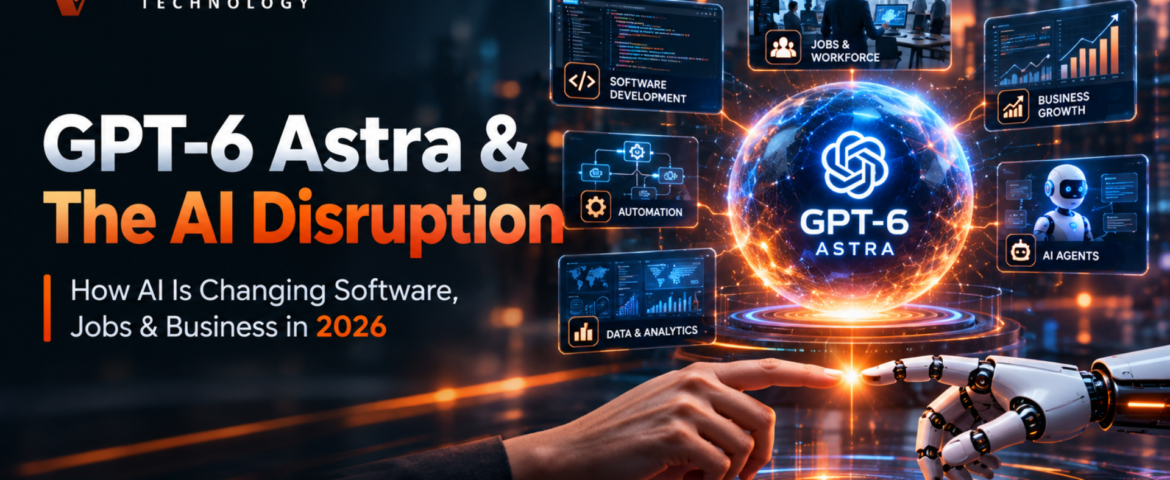
GPT-6 Astra and AI Disruption: The Powerful Shift Changing Software, Jobs & Business
- By pmayank658@gmail.com
- 2 Comments
- Latest News technology
GPT-6 Astrais most important for us because ai is moving beyond simply genrating answers , text and code. OpenAI says that astra is designed for computer use, browsing, software engineering, cybersecurity, science and professional work. In practical terms, the bigger shift is from AI as a tool you use to AI as an agent that can carry out multi-step work for you. That shift could change how companies buy software, how freelancers work, how employees complete routine tasks, and how small businesses automate their operations. But does that mean that traditional software and human jobs will disappear? Not exactly. The more realistic picture is that the way we use software and divide work between humans and AI is changing very quickly. And GPT-6 Astra is one of the clearest examples of that transition. What Is GPT-6 Astra? GPT-6 Astra is OpenAI’s latest advanced AI model, announced on September 3, 2026. OpenAI describes Astra as its most intelligent and aligned model to date. According to the company, the model brings significant advances in computer use, web browsing, software engineering, cybersecurity, scientific work, and other professional tasks. OpenAI has also published strong benchmark results for Astra, including 99.9% on ARC-AGI-3, 98% on FrontierMath Tier 4, and 100% on ExploitBench. Those numbers are worth paying attention to, but there is an important distinction to make: these are results from OpenAI’s own evaluations. They show how Astra performed under particular benchmark conditions; they do not establish that the model is better than humans at every kind of work. The more interesting question, then, is not simply how high Astra can score on a benchmark. It is what the model can actually do when given a complicated task. Consider a typical business request: “Research these 20 competitors, compare their pricing, put the information into a spreadsheet, identify the strongest opportunities, and prepare a presentation.” A conventional chatbot could help with parts of that assignment. You could ask it to write a competitor-analysis template, summarize information, generate spreadsheet formulas, or create presentation content. But a person would generally still have to move between websites, applications, documents, and other tools to complete the entire workflow. That is where the agent-style approach becomes important. Instead of treating every instruction as a separate question, an agent can approach the request as a larger task. It can reason about the steps involved, interact with available tools and computer interfaces, work through several actions, and move toward a final deliverable. That changes the role AI can play. The conversation is no longer only about generating an answer. It is increasingly about whether the system can participate in the process that produces the answer. For GPT-6 Astra, that distinction is central. The potential impact of the model comes from its ability to handle more of the work between an initial instruction and the final result—not simply from producing better-written paragraphs. Why Is GPT-6 Astra Different From Previous AI Models? The difference becomes clearer when traditional AI assistants are compared with agent-style systems. Traditional AI Assistant Agent-Style AI Answers questions Works toward a specific goal Generates text Can work through multiple steps Suggests code Can assist with software-engineering tasks Explains a process Can execute parts of the process Usually waits for the next instruction Can continue through a workflow Produces individual outputs Can work toward an end-to-end result This does not mean Astra can simply be given control of an entire company and left to operate without supervision. Real-world AI systems still depend on permissions, connected tools, available data, context, and appropriate human oversight. The quality of the final result can also depend heavily on how clearly a task is defined and what information the system is allowed to access. The important change is happening at the level of interaction. AI systems are moving beyond the traditional question-and-answer interface and becoming increasingly capable of working inside the digital environments where modern work takes place. According to OpenAI, Astra can use computers, browse the web, create documents, spreadsheets, and presentations, and work through complex multi-step tasks. That matters because most professional work is rarely a single action. A marketer might research a market, collect information, analyze the results, update a campaign document, and prepare a report. A developer might inspect a codebase, identify a problem, modify several files, run tests, and review the results. A researcher might gather sources, organize findings, compare evidence, and turn the analysis into a structured report. The value of an agent-style model lies in its ability to connect those individual steps. That is the larger shift represented by GPT-6 Astra: AI is being developed not only as something that answers questions, but as a system that can potentially participate in the workflows people use to get work done. What Can GPT-6 Astra Actually Do? Computer Use One of the most important capabilities is computer use. Instead of only telling you which buttons to click, an advanced AI agent can potentially interact with software and websites as part of completing a task. For example, imagine a small business owner needs to organize customer information. A traditional workflow might look like this: Open CRM → search customers → update records → create follow-ups → prepare report → send report. With an AI-agent workflow, the long-term goal is closer to: Give the AI the objective → AI works through the CRM and other tools → human reviews the result. That could save considerable time on repetitive digital work. Of course, businesses should not give an AI unrestricted access to important systems simply because the technology can operate a computer. Permissions and human approval still matter. Coding and Software Engineering Software development is another major area. AI coding tools are already useful for: A more capable model can take a larger software task and reason through multiple stages. For a freelancer, this could mean spending less time writing repetitive code and more time understanding the client’s actual problem. For a small software company, it could mean a smaller team can build and
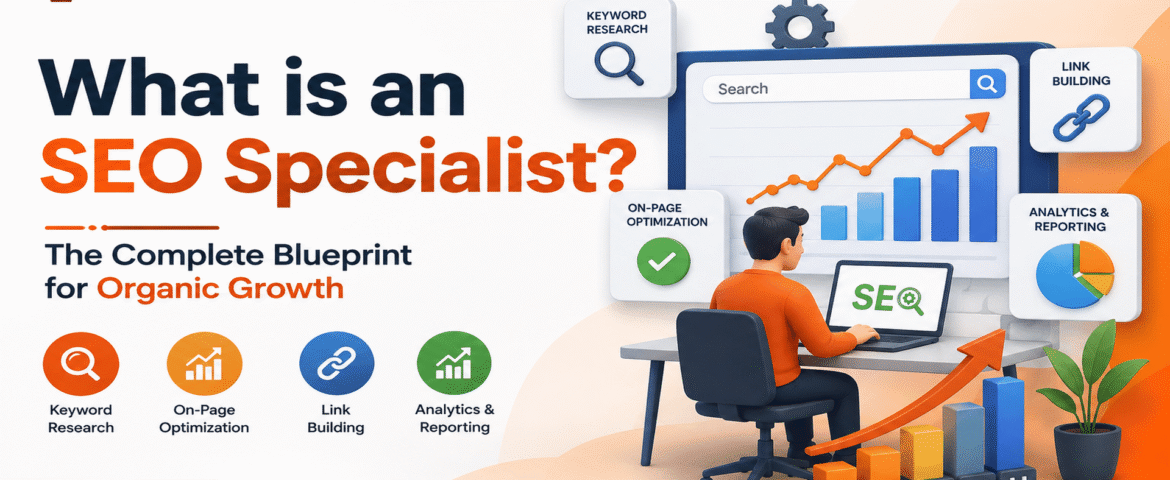
What Is an SEO Specialist? The Complete Guide to SEO Specialists
- By pmayank658@gmail.com
- 1 Comment
- technology Latest News
What Is an SEO Specialist? Search Engine Optimization (SEO) has changed significantly over the years. What once involved relatively simple technical adjustments and keyword placement has developed into a broader discipline involving search intent, content quality, website architecture, technical accessibility, internal linking, analytics, user experience, and business strategy. At the center of this work is the SEO specialist. An SEO specialist helps a website become easier for search engines to discover and understand while making its pages more useful to the people who visit them. Depending on the website, their work may include keyword research, technical audits, content optimization, competitor analysis, internal linking, performance measurement, and SEO strategy. But there is an important distinction: An SEO specialist does not simply try to “rank a website.” Their real job is to connect three things: What people need → What the website provides → How search engines understand it Google’s current guidance emphasizes creating unique, useful content for people and maintaining a technically sound website. Its 2026 guidance also says that SEO best practices continue to matter for Google’s generative AI search experiences. Quick Answer: What Does an SEO Specialist Do? An SEO specialist improves a website’s organic search visibility by researching what people search for, analyzing search intent, solving technical problems, optimizing content and website structure, and measuring the results over time. A typical SEO specialist may work across: The exact responsibilities depend on the business, website size, industry, and goals. The Modern SEO Specialist A modern SEO specialist is no longer just a person who checks keywords and rankings. Their work can be understood through four connected stages: This framework shows why SEO is more than keyword placement. An SEO specialist first tries to understand the search landscape, then develops a strategy, implements improvements, and measures what happens afterward. The process repeats because websites, competitors, search behavior, and search systems continue to change. What Does an SEO Specialist Do? An SEO specialist can have many responsibilities, but most of the work falls into several major areas. 1. Keyword Research Keyword research is the process of identifying the words and phrases people use when searching for information, products, services, or solutions. However, professional keyword research is not simply: “Find a keyword with high search volume.” A specialist also considers: For example, consider these searches: “What is CRM software?” This is primarily informational. “Best CRM software for small business” This suggests commercial investigation. “CRM software pricing” This may indicate stronger purchase consideration. The SEO specialist’s job is to understand these differences and create or optimize pages accordingly. Search Intent Classification Before optimizing a page, an SEO specialist needs to understand why someone is searching. Search Intent Classification Table Search Intent Example Query User’s Goal Suitable Content Informational “What is SEO?” Learn Guide, tutorial, FAQ Navigational “Google Search Console” Find a specific site Official/product page Commercial “Best SEO tools” Compare options Comparison, review Transactional “Hire SEO specialist” Take action Service/landing page Local “SEO specialist near me” Find a nearby provider Local/service page The important lesson is that the same keyword strategy doesn’t work for every search. A person looking for a definition needs education. A person comparing services needs evidence and comparisons. A person ready to hire needs a clear path to action. 2. Technical SEO Technical SEO focuses on the technical foundation of a website. An SEO specialist may investigate: Technical SEO matters because search engines need to be able to access and process important content. Google’s documentation explains that pages need to meet technical requirements to be eligible for Search, and its current AI-search guidance continues to emphasize a technically accessible website. A Simple Technical SEO Model A technical audit should not become a list of hundreds of warnings that nobody understands. The specialist should prioritize problems according to their likely effect on users, search accessibility, and business objectives. 3. On-Page SEO On-page SEO focuses on elements that exist on the page itself. This can include: Good on-page SEO isn’t about inserting the same keyword repeatedly. Instead, the page should clearly communicate: What is this page about? Who is it for? What question does it answer? What should the visitor be able to do after reading it? That approach naturally produces better content than trying to hit an arbitrary keyword density. 4. Content Optimization An SEO specialist may improve existing content instead of constantly publishing new articles. For example, an old article might have: The specialist can determine whether the page should be: Updated → Expanded → Consolidated → Redirected → or Removed The answer should depend on the page’s purpose and value, not simply on whether it contains a target keyword. Google’s current guidance places particular emphasis on content that provides unique value rather than simply rephrasing information already available online. 5. Internal Linking Internal links connect related pages on the same website. For example: Internal linking can help users discover related information and help search engines understand relationships between pages. Links should be added because they are useful to the reader—not simply because more links appear to be better. 6. Competitor and SERP Analysis An SEO specialist also studies competing pages and the search results themselves. They may examine: The purpose isn’t to copy competitors. Instead, the specialist asks: What useful information is missing, unclear, outdated, or poorly explained? That question can lead to genuinely better content. The 7-Step SEO Specialist Workflow A professional SEO process can be simplified into seven stages. Step 1: Understand the Business Before changing the website, the specialist should understand: SEO without business context can produce traffic that has little commercial value. Step 2: Audit the Website The specialist examines the current website to identify technical, content, structural, and search-performance issues. Step 3: Research Keywords and Search Intent The specialist identifies relevant search opportunities and determines what users expect from each query. Step 4: Prioritize Opportunities Not every SEO issue deserves immediate attention. A useful prioritization model is: Step 5: Implement Changes This can involve content changes, technical fixes, internal linking, metadata improvements,
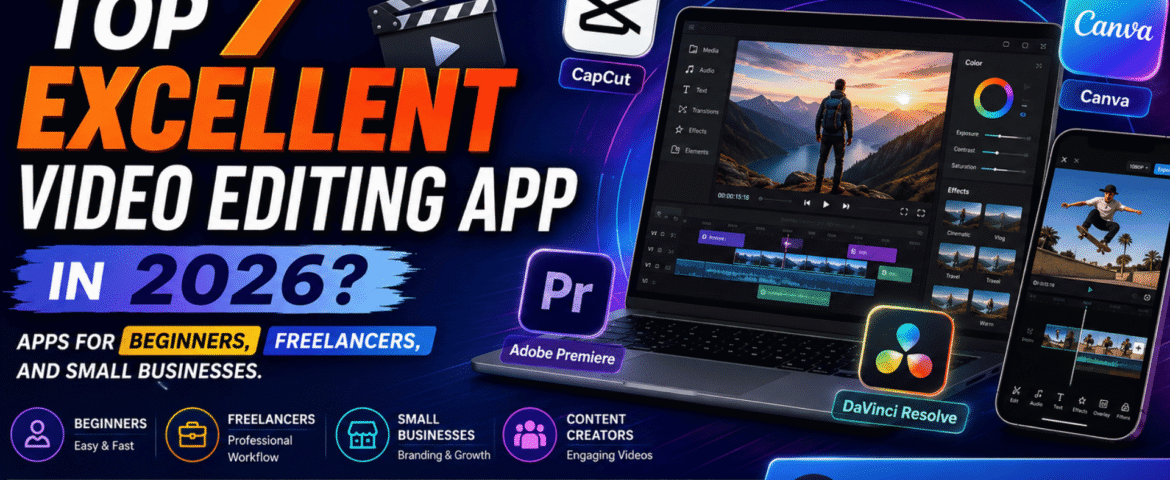
Top 7 Excellent Video Editing App In 2026? Apps For Beginners, Freelancers, And Small Businesses.
- By KHUSHI LIMBASIYA
- 0 Comments
- Latest News technology
The best video editing app depends on what you want to be. Capcut is a good app for beginners and quick social media videos. Canva is great for content from larger businesses. Adobe Premiere is a great option for freelancers who need professional tools, while DaVinci Resolve is a great option if you want powerful professional features with a capable free version. Finding a perfect app isn’t as important as finding a budget-friendly app and it’s also about matching the editor to your skill level, device, budget, content type, and workflow. What is a video editing application? A video editing application is a software that allows you to import video clips, arrange them in time, remove sections you don’t like, add text and captions, add audio, arrange audio, apply transitions and effects, and export the finished video. Modern video editing applications can do much more than basic cutting. Many now include features such as: For example, CapCut provides editing tools such as transitions, filters, transcription, color correction, background removal and AI-powered features. Canva combines video editing with design features, including text animation, transitions, effects, video resizing and AI-assisted tools. Professional applications such as Adobe Premiere and DaVinci Resolve go further with advanced editing, color, audio, effects and post-production workflows. Which Video Editing App Is Best in 2026? There’s no one winner for everyone. User Recommended app Why? Beginner CapCut Easy workflow and ready-made tools Social media creator CapCut Fast editing, templates and captions Small business Canva Branding + video + design in one workflow Freelancer Adobe Premiere Professional editing and client-ready workflow Professional editor DaVinci Resolve Editing, color, VFX and audio Budget-conscious creator DaVinci Resolve Powerful free version Marketing team Canva Easy collaboration and branded content These recommendations are based on the different workflows of these platforms, not just how they advertise. What is the best video editing app for beginners? For a complete beginner, CapCut is one of the easiest places to start. Its workflow is built around importing media, selecting templates when needed, editing clips, adding effects or text, and exporting the final video. CapCut also provides tools for captions, transitions, filters and AI-assisted editing. Why is CapCut beginner-friendly? A beginner usually wants to answer four questions quickly: CapCut provides a straightforward workflow for these basic tasks. It’s particularly useful when your goal is to create: The biggest advantage for a beginner is speed: you can learn basic editing concepts without first learning a complicated professional post-production environment. Which Video Editing App Is Best for Small Businesses? For small businesses, Canva can be an excellent choice when video editing and branding need to happen together. A business often needs more than video editing. You may also need: Canva’s video tools support trimming, splitting, transitions, text, effects, filters, music and resizing. Its platform also combines video with broader design capabilities. Why does branding matter in business videos? Imagine a local restaurant creating a 20-second Instagram Reel. The video may need: Opening: Product shot Middle: Product benefits or offer Branding: Logo + colors Ending: Call to action Instead of creating every element in separate software, a design-oriented platform can simplify the process. For small businesses, the goal isn’t necessarily to produce a Hollywood-style video. The goal is often to produce clear, branded and consistent content quickly. Which video editing app is best for freelancers? For freelancers handling client projects, Adobe Premiere is a good professional option. Premiere offers tools for frame-accurate editing, layered audio, color correction, effects, titles, and an AI-assisted workflow. Its current feature set includes tools like text-based editing, media intelligence, object masks, enhanced speech, and auto-reframe. Here’s the copyright-protected, original version of your content: Why is professional software important for freelancers? Freelancers often work on a variety of projects, including: Professional editing software goes beyond basic template-based editing, providing the flexibility and precision needed to meet individual client needs. For example, Adobe Premiere Pro includes text-based editing, allowing editors to create rough cuts by editing automatically generated transcripts instead of manually trimming footage. It also offers AI-powered features that simplify repetitive tasks, such as finding specific clips, improving speech quality, creating subject masks, and resizing videos for different platforms, allowing freelancers to work faster while maintaining professional results. Is DaVinci Resolve a good option for professional video editing? Yes. DaVinci Resolve is considered one of the best professional video editing applications, especially for creators who want advanced features without paying for a monthly subscription. Created by Blackmagic Design, DaVinci Resolve combines video editing, color grading, visual effects, motion graphics, and audio production in a single software package. Its free version offers powerful editing capabilities, including support for 8-bit video formats, frame rates up to 60 fps, and Ultra HD (3840 × 2160) resolution. Why should beginners learn DaVinci Resolve? Although DaVinci Resolve is more difficult to learn than many beginner-friendly editors, mastering it provides valuable skills for professional video production. This software uses dedicated workspaces that help organize every stage of the editing process, including: For anyone planning a career in video editing, learning DaVinci Resolve can be a smart investment. Its professional workflow and extensive feature set make it perfect for everything from personal projects to commercial productions. Is DaVinci Resolve a good option for professional video editing? Yes. DaVinci Resolve is considered one of the best professional video editing applications, especially for creators who want advanced features without paying for a monthly subscription. Created by Blackmagic Design, DaVinci Resolve combines video editing, color grading, visual effects, motion graphics, and audio production in a single software package. Its free version offers powerful editing capabilities, including support for 8-bit video formats, frame rates up to 60 fps, and Ultra HD (3840 × 2160) resolution. Why should beginners learn DaVinci Resolve? Although DaVinci Resolve is more difficult to learn than many beginner-friendly editors, mastering it provides valuable skills for professional video production. This software uses dedicated workspaces that help organize every stage of the editing process, including: For anyone planning a career in video editing, learning DaVinci
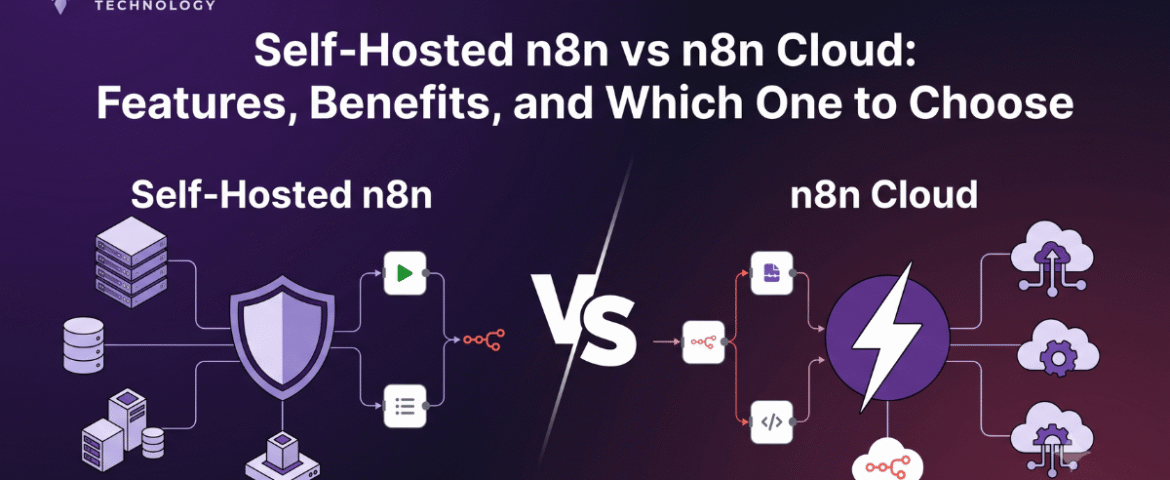
10 Powerful n8n Integrations That Can Transform Your Business Workflow
- By KHUSHI LIMBASIYA
- 0 Comments
- Latest News technology
n8n integrations streamline workflows by automating the connections between various applications, allowing for seamless data transfer and communication. By leveraging these integrations, businesses can reduce manual input, minimize errors, and enhance overall efficiency. Implementing n8n integrations not only saves time but also empowers teams to focus on strategic tasks that drive growth and innovation. Embracing these powerful tools can significantly enhance operational effectiveness and competitive advantage. n8n is a flexible workflow automation platform that allows businesses to connect hundreds of applications and automate repetitive tasks without writing complex code. Whether you’re managing leads, sending notifications, syncing customer data, or generating reports, n8n helps create seamless workflows that improve efficiency and reduce manual effort. The real power of n8n lies in its ability to integrate with popular business applications. By connecting multiple services into one automated workflow, organizations can save time, improve accuracy, and scale operations with minimal human intervention. In this article, we’ll explore the 10 most powerful n8n integrations that can transform your business workflow and help you automate smarter. Why n8n Integrations Matter Modern businesses often use multiple software platforms simultaneously. Without automation, employees spend hours copying data, sending updates, creating reports, and managing repetitive tasks. Using n8n integrations offers several advantages: Instead of manually transferring information between platforms, n8n automates the entire process. 1. Google Sheets Integration Automate Data Management Google Sheets remains one of the most commonly used tools for storing and organizing business data. Integrating it with n8n enables automatic data synchronization from multiple platforms. Common Automation Ideas Benefits 2. Gmail Integration Automate Email Workflows Email remains an essential communication channel for every business. With n8n, Gmail workflows become fully automated. Automation Examples Benefits 3. Slack Integration Improve Team Communication Internal communication becomes much more efficient when Slack is integrated into automated workflows. Automation Examples Benefits 4. Trello Integration Simplify Project Management Project management becomes easier when task creation happens automatically. Automation Ideas Benefits 5. Discord Integration Automate Community Communication Many online communities and internal teams use Discord for communication. Workflow Ideas Benefits 6. Telegram Integration Send Instant Notifications Telegram is widely used for personal and business communication. Automation Examples Benefits 7. Airtable Integration Organize Business Information Airtable combines spreadsheet simplicity with database functionality. Automation Possibilities Benefits 8. Notion Integration Automate Documentation Notion is increasingly used for documentation, knowledge management, and project planning. Workflow Examples Benefits 9. HubSpot Integration Streamline Sales Processes Sales teams benefit significantly from workflow automation. Automation Ideas Benefits 10. OpenAI Integration Add AI to Your Business Workflow Artificial intelligence is transforming business operations. Combining AI with n8n enables intelligent automation. Workflow Examples Benefits Additional n8n Integration Ideas Beyond the top ten integrations, n8n supports hundreds of additional applications that help businesses automate nearly every workflow. Popular automation categories include: Marketing Automation Sales Automation Customer Support HR Automation Finance Automation Benefits of Using n8n Integrations Businesses adopting n8n integrations experience improvements across multiple departments. Increased Productivity Employees spend less time on repetitive work and more time on strategic tasks. Reduced Errors Automation minimizes mistakes caused by manual data entry. Faster Decision Making Real-time data synchronization provides accurate business information instantly. Cost Savings Automation reduces operational costs by minimizing manual processes. Better Customer Experience Customers receive quicker responses, faster updates, and more reliable service. Flexible Customization Businesses can build workflows tailored to their exact requirements. Scalability As businesses grow, workflows can easily expand without increasing manual workload. Secure Automation Self-hosted deployment options provide greater control over sensitive business data. Best Practices for Building n8n Integrations Creating efficient workflows requires thoughtful planning. Identify Repetitive Tasks Begin with processes performed every day or every week. Keep Workflows Modular Separate complex workflows into smaller reusable components. Test Before Deployment Validate every automation before using it in production. Monitor Workflow Performance Review execution logs regularly to identify failures. Add Error Handling Prepare workflows for unexpected errors and exceptions. Secure Sensitive Data Protect credentials and restrict workflow permissions appropriately. Document Your Automations Maintain documentation for easier maintenance and future updates. Common Business Use Cases Businesses across industries use n8n integrations for numerous automation scenarios. Lead Generation Automatically collect leads from forms and organize them for follow-up. Order Processing Process customer orders and notify relevant teams automatically. Customer Support Route inquiries to appropriate channels instantly. Marketing Campaigns Automate campaign launches, reports, and customer engagement. Data Synchronization Keep information updated across multiple platforms. Reporting Generate daily, weekly, and monthly reports without manual work. Notifications Receive instant alerts for important business events. AI Automation Use artificial intelligence to classify, summarize, and generate content automatically. Future of n8n Integrations Workflow automation continues evolving rapidly. Businesses increasingly depend on automation to remain competitive. Future trends include: AI-Powered Automation Artificial intelligence will make workflows smarter and more adaptive. Low-Code Development More businesses will create automations without advanced programming skills. Intelligent Decision Making Automation platforms will make context-aware decisions based on data. Cross-Platform Connectivity Businesses will integrate even more applications into unified workflows. Predictive Automation Future workflows will proactively identify issues before they occur. Also Read : Self-Hosted n8n vs n8n Cloud: Features, Benefits, and Which One to Choose Conclusion Modern businesses can no longer afford inefficient manual processes. n8n integrations provide a powerful way to connect applications, automate repetitive tasks, improve collaboration, and enhance productivity across every department. Whether you’re managing customer data, handling emails, coordinating projects, documenting knowledge, communicating with teams, or leveraging AI, n8n enables seamless automation that saves time and reduces operational costs. By implementing the right integrations and following automation best practices, businesses can build scalable workflows that support long-term growth while allowing teams to focus on higher-value work. As automation technology continues to evolve, n8n integrations will remain an essential solution for organizations seeking smarter, faster, and more efficient business operations. FAQs Q1. What are n8n integrations? n8n integrations connect different applications and services, allowing data and tasks to flow automatically between them through customizable workflows. Q2. Is n8n suitable for small businesses? Yes. n8n is highly flexible and can automate simple or complex workflows, making it suitable