
- Mail Address info@velnustech.com
- Phone Number +91-90990-05498

Contact Info
- C-1024, Siddhivinayak Tower, Kataria Automobile Road Makarba, Ahmedabad - 380051
- +91 90990 05498
- info@velnustech.com
- Week Days: 09.00 to 18.00 Sunday: Closed
AI Agent Uses
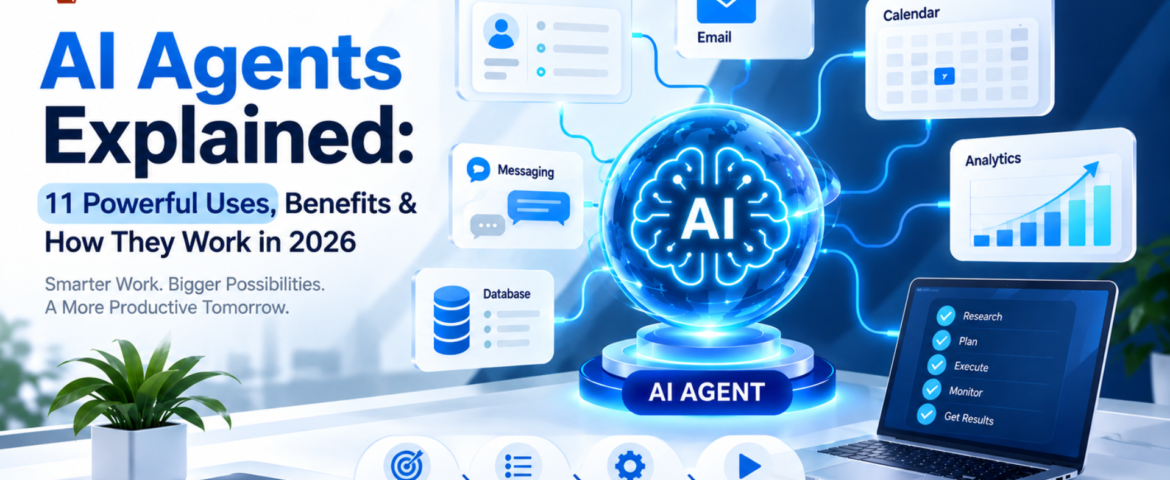
AI Agents Explained: 11 Powerful Uses, Benefits & How They Work in 2026
- By pmayank658@gmail.com
- 1 Comment
- Latest News technology
An AI agent is a software system that can understand a goal, decide what steps are needed, use connected tools, and take actions to complete a task with limited human intervention. Unlike a traditional chatbot that mainly responds to questions, an AI agent can work through a multi-step workflow. Depending on its design and permissions, it can retrieve information, update a CRM, create tasks, send messages, search approved sources, prepare reports, and hand complicated situations to a human. In simple terms: A chatbot mainly talks. An AI agent can understand, decide, use tools, and act. For a freelancer, that could mean turning a new client inquiry into a project brief and follow-up task. For a small business, it could mean qualifying leads, updating a CRM, answering customer questions, and escalating unusual cases. This guide explains what AI agents are, how they work, what they can do, how they differ from chatbots and traditional automation, how much they cost, their limitations, and how beginners can start using them. What Is an AI Agent? An AI agent is an AI-powered software system designed to pursue a goal and complete a workflow rather than simply generate a single response. A practical AI agent generally combines: OpenAI describes agents as systems that can independently accomplish tasks on a user’s behalf, use tools to interact with external systems, and operate within defined instructions and guardrails. Google Cloud similarly describes modern agents in terms of capabilities such as reasoning, planning, memory, and action. A simple example Imagine telling an AI agent: “Find today’s new leads, identify which ones are high priority, update the CRM, prepare personalized follow-ups, and create reminders for leads that need another contact.” A basic chatbot might explain how you could perform those steps. An appropriately configured AI agent can potentially perform the workflow itself by: The important difference is that an agent is designed around completing work, not simply producing text. How Does an AI Agent Work? The easiest way to understand an AI agent is to think of it as a digital worker operating within a defined set of rules. A typical workflow looks like this: Goal → Understand → Plan → Use Tools → Take Action → Check Result → Complete or Escalate Let’s break that down. 1. The AI Agent Understands the Goal The user or business provides an objective. For example: “Follow up with customers who haven’t replied for seven days.” The agent needs to understand what the desired result is and what information it needs before taking action. A clear goal is important because vague instructions can produce inconsistent results. 2. It Determines the Required Steps Instead of immediately generating an answer, an agent can determine the sequence of actions required to reach the goal. For the follow-up example, it might need to: The exact process depends on the agent’s instructions, tools, and permissions. 3. It Uses Tools Tools are one of the most important differences between a simple conversational AI application and an agent designed to perform work. An agent may connect to tools such as: Tools allow an agent to retrieve information and, where permitted, take actions in external systems. OpenAI’s agent guidance describes data tools for retrieving context and action tools for changing systems or performing actions such as updating CRM records or sending messages. 4. It Takes an Action After determining what needs to happen, the agent can perform an approved action. For example, it might: Not every action should happen automatically. Sensitive or irreversible actions may require human approval. 5. It Checks the Result A reliable agent should not simply assume that every action worked. It can check whether: If something falls outside its instructions, the safest behavior may be to stop and request human intervention. This is why testing, monitoring, permissions, and guardrails are important when deploying AI agents. What Are the Main Components of an AI Agent? Most practical AI agents can be understood through several building blocks. Component What it does AI Model Understands information and supports reasoning or decision-making Instructions Defines what the agent should do and how it should behave Tools Connects the agent to external systems Knowledge Provides relevant business information and context Memory Helps maintain useful context when the system supports it Guardrails Restricts unsafe, unauthorized, or unwanted behavior Orchestration Controls how tasks, tools, and agents work together A simple way to remember this is: Model = brainTools = handsKnowledge = reference materialInstructions = operating procedureGuardrails = boundaries OpenAI identifies the model, tools, and instructions as fundamental components of an agent, while more complex systems can add orchestration and multiple specialized agents. AI Agent vs Chatbot: What’s the Difference? This is one of the most common questions beginners ask. Feature Traditional Chatbot AI Agent Answers questions Yes Yes Understands natural language Yes Yes Performs multi-step tasks Limited Yes Uses external tools Sometimes Common Retrieves information Sometimes Yes, when connected Makes bounded decisions Limited Yes Takes actions Limited Yes, when permitted Works toward a goal Usually limited Yes Operates with less supervision Limited More capable Example: “Where is my order?” A traditional chatbot might: An AI agent could potentially: The difference is not simply that one uses AI and the other doesn’t. The bigger difference is workflow execution. AI Agent vs Traditional Automation AI agents are also different from traditional rule-based automation. Traditional automation A conventional workflow might look like: Trigger → Rule → Action For example: New form submission → Add contact to CRM → Send predefined email The path is generally predetermined. AI agent An agent-based workflow can look more like: Goal → Interpret context → Decide next step → Select tool → Act → Check result For example: New lead → Understand inquiry → Check CRM → Determine lead type → Choose appropriate action → Update CRM → Prepare follow-up → Escalate if needed Traditional automation is often better when the process is completely predictable. An AI agent becomes more useful when the workflow involves unstructured information, changing context, tool selection, or