
- Mail Address info@velnustech.com
- Phone Number +91-90990-05498

Contact Info
- C-1024, Siddhivinayak Tower, Kataria Automobile Road Makarba, Ahmedabad - 380051
- +91 90990 05498
- info@velnustech.com
- Week Days: 09.00 to 18.00 Sunday: Closed
AI Automation for Small Business
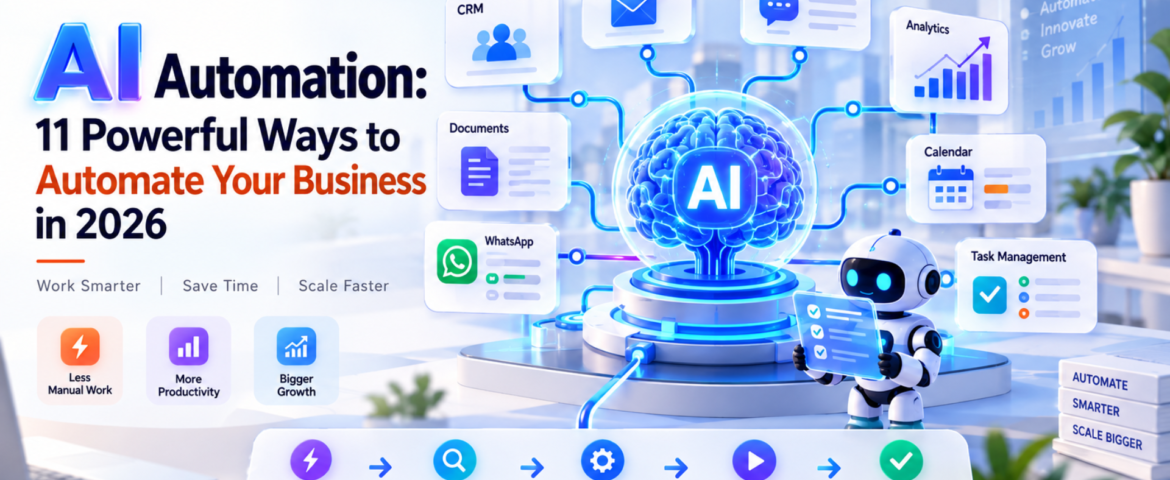
AI Automation: 11 Powerful Ways to Automate Your Business in 2026
- By pmayank658@gmail.com
- 0 Comments
- Latest News technology
AI Automation: 11 Powerful Ways to Automate Your Business in 2026 AI Automation means using artificial intelligence to understand information, make decisions, and complete repetitive business tasks with little or no manual effort. For beginners, freelancers, and small business owners, it can automate everything from lead follow-ups and customer support to reporting, scheduling, and data entry. The important point is this: AI automation is not about replacing every person with AI. It is about removing repetitive work so people can focus on work that actually needs human judgment. In 2026, businesses are moving beyond simple chatbots toward AI-powered workflows and agents that can perform multiple steps inside a business process. Google Cloud’s 2026 AI Agent Trends report, for example, identifies agentic workflows as an important direction for business automation. In simple words: AI automation lets you tell a system what needs to happen, and the system handles much of the work for you. Table of Contents What Is AI Automation? AI automation is the use of artificial intelligence within automated workflows to understand inputs, make decisions, generate outputs, and perform actions. Traditional automation usually follows fixed rules. For example: If a customer fills out a form → send an email. AI automation can handle a more flexible situation: A customer submits an enquiry → AI understands the enquiry → identifies the customer’s requirement → checks relevant information → creates or updates a CRM record → sends a personalized response → alerts a salesperson when human attention is needed. That’s the major difference. Traditional automation mostly follows predefined instructions. AI automation can interpret information and handle situations that aren’t always perfectly predictable. What is a simple example of AI automation? Imagine a small web-design agency receiving 30 enquiries every day. Without automation, someone might need to: With AI automation, much of this workflow can happen automatically. The AI can understand the enquiry, categorize it, update the CRM, draft a personalized response, and trigger a follow-up sequence. The human still controls important decisions. How Does AI Automation Work? A typical AI automation workflow has five basic stages: Trigger → Understand → Decide → Act → Verify 1. Trigger Something starts the workflow. Examples: 2. Understand AI processes the information. For example, it can identify: 3. Decide The system determines what should happen next. For example: “This customer wants a product demo, so create a qualified sales lead.” 4. Act The automation performs an action. It could: 5. Verify A good AI automation system shouldn’t blindly trust every AI output. For sensitive actions, it can ask a person for approval. This human-in-the-loop approach is especially useful for financial, legal, customer-facing, or high-risk workflows. What Are the Best AI Automation Use Cases? AI automation can be applied to almost any repetitive workflow. But small businesses should start with tasks that happen frequently and follow a reasonably clear process. Here are 11 practical examples. 1. Lead Generation and Qualification AI can read incoming enquiries and identify potential customers based on criteria such as: Instead of manually checking every lead, the sales team can focus on qualified prospects. 2. Customer Support AI automation can answer common questions, classify support requests, find relevant information, and escalate complicated cases to a human. For example: Customer question → AI understands request → searches knowledge base → responds → escalates if necessary This doesn’t mean every customer interaction should be handled by AI. Complex or sensitive issues should still have a human escalation path. 3. Email Automation AI can classify incoming emails and decide what should happen next. For example: Sales enquiry → CRMInvoice email → Finance folderSupport issue → Help deskMeeting request → Calendar workflow This can save small teams a surprising amount of administrative time. 4. CRM Updates CRM data often becomes outdated because employees don’t have time to update it. AI automation can extract information from emails, calls, forms, or messages and use it to update customer records. This makes the CRM more useful without forcing employees to enter every detail manually. 5. Appointment Scheduling Instead of exchanging multiple messages to find a suitable time, automation can: This is particularly useful for consultants, agencies, clinics, coaches, and service businesses. 6. Content Creation AI automation can support a content workflow: Topic → Research → Brief → Draft → Review → Publish But there’s an important difference between automating content production and publishing everything generated by AI. Human review is still valuable for: Google’s current guidance emphasizes useful, original content rather than simply producing more AI-generated pages. 7. Social Media Workflows AI can help transform one piece of content into multiple formats. For example: Blog article → LinkedIn post → Instagram caption → short video script → email newsletter A person can then review and approve the content before publishing. 8. Invoicing and Administrative Work AI automation can extract information from invoices, organize documents, identify missing information, and trigger reminders. For example: Invoice received → extract vendor + amount + date → categorize → send for approval → update accounting workflow. Financial actions should generally have appropriate approval and security controls. 9. Weekly Business Reports Instead of manually collecting data from multiple systems, an automation can gather information and prepare a summary. For example: CRM + website analytics + sales data → AI analysis → weekly business report The owner can then spend time interpreting the results rather than assembling spreadsheets. 10. WhatsApp Customer Communication For businesses that receive many customer enquiries through WhatsApp, AI automation can help with: The key is to connect the automation to accurate business information rather than allowing the AI to invent answers. 11. Internal Task Management AI can turn conversations and messages into actionable tasks. For example: “Please prepare the proposal for ABC before Friday.” An automation could identify the task, assign it to the correct person, set a deadline, and add it to a project-management system. How Can Small Businesses Use AI Automation? Small businesses don’t need to automate everything. In fact, trying to automate the entire business at once is