
- Mail Address info@velnustech.com
- Phone Number +91-90990-05498

Contact Info
- C-1024, Siddhivinayak Tower, Kataria Automobile Road Makarba, Ahmedabad - 380051
- +91 90990 05498
- info@velnustech.com
- Week Days: 09.00 to 18.00 Sunday: Closed
MCP
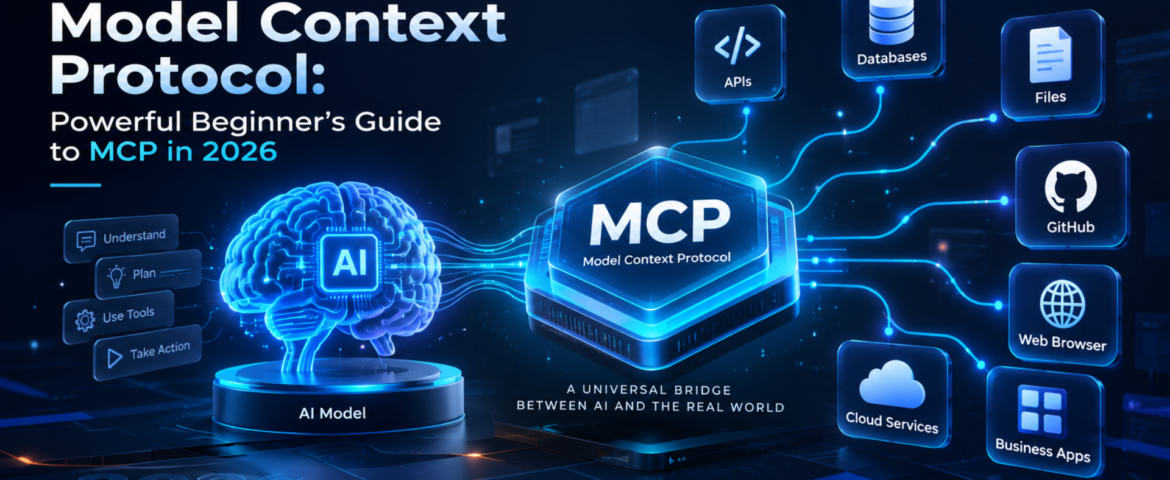
Model Context Protocol: Powerful Beginner’s Guide to MCP in 2026
- By pmayank658@gmail.com
- 1 Comment
- Latest News technology
Model Context Protocol (MCP) is an open standard that gives AI applications a consistent way to connect with external data, tools, and services. Instead of building a separate custom integration for every AI application, developers can use MCP to create a standardized connection between an AI system and the capabilities it needs. In simple words: MCP helps AI move beyond just answering questions and interact with the tools and information it needs to complete a task. For example, imagine asking an AI assistant to check your customer database, find an order, create a report, and send the result to your team. MCP can provide a standardized way for the AI application to discover and use those external capabilities. MCP was introduced by Anthropic and has since developed into a broader ecosystem. The current specification defines MCP around hosts, clients, and servers, with servers exposing resources, prompts, and tools. In this guide, you’ll learn what Model Context Protocol is, how it works, MCP vs API, real-world examples, security considerations, and how beginners and small businesses can use it. Table of Contents What Is Model Context Protocol? Model Context Protocol is an open protocol that standardizes how AI applications connect to external context, data sources, and tools. Think of MCP like a USB-C connection for AI applications. USB-C gives different devices a common way to connect with accessories. Similarly, MCP provides a common way for AI applications to connect with external systems. Without a common protocol, developers may need to create individual integrations between every AI application and every external service. With MCP, a compatible AI application can connect to an MCP server that exposes specific capabilities. For example: AI assistant → MCP → CRM The AI can then potentially use approved CRM capabilities instead of relying only on information already inside the model. The official MCP specification describes three major concepts: hosts, clients and servers. MCP uses JSON-RPC for communication. Why Does Model Context Protocol Matter? Traditional AI chatbots are excellent at generating and explaining information, but an AI system becomes much more useful when it can interact with external systems. Consider a small business owner who asks: “Show me this week’s highest-value leads and summarize which ones need follow-up.” A basic chatbot may not know the company’s latest lead data. An AI application connected through MCP could potentially access an approved CRM tool, retrieve relevant information, analyze it and return a useful summary. That creates a shift: From: AI that mainly generates responses To: AI that can work with external context and tools. This is particularly important for AI agents, where the system may need to use multiple tools to accomplish a goal. How Does Model Context Protocol Work? The basic MCP workflow looks like this: User → AI application → MCP client → MCP server → External system Here’s the simple version. 1. The user gives the AI a goal For example: “Find my latest customer orders.” 2. The AI application identifies the required capability The application may determine that it needs access to an order-management system. 3. The MCP client connects to an MCP server The client acts as the connector inside the host AI application. 4. The MCP server exposes capabilities The server can provide resources, prompts and tools. 5. The AI uses an approved capability For example, it might call a tool that retrieves order information. 6. The result goes back to the AI application The AI can then use that information to generate the final response. The important point is that MCP standardizes the communication layer. The external system still controls what capabilities are exposed and what permissions are available. What Are the Main Components of MCP? MCP becomes much easier to understand when you separate its three main components. What is an MCP host? The host is the AI application that wants to use MCP. It could be an AI assistant, development environment or another application capable of working with MCP. What is an MCP client? The MCP client is the connector inside the host application. It communicates with MCP servers and handles the protocol interaction. What is an MCP server? An MCP server exposes specific data or capabilities that an MCP client can use. For example, an MCP server could provide access to: MCP servers can expose three important types of capabilities: Resources: information or context that can be provided to the AI. Tools: functions that the AI can call. Prompts: reusable prompt templates or workflows. These concepts are defined in the official MCP specification. What Is the Difference Between MCP and an API? This is one of the most common MCP questions. An API is a way for software systems to communicate with a particular service. MCP is a standardized protocol for making AI applications interact with tools and context through a common interface. Here’s a simple comparison: MCP Traditional API Designed around AI application interoperability Designed for software-to-software communication Standardizes AI access to tools and context Defines a service’s own endpoints Can expose tools, resources and prompts Usually exposes endpoints and data Useful for AI agents Useful for applications and services Helps AI applications discover and use capabilities Requires understanding the API’s interface They aren’t competitors. In fact, an MCP server can sit in front of an existing API. For example: AI application → MCP server → CRM API → CRM database This allows the existing business system to remain in place while MCP provides a standardized AI-facing interface. What Can You Do With MCP? MCP can support many AI workflows. Connect AI to business data An AI application can potentially access approved business information such as customer records, documents or inventory data. Connect AI to development tools Developers can connect AI applications to repositories, files, issue trackers and other development capabilities. GitHub documents MCP support across several development environments and GitHub Copilot experiences. Build AI-powered workflows Instead of creating one-off integrations for every AI application, developers can expose reusable capabilities through MCP. Give AI access to external tools An