
- Mail Address info@velnustech.com
- Phone Number +91-90990-05498

Contact Info
- C-1024, Siddhivinayak Tower, Kataria Automobile Road Makarba, Ahmedabad - 380051
- +91 90990 05498
- info@velnustech.com
- Week Days: 09.00 to 18.00 Sunday: Closed
OpenAI automation
10 Powerful n8n Integrations That Can Transform Your Business Workflow
- By KHUSHI LIMBASIYA
- 0 Comments
- Latest News technology
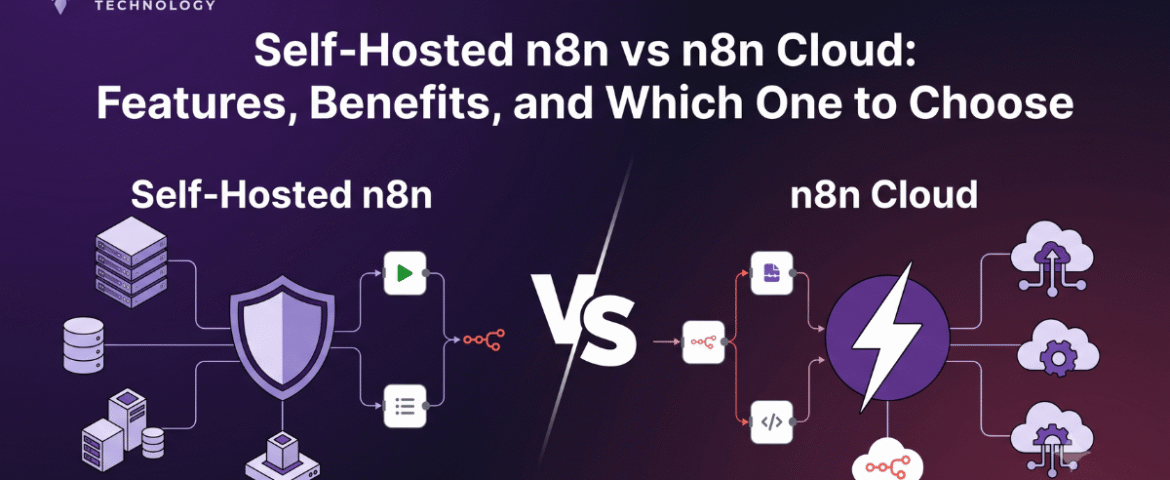
n8n integrations streamline workflows by automating the connections between various applications, allowing for seamless data transfer and communication. By leveraging these integrations, businesses can reduce manual input, minimize errors, and enhance overall efficiency. Implementing n8n integrations not only saves time but also empowers teams to focus on strategic tasks that drive growth and innovation. Embracing these powerful tools can significantly enhance operational effectiveness and competitive advantage. n8n is a flexible workflow automation platform that allows businesses to connect hundreds of applications and automate repetitive tasks without writing complex code. Whether you’re managing leads, sending notifications, syncing customer data, or generating reports, n8n helps create seamless workflows that improve efficiency and reduce manual effort. The real power of n8n lies in its ability to integrate with popular business applications. By connecting multiple services into one automated workflow, organizations can save time, improve accuracy, and scale operations with minimal human intervention. In this article, we’ll explore the 10 most powerful n8n integrations that can transform your business workflow and help you automate smarter. Why n8n Integrations Matter Modern businesses often use multiple software platforms simultaneously. Without automation, employees spend hours copying data, sending updates, creating reports, and managing repetitive tasks. Using n8n integrations offers several advantages: Instead of manually transferring information between platforms, n8n automates the entire process. 1. Google Sheets Integration Automate Data Management Google Sheets remains one of the most commonly used tools for storing and organizing business data. Integrating it with n8n enables automatic data synchronization from multiple platforms. Common Automation Ideas Benefits 2. Gmail Integration Automate Email Workflows Email remains an essential communication channel for every business. With n8n, Gmail workflows become fully automated. Automation Examples Benefits 3. Slack Integration Improve Team Communication Internal communication becomes much more efficient when Slack is integrated into automated workflows. Automation Examples Benefits 4. Trello Integration Simplify Project Management Project management becomes easier when task creation happens automatically. Automation Ideas Benefits 5. Discord Integration Automate Community Communication Many online communities and internal teams use Discord for communication. Workflow Ideas Benefits 6. Telegram Integration Send Instant Notifications Telegram is widely used for personal and business communication. Automation Examples Benefits 7. Airtable Integration Organize Business Information Airtable combines spreadsheet simplicity with database functionality. Automation Possibilities Benefits 8. Notion Integration Automate Documentation Notion is increasingly used for documentation, knowledge management, and project planning. Workflow Examples Benefits 9. HubSpot Integration Streamline Sales Processes Sales teams benefit significantly from workflow automation. Automation Ideas Benefits 10. OpenAI Integration Add AI to Your Business Workflow Artificial intelligence is transforming business operations. Combining AI with n8n enables intelligent automation. Workflow Examples Benefits Additional n8n Integration Ideas Beyond the top ten integrations, n8n supports hundreds of additional applications that help businesses automate nearly every workflow. Popular automation categories include: Marketing Automation Sales Automation Customer Support HR Automation Finance Automation Benefits of Using n8n Integrations Businesses adopting n8n integrations experience improvements across multiple departments. Increased Productivity Employees spend less time on repetitive work and more time on strategic tasks. Reduced Errors Automation minimizes mistakes caused by manual data entry. Faster Decision Making Real-time data synchronization provides accurate business information instantly. Cost Savings Automation reduces operational costs by minimizing manual processes. Better Customer Experience Customers receive quicker responses, faster updates, and more reliable service. Flexible Customization Businesses can build workflows tailored to their exact requirements. Scalability As businesses grow, workflows can easily expand without increasing manual workload. Secure Automation Self-hosted deployment options provide greater control over sensitive business data. Best Practices for Building n8n Integrations Creating efficient workflows requires thoughtful planning. Identify Repetitive Tasks Begin with processes performed every day or every week. Keep Workflows Modular Separate complex workflows into smaller reusable components. Test Before Deployment Validate every automation before using it in production. Monitor Workflow Performance Review execution logs regularly to identify failures. Add Error Handling Prepare workflows for unexpected errors and exceptions. Secure Sensitive Data Protect credentials and restrict workflow permissions appropriately. Document Your Automations Maintain documentation for easier maintenance and future updates. Common Business Use Cases Businesses across industries use n8n integrations for numerous automation scenarios. Lead Generation Automatically collect leads from forms and organize them for follow-up. Order Processing Process customer orders and notify relevant teams automatically. Customer Support Route inquiries to appropriate channels instantly. Marketing Campaigns Automate campaign launches, reports, and customer engagement. Data Synchronization Keep information updated across multiple platforms. Reporting Generate daily, weekly, and monthly reports without manual work. Notifications Receive instant alerts for important business events. AI Automation Use artificial intelligence to classify, summarize, and generate content automatically. Future of n8n Integrations Workflow automation continues evolving rapidly. Businesses increasingly depend on automation to remain competitive. Future trends include: AI-Powered Automation Artificial intelligence will make workflows smarter and more adaptive. Low-Code Development More businesses will create automations without advanced programming skills. Intelligent Decision Making Automation platforms will make context-aware decisions based on data. Cross-Platform Connectivity Businesses will integrate even more applications into unified workflows. Predictive Automation Future workflows will proactively identify issues before they occur. Also Read : Self-Hosted n8n vs n8n Cloud: Features, Benefits, and Which One to Choose Conclusion Modern businesses can no longer afford inefficient manual processes. n8n integrations provide a powerful way to connect applications, automate repetitive tasks, improve collaboration, and enhance productivity across every department. Whether you’re managing customer data, handling emails, coordinating projects, documenting knowledge, communicating with teams, or leveraging AI, n8n enables seamless automation that saves time and reduces operational costs. By implementing the right integrations and following automation best practices, businesses can build scalable workflows that support long-term growth while allowing teams to focus on higher-value work. As automation technology continues to evolve, n8n integrations will remain an essential solution for organizations seeking smarter, faster, and more efficient business operations. FAQs Q1. What are n8n integrations? n8n integrations connect different applications and services, allowing data and tasks to flow automatically between them through customizable workflows. Q2. Is n8n suitable for small businesses? Yes. n8n is highly flexible and can automate simple or complex workflows, making it suitable