
- Mail Address info@velnustech.com
- Phone Number +91-90990-05498

Contact Info
- C-1024, Siddhivinayak Tower, Kataria Automobile Road Makarba, Ahmedabad - 380051
- +91 90990 05498
- info@velnustech.com
- Week Days: 09.00 to 18.00 Sunday: Closed
sales pipeline
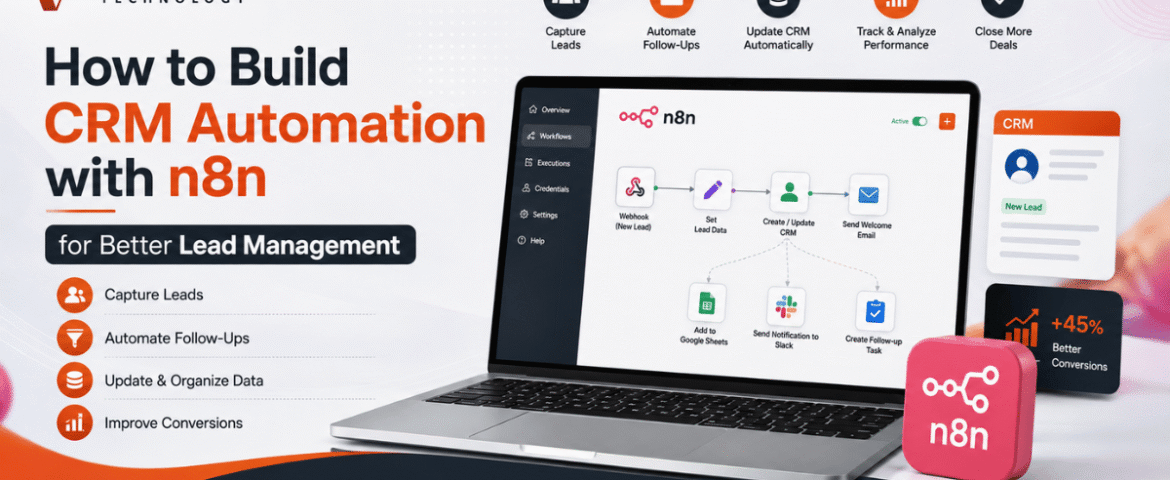
How to Build CRM Automation with n8n for Better Lead Management
- By KHUSHI LIMBASIYA
- 0 Comments
- technology Latest News
Generating and managing leads manually is one of the biggest challenges for growing businesses. As the number of inquiries increases, manually updating customer records, assigning follow-ups, and sending emails becomes time-consuming and prone to errors. This is where CRM Automation becomes a game changer. With n8n, businesses can automate repetitive CRM tasks without relying on expensive enterprise software or complex coding. Whether leads come from contact forms, social media campaigns, WhatsApp, Google Sheets, landing pages, or email, n8n can connect multiple platforms and automatically manage every step of the lead lifecycle. In this guide, you’ll learn how to build CRM Automation with n8n, create automated lead management workflows, improve response times, reduce manual work, and increase conversion rates. Why CRM Automation Matters Every business receives leads from different sources. Without automation, teams often face problems such as: CRM Automation removes these issues by automatically capturing, organizing, qualifying, and tracking leads. Some major advantages include: What is n8n? n8n is an open-source workflow automation platform that allows users to connect applications through visual workflows. Instead of writing lengthy code, users create automation using drag-and-drop nodes. n8n supports hundreds of integrations including: Its flexibility makes it one of the most powerful automation tools for CRM Automation. Why Use n8n for CRM Automation? Unlike traditional automation platforms, n8n provides complete workflow customization. Benefits include: No-Code and Low-Code Automation Business users can create workflows visually without programming knowledge. Multiple Integrations Connect multiple lead sources into one workflow. Self-Hosted Option Maintain full control over customer data. Advanced Logic Use conditions, loops, filters, delays, and custom scripts. Cost-Effective Reduce software expenses while building powerful automation. Essential Components of CRM Automation A complete CRM Automation workflow usually contains several stages. Lead Capture Collect leads from: Lead Validation Automatically verify: Lead Qualification Assign scores based on: Lead Assignment Automatically assign qualified leads to sales representatives. Follow-Up Automation Trigger: Activity Tracking Log every interaction inside the CRM automatically. Step 1: Connect Your Lead Sources The first workflow starts with lead collection. Common lead sources include: Website Contact Forms Whenever someone submits a form, n8n instantly receives the information. Collected information may include: Landing Pages Automatically push landing page submissions into your CRM. Social Media Leads Capture leads generated through advertising campaigns without manual downloads. WhatsApp Collect customer details directly from incoming conversations. Google Sheets Automatically monitor new spreadsheet entries. Step 2: Clean and Validate Lead Data Poor-quality data reduces CRM performance. n8n can automatically: Remove Duplicate Leads Search the CRM before adding new contacts. Verify Email Addresses Ensure emails follow valid formats. Format Phone Numbers Standardize country codes and mobile numbers. Normalize Customer Data Convert names into consistent formats. Example: Instead of: john smith The workflow stores: John Smith Step 3: Automatically Create CRM Records After validation, n8n creates new customer records. Each CRM entry may include: Everything happens automatically. Step 4: Lead Scoring Automation Not every lead has equal value. CRM Automation can assign scores using conditions. Example scoring: Total score determines priority. High-value leads receive immediate attention. Step 5: Assign Leads Automatically Instead of manually distributing leads, n8n can assign them based on rules. Examples: Round Robin Assignment Each sales member receives leads equally. Region-Based Assignment Assign according to customer location. Product-Based Assignment Different products go to different teams. Industry-Based Assignment Healthcare, retail, manufacturing, education, and technology leads go to specialists. Step 6: Trigger Instant Customer Responses Customers expect quick replies. CRM Automation allows immediate communication. Possible actions: Instant responses improve customer satisfaction. Step 7: Notify Sales Teams Sales teams receive instant alerts whenever new leads arrive. Notifications may be sent through: Notifications contain: Step 8: Schedule Follow-Up Activities Follow-ups are critical for lead conversion. n8n can automatically: No opportunity gets forgotten. Step 9: Update Lead Status Automatically Every interaction updates the CRM. Status examples: Sales pipelines remain accurate without manual updates. Step 10: Generate Reports Automatically CRM Automation can generate reports including: Daily Lead Reports Monitor new inquiries. Weekly Performance Reports Evaluate sales productivity. Conversion Reports Measure lead-to-customer ratio. Source Analysis Identify top-performing lead sources. Sales Pipeline Reports Understand deal progress. Reports can be emailed automatically. Popular n8n CRM Automation Workflows Website Form to CRM Automatically collect website inquiries and create CRM records. Google Sheets to CRM Import spreadsheet leads instantly. Email to CRM Convert incoming inquiries into customer records. WhatsApp to CRM Store conversations and customer details automatically. CRM to Email Marketing Send targeted campaigns based on CRM data. CRM to Calendar Schedule meetings automatically. CRM Reminder Workflow Send reminders before follow-up dates. Best Practices for CRM Automation Keep Workflows Simple Begin with basic automations before adding advanced logic. Eliminate Duplicate Records Prevent duplicate customers from entering the CRM. Use Lead Scoring Prioritize high-value opportunities. Maintain Data Quality Validate every incoming lead. Monitor Workflow Performance Regularly review execution logs. Secure Customer Information Use secure authentication and encrypted connections. Test Before Deployment Verify every workflow with sample data. Common CRM Automation Mistakes Avoid these mistakes: Overcomplicated Workflows Complex automation becomes difficult to maintain. Ignoring Error Handling Always create backup paths for failures. Missing Notifications Ensure failed workflows generate alerts. Poor Data Validation Invalid customer information reduces CRM accuracy. No Workflow Documentation Document automation logic for future updates. Advanced CRM Automation Ideas Once the basic workflow is running, additional automation can include: Benefits of CRM Automation with n8n Businesses using CRM Automation experience several long-term benefits. These include: Automation allows teams to spend more time building customer relationships instead of performing repetitive administrative tasks. Also Read : AI Workflow Automation with n8n: Build Smarter Business Processes Conclusion CRM Automation with n8n transforms the way businesses capture, organize, and manage leads. Instead of manually updating records, assigning leads, and sending follow-up messages, every process can run automatically through intelligent workflows. From lead collection and validation to scoring, assignment, notifications, reporting, and customer communication, n8n helps streamline the entire sales pipeline. As your business grows, automated workflows ensure consistency, improve efficiency, reduce errors, and enable faster responses that lead to higher conversion rates. By implementing CRM Automation with