
- Mail Address info@velnustech.com
- Phone Number +91-90990-05498

Contact Info
- C-1024, Siddhivinayak Tower, Kataria Automobile Road Makarba, Ahmedabad - 380051
- +91 90990 05498
- info@velnustech.com
- Week Days: 09.00 to 18.00 Sunday: Closed
AI productivity
Meta Muse AI Agent: 7 Powerful Features, Pricing, Availability & How It Works
- By pmayank658@gmail.com
- 1 Comment
- Latest News technology
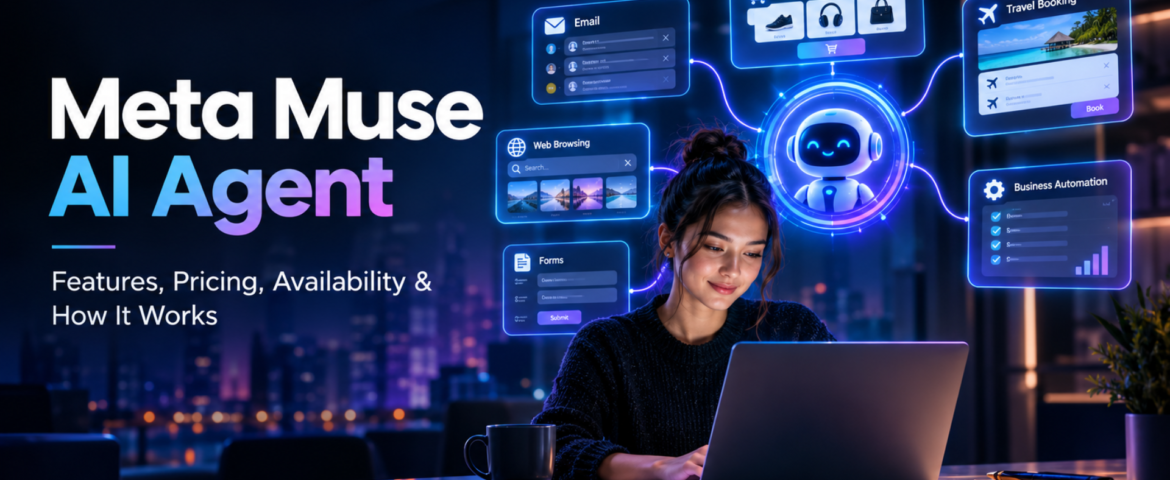
In brief: Meta Muse is a new personal AI agent designed to perform tasks for users rather than simply answering questions. You can tell Muse what you want to achieve, and—based on the task, permissions, and necessary approvals—it can plan the work, browse websites, fill out forms, send emails, assist with completing purchases, and continue working on longer tasks even after you close the app. Meta officially launched Muse on September 8, 2026, initially making it available in the US via the Muse app and WhatsApp. And yes, Meta Muse AI Agent is trending right now. Google Trends’ India trending page currently shows the query “meta muse ai agent” at 20K+ searches, up 900%, with the trend active around two hours ago. But the interesting part is not just that Meta launched another AI product. The bigger story is that AI is moving from “I will give you an answer” toward “I will try to get the task done for you.” What Is Meta Muse AI Agent? Meta Muse is a personal AI agent developed by Meta. A normal AI chatbot generally waits for your prompt, generates an answer and then waits again. An AI agent works differently. You can give an agent a goal, and it can decide which steps are needed to move toward that goal. For example, instead of asking: “How do I plan a trip to Dubai?” you could potentially tell an agent: “Plan my Dubai trip for next month, find suitable flights and hotels within my budget, and prepare the options for me.” The important difference is action. Meta says Muse can work across applications and websites, open a browser, fill forms, coordinate tasks and continue working on longer jobs. In simple words: Chatbot = gives you information. AI agent = can use information and tools to take action. That difference is the main reason Meta Muse is getting so much attention. How Does Meta Muse AI Agent Work? Muse is powered by Muse Spark, which Meta describes as its most capable model for real-world agentic work. But the model itself isn’t the whole story. Meta has built a separate environment called Muse Secure VM. A VM, or virtual machine, is basically an isolated computer environment running in the cloud. Meta says every Muse operates inside a dedicated secure virtual machine containing the agent and the user’s data. It also has its own browser so Muse can interact with websites while keeping that activity inside the controlled environment. What is agentic AI? Agentic AI refers to AI systems that can do more than generate text or images. They can: That makes agentic AI particularly interesting for automation. For example, a freelancer could theoretically ask an AI agent to research potential clients, organize information and prepare outreach material instead of manually completing every small step. The agent still needs supervision, especially when money, private information or important decisions are involved. What is Muse Spark? Muse Spark is the AI model powering the Muse personal agent. Meta says it was designed for real-world agentic work rather than simply producing conversational answers. This distinction is important because Muse and Muse Spark are not exactly the same thing. Muse is the personal AI agent/product. Muse Spark is the model powering that agent. What is Sentinel? Meta also describes a separate safety system called Sentinel. According to Meta, Sentinel controls what Muse can send to the internet and can require user permission for sensitive actions. Muse can also show an audit trail of actions it has taken or plans to take. This matters because an AI that can actually act needs stronger controls than a chatbot that only generates text. What Can Meta Muse AI Agent Actually Do? This is probably the biggest question for beginners. Meta says Muse can perform a range of tasks across connected services. Can Meta Muse AI Agent send emails? Yes. Muse can help draft and send emails, although sensitive actions can require user approval. This is different from asking ChatGPT: “Write an email to my client.” Muse’s goal is to move further toward: “Write the email, send it to my client and let me know when they respond.” The second example involves an actual workflow. Can Meta Muse book travel? Meta says Muse can help with travel planning and booking. It can search, compare information, fill forms and work through the steps required to complete a task. That makes travel planning an interesting example of agentic AI because it often involves several connected tasks rather than one answer. Can Meta Muse shop online? Yes, shopping is another major use case. Meta says Muse can help search for products and make purchases. For payments, Meta has partnered with Stripe’s Link system, including one-time-use card details intended to keep a user’s actual payment information hidden from the agent. However, users should still review purchases before approving them. An AI finding a product is one thing. An AI spending your money is a much bigger responsibility. Can Meta Muse fill forms? Yes. Meta says Muse can open a browser and fill out forms on a user’s behalf. This could be useful for repetitive online tasks where the user has to enter the same type of information again and again. Can Meta Muse work on long-term goals? This is one of the more interesting parts. Meta says Muse isn’t limited to one simple command. Users can give it bigger goals, and Muse can help create a personalized action plan and continue working on it. For example: “Help me organize my fitness routine for the next few months.” or “Help me plan the launch of my small online business.” The important idea is that the user describes the outcome, rather than every individual step. Why Is Meta Muse AI Agent Trending Right Now? There are a few reasons. First, the timing is huge. Meta launched Muse on September 8, 2026, and major technology and news publications immediately started covering it. Reuters described it as an AI agent capable
AI Workflow Automation with n8n: Build Smarter Business Processes
- By KHUSHI LIMBASIYA
- 0 Comments
- technology Latest News
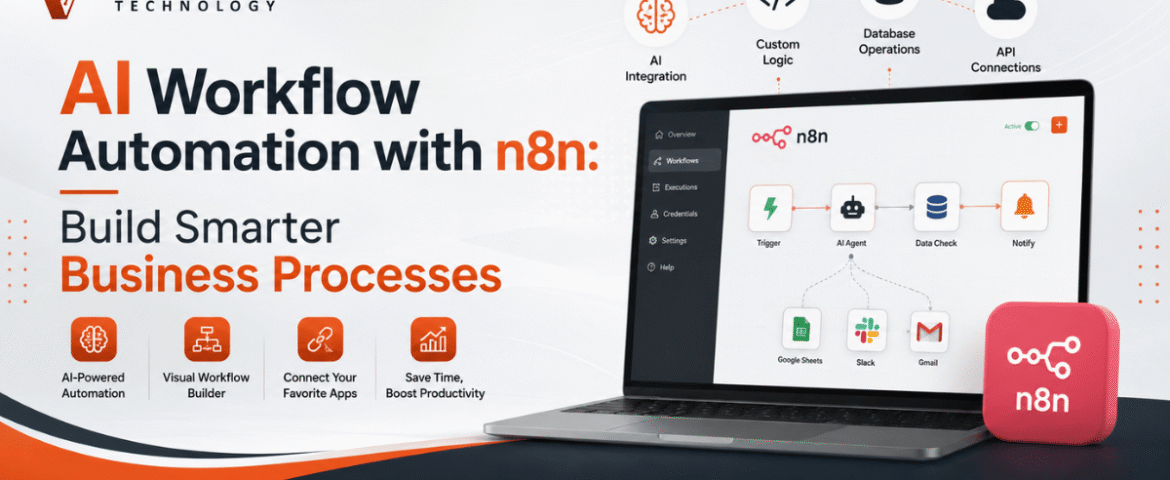
Artificial intelligence is transforming the way organizations manage everyday operations. Businesses no longer need to rely on repetitive manual work, disconnected systems, or time-consuming data handling. By combining AI with workflow automation, teams can automate complex tasks, improve productivity, reduce errors, and make faster decisions. AI workflow automation has become one of the most valuable technologies for businesses looking to scale efficiently. With n8n, organizations can connect hundreds of applications, integrate AI models, automate data processing, and build intelligent workflows without spending months on development. Whether you want to automate customer communication, content generation, lead management, reporting, or document processing, n8n provides a flexible and scalable platform for creating AI-powered workflows. What is AI Workflow Automation? AI workflow automation is the process of combining artificial intelligence with workflow automation tools to complete business tasks automatically. Unlike traditional automation, AI-powered workflows can analyze information, generate responses, classify data, summarize documents, and make intelligent decisions. Instead of simply moving data from one application to another, AI enables workflows to understand context and perform tasks that previously required human involvement. Common AI capabilities include: When integrated into n8n workflows, these capabilities become powerful business automation solutions. Why Choose n8n for AI Workflow Automation? n8n is an open-source workflow automation platform that allows users to visually build complex automations while maintaining complete flexibility. Some key advantages include: Visual Workflow Builder Build workflows using drag-and-drop nodes without creating complicated code. AI Integration Connect AI models directly into workflows for intelligent automation. Large Integration Library Connect hundreds of applications from CRM systems to cloud storage and communication platforms. Custom Logic Create advanced conditions, loops, filters, and decision-making paths. Self Hosting Option Maintain full control over your data with self-hosted deployments. API Friendly Integrate with virtually any platform using REST APIs and webhooks. How AI Workflow Automation Works in n8n A typical AI workflow consists of several connected steps. Step 1: Receive Input Data enters the workflow through: Step 2: Process Information n8n transforms and organizes incoming data before passing it to AI services. Step 3: AI Analysis The AI model performs tasks such as: Step 4: Decision Making The workflow decides what action to take based on AI output. Step 5: Automated Actions The workflow automatically: Benefits of AI Workflow Automation Businesses adopting AI automation experience improvements across multiple departments. Increased Productivity Employees spend less time on repetitive work and more time on strategic activities. Faster Response Times Automated workflows operate instantly without waiting for manual intervention. Better Accuracy AI reduces manual data entry mistakes and improves consistency. Lower Operational Costs Automation minimizes labor-intensive tasks and improves resource utilization. Improved Customer Experience Customers receive faster responses and more personalized interactions. Scalable Operations Workflows continue operating efficiently even as business volume increases. Popular AI Workflow Automation Use Cases AI Content Generation Automatically create: Content can then be reviewed before publication. AI Email Automation Incoming emails can be: This reduces inbox overload. Lead Qualification AI analyzes incoming leads based on: Qualified leads can automatically move into sales pipelines. Document Processing AI extracts information from: Extracted data is automatically stored in business systems. Customer Support Automation AI can: Support teams handle only complex issues. Data Synchronization Keep information updated across multiple platforms without manual copying. Whenever records change, every connected application stays synchronized. Meeting Notes Automation AI summarizes meeting transcripts and automatically creates: This saves hours every week. Essential Components of an AI Workflow A well-designed workflow usually contains several important elements. Trigger Starts the automation. Examples include: Data Processing Clean, organize, and transform information before AI processing. AI Model The intelligence layer performs: Decision Logic Conditional branches determine the next workflow path. Output Results may include: AI Workflow Automation for Marketing Marketing teams benefit significantly from AI automation. Examples include: Content Planning Generate weekly content ideas automatically. Campaign Reporting Collect marketing metrics into one dashboard. Audience Segmentation AI categorizes customers based on behavior. SEO Assistance Generate: Social Media Scheduling Automatically generate captions and prepare publishing workflows. AI Workflow Automation for Sales Sales departments can automate repetitive administrative work. Examples include: Lead Routing Assign leads to appropriate sales representatives. Proposal Generation Create customized proposals automatically. Sales Follow-Up Schedule follow-up emails based on customer behavior. CRM Updates Automatically update customer information. AI Workflow Automation for Human Resources HR teams can improve efficiency with AI. Examples include: Resume Screening AI evaluates resumes using predefined criteria. Interview Scheduling Automatically coordinate interview availability. Employee Onboarding Generate onboarding tasks for new employees. Policy Assistance Answer employee questions using AI knowledge. AI Workflow Automation for Finance Finance teams save time through intelligent automation. Examples include: Automation reduces processing delays and human error. AI Workflow Automation for Operations Operations departments often manage numerous repetitive tasks. AI workflows help automate: Best Practices for AI Workflow Automation Start Small Begin with one workflow before expanding automation. Keep Workflows Simple Avoid unnecessary complexity. Simple workflows are easier to maintain. Validate AI Output Review important AI-generated information before final use. Monitor Performance Track execution times and workflow success rates. Handle Errors Create fallback paths whenever external services fail. Secure Sensitive Data Protect confidential information through encryption and access controls. Common Challenges While AI workflow automation offers major benefits, some challenges should be considered. Poor Data Quality Incorrect input leads to poor AI results. Clean data improves workflow accuracy. Over Automation Not every business process should be automated. Human review remains valuable for critical decisions. API Limitations External services may impose request limits. Proper error handling is essential. Workflow Maintenance Regular updates keep automations reliable as connected applications evolve. Tips for Building Better AI Workflows in n8n Design Before Building Create a workflow diagram before implementation. Use Modular Workflows Break large workflows into reusable components. Test Frequently Validate each workflow section individually. Add Logging Track every important workflow step. Optimize Execution Reduce unnecessary processing to improve speed. Keep Documentation Document workflow logic for future maintenance. Future of AI Workflow Automation Artificial intelligence continues to evolve rapidly. Future workflows will become even more intelligent through: Organizations adopting AI workflow automation today