
- Mail Address info@velnustech.com
- Phone Number +91-90990-05498

Contact Info
- C-1024, Siddhivinayak Tower, Kataria Automobile Road Makarba, Ahmedabad - 380051
- +91 90990 05498
- info@velnustech.com
- Week Days: 09.00 to 18.00 Sunday: Closed
AI Technology
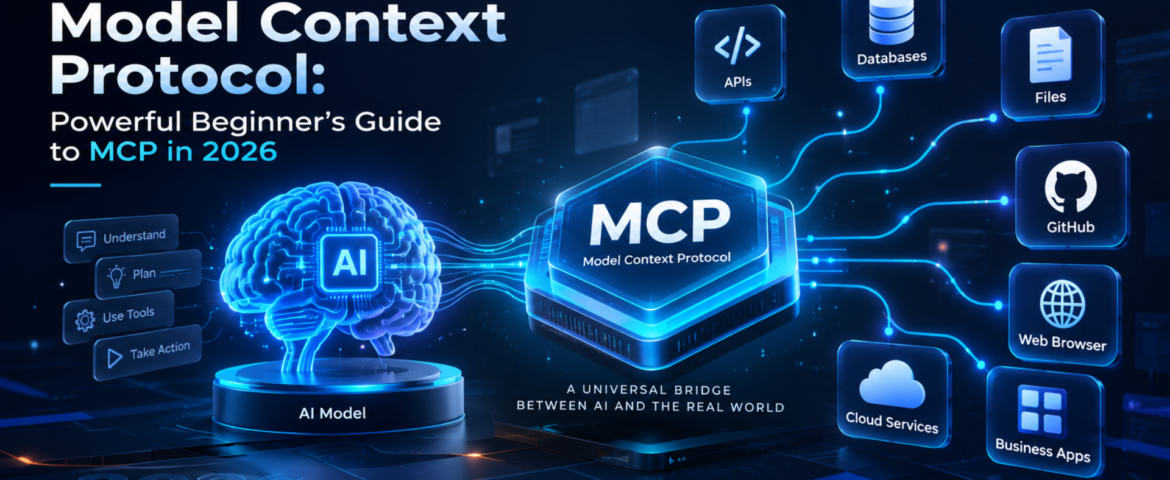
Model Context Protocol: Powerful Beginner’s Guide to MCP in 2026
- By pmayank658@gmail.com
- 1 Comment
- Latest News technology
Model Context Protocol (MCP) is an open standard that gives AI applications a consistent way to connect with external data, tools, and services. Instead of building a separate custom integration for every AI application, developers can use MCP to create a standardized connection between an AI system and the capabilities it needs. In simple words: MCP helps AI move beyond just answering questions and interact with the tools and information it needs to complete a task. For example, imagine asking an AI assistant to check your customer database, find an order, create a report, and send the result to your team. MCP can provide a standardized way for the AI application to discover and use those external capabilities. MCP was introduced by Anthropic and has since developed into a broader ecosystem. The current specification defines MCP around hosts, clients, and servers, with servers exposing resources, prompts, and tools. In this guide, you’ll learn what Model Context Protocol is, how it works, MCP vs API, real-world examples, security considerations, and how beginners and small businesses can use it. Table of Contents What Is Model Context Protocol? Model Context Protocol is an open protocol that standardizes how AI applications connect to external context, data sources, and tools. Think of MCP like a USB-C connection for AI applications. USB-C gives different devices a common way to connect with accessories. Similarly, MCP provides a common way for AI applications to connect with external systems. Without a common protocol, developers may need to create individual integrations between every AI application and every external service. With MCP, a compatible AI application can connect to an MCP server that exposes specific capabilities. For example: AI assistant → MCP → CRM The AI can then potentially use approved CRM capabilities instead of relying only on information already inside the model. The official MCP specification describes three major concepts: hosts, clients and servers. MCP uses JSON-RPC for communication. Why Does Model Context Protocol Matter? Traditional AI chatbots are excellent at generating and explaining information, but an AI system becomes much more useful when it can interact with external systems. Consider a small business owner who asks: “Show me this week’s highest-value leads and summarize which ones need follow-up.” A basic chatbot may not know the company’s latest lead data. An AI application connected through MCP could potentially access an approved CRM tool, retrieve relevant information, analyze it and return a useful summary. That creates a shift: From: AI that mainly generates responses To: AI that can work with external context and tools. This is particularly important for AI agents, where the system may need to use multiple tools to accomplish a goal. How Does Model Context Protocol Work? The basic MCP workflow looks like this: User → AI application → MCP client → MCP server → External system Here’s the simple version. 1. The user gives the AI a goal For example: “Find my latest customer orders.” 2. The AI application identifies the required capability The application may determine that it needs access to an order-management system. 3. The MCP client connects to an MCP server The client acts as the connector inside the host AI application. 4. The MCP server exposes capabilities The server can provide resources, prompts and tools. 5. The AI uses an approved capability For example, it might call a tool that retrieves order information. 6. The result goes back to the AI application The AI can then use that information to generate the final response. The important point is that MCP standardizes the communication layer. The external system still controls what capabilities are exposed and what permissions are available. What Are the Main Components of MCP? MCP becomes much easier to understand when you separate its three main components. What is an MCP host? The host is the AI application that wants to use MCP. It could be an AI assistant, development environment or another application capable of working with MCP. What is an MCP client? The MCP client is the connector inside the host application. It communicates with MCP servers and handles the protocol interaction. What is an MCP server? An MCP server exposes specific data or capabilities that an MCP client can use. For example, an MCP server could provide access to: MCP servers can expose three important types of capabilities: Resources: information or context that can be provided to the AI. Tools: functions that the AI can call. Prompts: reusable prompt templates or workflows. These concepts are defined in the official MCP specification. What Is the Difference Between MCP and an API? This is one of the most common MCP questions. An API is a way for software systems to communicate with a particular service. MCP is a standardized protocol for making AI applications interact with tools and context through a common interface. Here’s a simple comparison: MCP Traditional API Designed around AI application interoperability Designed for software-to-software communication Standardizes AI access to tools and context Defines a service’s own endpoints Can expose tools, resources and prompts Usually exposes endpoints and data Useful for AI agents Useful for applications and services Helps AI applications discover and use capabilities Requires understanding the API’s interface They aren’t competitors. In fact, an MCP server can sit in front of an existing API. For example: AI application → MCP server → CRM API → CRM database This allows the existing business system to remain in place while MCP provides a standardized AI-facing interface. What Can You Do With MCP? MCP can support many AI workflows. Connect AI to business data An AI application can potentially access approved business information such as customer records, documents or inventory data. Connect AI to development tools Developers can connect AI applications to repositories, files, issue trackers and other development capabilities. GitHub documents MCP support across several development environments and GitHub Copilot experiences. Build AI-powered workflows Instead of creating one-off integrations for every AI application, developers can expose reusable capabilities through MCP. Give AI access to external tools An
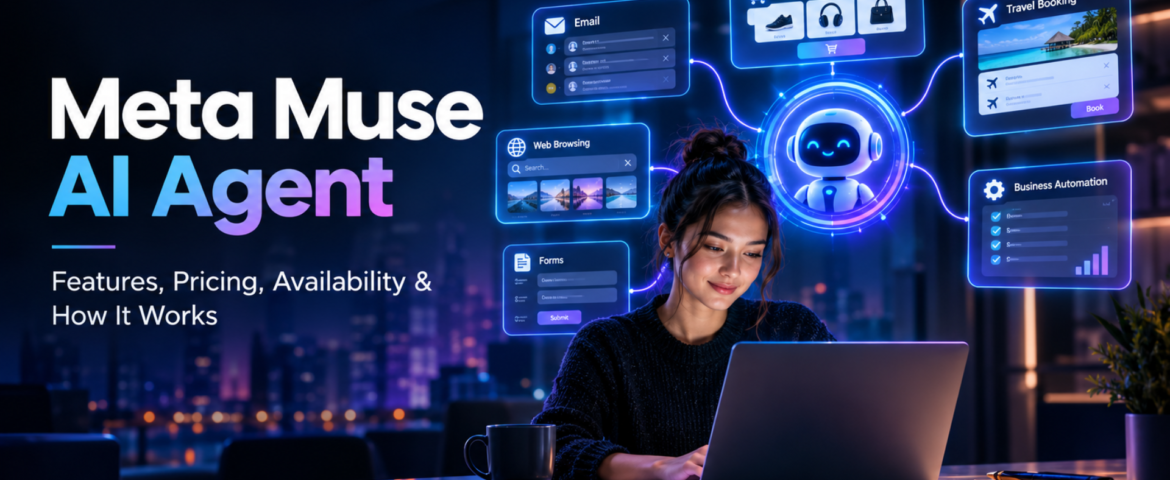
Meta Muse AI Agent: 7 Powerful Features, Pricing, Availability & How It Works
- By pmayank658@gmail.com
- 1 Comment
- Latest News technology
In brief: Meta Muse is a new personal AI agent designed to perform tasks for users rather than simply answering questions. You can tell Muse what you want to achieve, and—based on the task, permissions, and necessary approvals—it can plan the work, browse websites, fill out forms, send emails, assist with completing purchases, and continue working on longer tasks even after you close the app. Meta officially launched Muse on September 8, 2026, initially making it available in the US via the Muse app and WhatsApp. And yes, Meta Muse AI Agent is trending right now. Google Trends’ India trending page currently shows the query “meta muse ai agent” at 20K+ searches, up 900%, with the trend active around two hours ago. But the interesting part is not just that Meta launched another AI product. The bigger story is that AI is moving from “I will give you an answer” toward “I will try to get the task done for you.” What Is Meta Muse AI Agent? Meta Muse is a personal AI agent developed by Meta. A normal AI chatbot generally waits for your prompt, generates an answer and then waits again. An AI agent works differently. You can give an agent a goal, and it can decide which steps are needed to move toward that goal. For example, instead of asking: “How do I plan a trip to Dubai?” you could potentially tell an agent: “Plan my Dubai trip for next month, find suitable flights and hotels within my budget, and prepare the options for me.” The important difference is action. Meta says Muse can work across applications and websites, open a browser, fill forms, coordinate tasks and continue working on longer jobs. In simple words: Chatbot = gives you information. AI agent = can use information and tools to take action. That difference is the main reason Meta Muse is getting so much attention. How Does Meta Muse AI Agent Work? Muse is powered by Muse Spark, which Meta describes as its most capable model for real-world agentic work. But the model itself isn’t the whole story. Meta has built a separate environment called Muse Secure VM. A VM, or virtual machine, is basically an isolated computer environment running in the cloud. Meta says every Muse operates inside a dedicated secure virtual machine containing the agent and the user’s data. It also has its own browser so Muse can interact with websites while keeping that activity inside the controlled environment. What is agentic AI? Agentic AI refers to AI systems that can do more than generate text or images. They can: That makes agentic AI particularly interesting for automation. For example, a freelancer could theoretically ask an AI agent to research potential clients, organize information and prepare outreach material instead of manually completing every small step. The agent still needs supervision, especially when money, private information or important decisions are involved. What is Muse Spark? Muse Spark is the AI model powering the Muse personal agent. Meta says it was designed for real-world agentic work rather than simply producing conversational answers. This distinction is important because Muse and Muse Spark are not exactly the same thing. Muse is the personal AI agent/product. Muse Spark is the model powering that agent. What is Sentinel? Meta also describes a separate safety system called Sentinel. According to Meta, Sentinel controls what Muse can send to the internet and can require user permission for sensitive actions. Muse can also show an audit trail of actions it has taken or plans to take. This matters because an AI that can actually act needs stronger controls than a chatbot that only generates text. What Can Meta Muse AI Agent Actually Do? This is probably the biggest question for beginners. Meta says Muse can perform a range of tasks across connected services. Can Meta Muse AI Agent send emails? Yes. Muse can help draft and send emails, although sensitive actions can require user approval. This is different from asking ChatGPT: “Write an email to my client.” Muse’s goal is to move further toward: “Write the email, send it to my client and let me know when they respond.” The second example involves an actual workflow. Can Meta Muse book travel? Meta says Muse can help with travel planning and booking. It can search, compare information, fill forms and work through the steps required to complete a task. That makes travel planning an interesting example of agentic AI because it often involves several connected tasks rather than one answer. Can Meta Muse shop online? Yes, shopping is another major use case. Meta says Muse can help search for products and make purchases. For payments, Meta has partnered with Stripe’s Link system, including one-time-use card details intended to keep a user’s actual payment information hidden from the agent. However, users should still review purchases before approving them. An AI finding a product is one thing. An AI spending your money is a much bigger responsibility. Can Meta Muse fill forms? Yes. Meta says Muse can open a browser and fill out forms on a user’s behalf. This could be useful for repetitive online tasks where the user has to enter the same type of information again and again. Can Meta Muse work on long-term goals? This is one of the more interesting parts. Meta says Muse isn’t limited to one simple command. Users can give it bigger goals, and Muse can help create a personalized action plan and continue working on it. For example: “Help me organize my fitness routine for the next few months.” or “Help me plan the launch of my small online business.” The important idea is that the user describes the outcome, rather than every individual step. Why Is Meta Muse AI Agent Trending Right Now? There are a few reasons. First, the timing is huge. Meta launched Muse on September 8, 2026, and major technology and news publications immediately started covering it. Reuters described it as an AI agent capable