
- Mail Address info@velnustech.com
- Phone Number +91-90990-05498

Contact Info
- C-1024, Siddhivinayak Tower, Kataria Automobile Road Makarba, Ahmedabad - 380051
- +91 90990 05498
- info@velnustech.com
- Week Days: 09.00 to 18.00 Sunday: Closed
Latest News
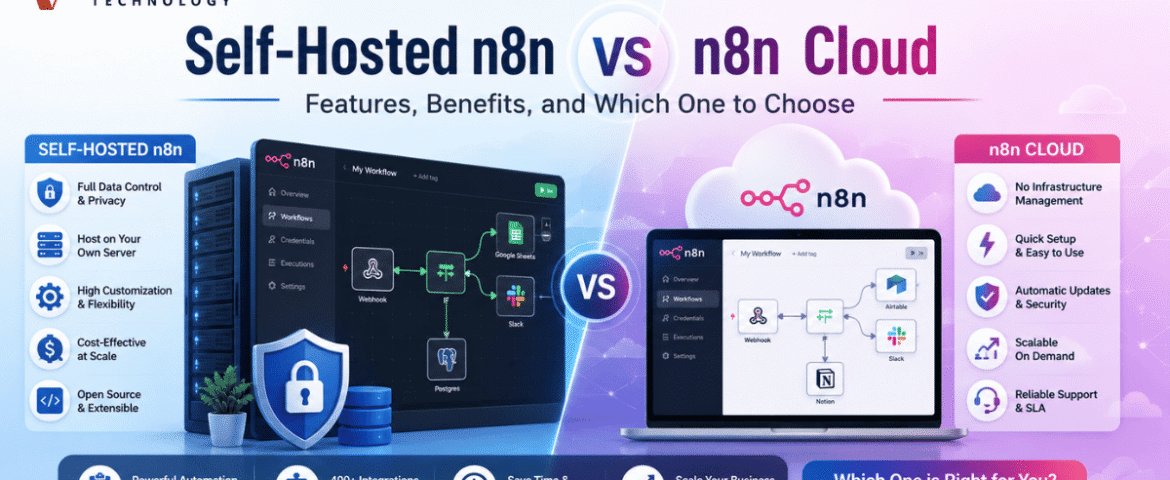
Self-Hosted n8n vs n8n Cloud: Features, Benefits, and Which One to Choose
- By KHUSHI LIMBASIYA
- 1 Comment
- technology Latest News
Introduction Workflow automation has become an essential part of modern businesses, helping teams automate repetitive tasks, connect applications, and improve productivity. One of the most popular automation platforms available today is n8n, an open-source workflow automation tool that allows users to create powerful integrations without extensive coding. One of the biggest decisions users face before getting started is choosing between Self-hosted n8n and n8n Cloud. Both options provide the same workflow-building capabilities but differ in deployment, management, security, customization, pricing, and scalability. If you’re planning to automate business processes, understanding the differences between these deployment methods is essential. This guide explains everything you need to know about Self-hosted n8n, compares it with n8n Cloud, and helps you determine which option best suits your automation needs. What is Self-hosted n8n? Self-hosted n8n is the version of n8n that you install and manage on your own infrastructure. You can deploy it on a VPS, dedicated server, Docker container, Kubernetes cluster, or private cloud environment. Unlike managed cloud hosting, self-hosting gives you complete control over your workflows, data, integrations, updates, and server configuration. It is especially suitable for businesses that require: What is n8n Cloud? n8n Cloud is the fully managed hosting solution where the platform is hosted for you. Instead of managing servers and software updates, you simply create an account and begin building workflows immediately. Everything from maintenance to infrastructure management is handled automatically, making it ideal for users who want a quick and hassle-free automation experience. Self-hosted n8n Features Complete Data Ownership One of the biggest advantages of Self-hosted n8n is complete ownership of your data. All workflows, credentials, execution history, and automation logs remain on your infrastructure, giving you full control over sensitive information. This is particularly valuable for organizations with strict privacy requirements. Unlimited Customization Self-hosting allows extensive customization that is difficult to achieve with managed hosting. You can: Install custom nodes Extend functionality with your own integrations. Modify source code Customize workflows according to business requirements. Add community nodes Expand automation possibilities using community-developed extensions. Configure server settings Adjust performance, memory allocation, security policies, and networking. Better Security Control Organizations dealing with confidential information often choose Self-hosted n8n because they control: This minimizes exposure of sensitive business data. Flexible Deployment Options Self-hosted n8n supports multiple deployment methods including: Docker The most popular deployment method for quick installation. Linux Server Ideal for dedicated production environments. Kubernetes Perfect for enterprise-scale deployments. Private Cloud Suitable for organizations requiring isolated infrastructure. Unlimited Workflow Flexibility Since you manage the infrastructure, there are fewer restrictions on: Benefits of Self-hosted n8n Lower Long-Term Cost Although there is an initial setup effort, Self-hosted n8n often becomes more economical over time, especially for organizations running hundreds or thousands of workflow executions. Better Performance Optimization You control server specifications including: This allows optimization based on workflow demands. Easy Integration with Internal Systems Many organizations have applications that are not publicly accessible. Self-hosting allows secure integration with: without exposing them to the internet. Full Backup Control You decide: This ensures business continuity. No Vendor Lock-in With Self-hosted n8n, your workflows remain under your control. You are free to migrate servers or infrastructure whenever required. n8n Cloud Features Quick Setup One of the strongest advantages of n8n Cloud is simplicity. Users can begin building workflows within minutes without installing software or configuring servers. Automatic Updates The platform automatically receives: No manual maintenance is required. Managed Infrastructure Server maintenance includes: Users can focus entirely on workflow development. Built-in Reliability Managed hosting includes infrastructure optimized for stability and uptime. This reduces the technical burden on teams without dedicated administrators. Easy User Experience n8n Cloud offers a streamlined experience suitable for users who prefer simplicity over infrastructure management. Benefits of n8n Cloud Faster Deployment Automation projects can start immediately without server setup. Minimal Maintenance There is no need to manage: Ideal for Small Teams Small businesses often benefit from reduced administrative overhead while still accessing powerful workflow automation. Predictable Environment The hosting platform is optimized for consistent performance without manual tuning. Self-hosted n8n vs n8n Cloud Setup Self-hosted n8n Requires installation and server configuration. n8n Cloud Ready to use immediately. Maintenance Self-hosted n8n Users handle upgrades, monitoring, backups, and maintenance. n8n Cloud Maintenance is fully managed. Customization Self-hosted n8n Nearly unlimited customization. n8n Cloud Limited compared to self-hosting. Data Control Self-hosted n8n Complete ownership. n8n Cloud Data is managed within the hosted environment. Security Self-hosted n8n Security policies are fully customizable. n8n Cloud Security is managed by the hosting platform. Cost Self-hosted n8n Infrastructure costs vary but can become highly cost-effective over time. n8n Cloud Monthly subscription provides predictable expenses. Scalability Self-hosted n8n Scales according to your infrastructure planning. n8n Cloud Scaling is handled automatically. When Should You Choose Self-hosted n8n? Self-hosted n8n is an excellent choice if you: Need complete data ownership Especially important for regulated industries. Want unlimited customization Ideal for developers and technical teams. Require internal integrations Perfect for private APIs and internal databases. Have server management experience Suitable for organizations with DevOps capabilities. Run high-volume automations Large automation workloads benefit from infrastructure control. When Should You Choose n8n Cloud? n8n Cloud is the better option if you: Need automation quickly No installation required. Prefer managed hosting Avoid server administration. Have a small technical team Focus on workflows instead of infrastructure. Want automatic updates Always stay on the latest version. Need predictable monthly costs Simplifies budgeting. Common Use Cases Lead Management Automatically collect leads from websites and organize them. Customer Notifications Send automated emails and messages after specific events. CRM Synchronization Keep customer records updated across multiple applications. Database Automation Move and transform data between systems automatically. Reporting Generate scheduled reports from multiple data sources. Marketing Automation Automate campaigns, forms, customer segmentation, and follow-up activities. Internal Business Processes Reduce manual work across departments with connected workflows. Which Option Offers Better Value? The answer depends on your priorities. If your business values flexibility, privacy, customization, and infrastructure control, Self-hosted n8n provides exceptional long-term value. If your goal is fast
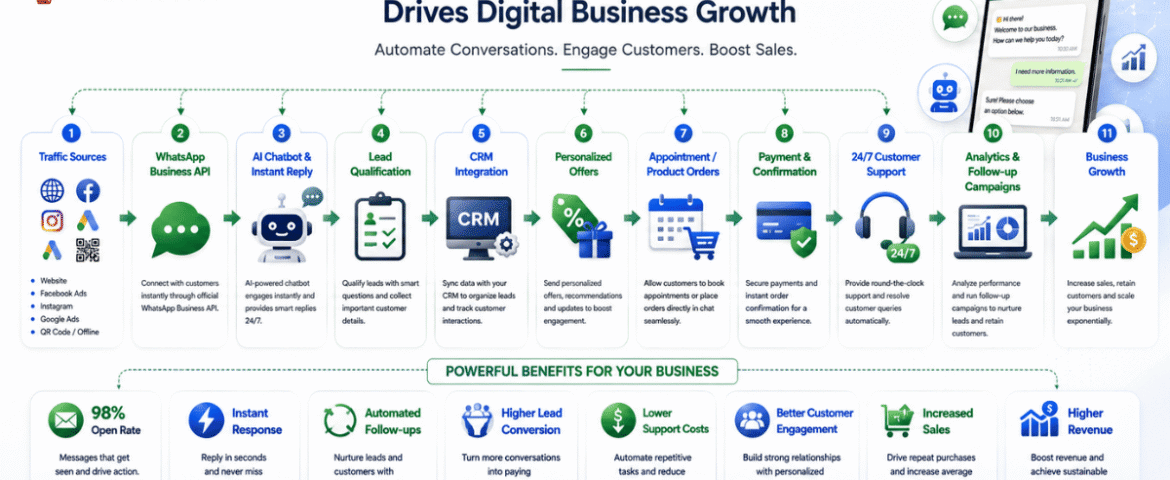
Digital Business Growth: The Power Of WhatsApp Automation
- By KHUSHI LIMBASIYA
- 1 Comment
- technology Latest News
Introduction to Modern Digital Business Growth The landscape of modern commerce is moving at an unprecedented speed. Consumers today expect instant answers, personalized recommendations, and effortless transactional experiences right at their fingertips. Traditional marketing funnels that rely heavily on static landing pages, long web forms, and email newsletters are experiencing a sharp decline in efficiency. Open rates for traditional marketing emails continue to plummet, while consumers grow tired of waiting hours—or even days—for a business to respond to a basic inquiry. To achieve sustainable Digital Business Growth, organizations must adapt to where their customers are actually spending their time. Today, that destination is instant messaging. WhatsApp has evolved from a simple personal chat app into an engine for scaling operations, capturing qualified leads, and closing sales. By replacing slow, friction-filled touchpoints with automated, conversational interactions, businesses can connect with prospects in real time. WhatsApp automation bridges the gap between passive marketing interest and immediate revenue generation, serving as a critical pillar for long-term digital expansion. Understanding WhatsApp Automation in the Digital Ecosystem What is WhatsApp Automation? WhatsApp automation is the strategic integration of software workflows, artificial intelligence, and the official WhatsApp Business API to handle customer communication without manual intervention. Rather than relying on a human team to type individual responses to every inquiry, automated systems trigger pre-designed message paths, answer complex questions, qualify leads, send promotional broadcasts, and process orders automatically. These systems do not feel like rigid, frustration-inducing phone trees. Modern messaging engines utilize conversational logic and natural language processing to deliver helpful, human-like responses within milliseconds. Moving Beyond Traditional Communication Channels Achieving meaningful Digital Business Growth requires choosing marketing channels that offer high visibility and engagement. When comparing traditional outreach methods to automated messaging, the performance gap is vast: Communication Channel Average Open Rate Average Response Time Engagement Potential Traditional Email 15% – 25% 6 to 24 Hours Low to Medium SMS Marketing 80% – 90% 1 to 2 Hours Low (Text Only) WhatsApp Automation 95% – 98% Under 90 Seconds Extremely High (Interactive/Multimodal) Because instant messaging carries an open rate approaching 98%, your promotional campaigns, product updates, and transactional alerts are almost guaranteed to be read. This direct line to the consumer eliminates the friction that typically slows down sales cycles. How WhatsApp Automation Fuels Digital Business Growth 1. Accelerating Lead Capture and Conversion Rates Speed to lead is one of the single most influential factors in determining sales success. Studies show that reaching out to a potential customer within the first five minutes of an inquiry increases the probability of conversion exponentially. Through automated entry points—such as web widgets, QR codes, or social media click-to-chat ads—a prospect can initiate a conversation with a single tap. The automated system instantly engages the lead, asks qualifying questions, and collects verified data (such as names, preferences, and intent) without forcing the user to leave the app. By removing landing page redirects and tedious forms, conversion rates increase significantly. 2. Personalization at Scale for Customer Retention True Digital Business Growth isn’t just about acquiring new users; it relies heavily on maximizing the lifetime value of existing customers. Automation allows brands to deliver deeply personalized experiences to thousands of individuals simultaneously. By syncing messaging workflows with underlying databases, automated messages can dynamically insert recipient names, reference previous purchases, send targeted replenishment reminders, or recommend complementary products. This level of tailored interaction makes customers feel recognized, building strong brand loyalty and encouraging repeat purchases. 3. Driving Revenue with In-Chat Transactions Modern messaging frameworks allow users to browse catalogs, select product variations, schedule appointments, and complete secure payments directly inside the chat interface. Removing the requirement for a customer to jump across multiple browser tabs or build external accounts keeps them inside a high-trust, comfortable environment. The fewer steps required to make a purchase, the higher your overall revenue generation will be. 4. Slashing Operational Overhead and Support Costs Scaling customer support manually is expensive. As customer bases grow, hiring larger support teams to answer repetitive questions creates high overhead costs. Automated bots can resolve up to 80% of routine customer service inquiries—such as checking order statuses, verifying store hours, or providing policy details—without human intervention. This round-the-clock availability drastically reduces support ticket volumes, enabling your existing staff to focus on high-touch, complex sales opportunities that directly impact your bottom line. High-Converting Strategies for Digital Business Growth Seamless Click-to-WhatsApp Campaign Integration One of the most scalable ways to drive paid acquisition is connecting social media advertisements directly to an automated messaging flow. Instead of sending ad traffic to a generic website where visitors might drop off, a “Click-to-WhatsApp” campaign opens a conversation immediately. When a user taps the ad, a pre-written message appears on their screen. Once they press send, the automated bot triggers an interactive greeting, presents relevant offers, and guides the prospect toward a purchasing decision in real time. Automated Cart Recovery and Re-Engagement E-commerce businesses lose billions annually to abandoned shopping carts. While email reminders often go unread in spam folders, an automated message sent via WhatsApp cuts through the noise. If a customer leaves items in their cart without completing the purchase, an automated workflow can send a friendly reminder 30 to 60 minutes later. By including high-resolution product images, a direct checkout link, or a time-sensitive discount code, businesses routinely recover 20% to 50% of abandoned orders using this single automated channel. Intelligent Chatbot Flows and Zero-Party Data Collection Privacy regulations and changing browser standards have made third-party tracking cookies unreliable. As a result, gathering zero-party data—data that a customer explicitly and voluntarily shares with a brand—is critical for Digital Business Growth. Interactive chat flows allow you to ask targeted, conversational questions: By gamifying the qualification process with interactive buttons and quick replies, customers willingly share their preferences. This data can be immediately stored and used to segment your audience for highly targeted future marketing campaigns. Scaling Your Operations with Velnus Technology Building a reliable, secure, and enterprise-ready messaging architecture requires dedicated technical expertise. This is
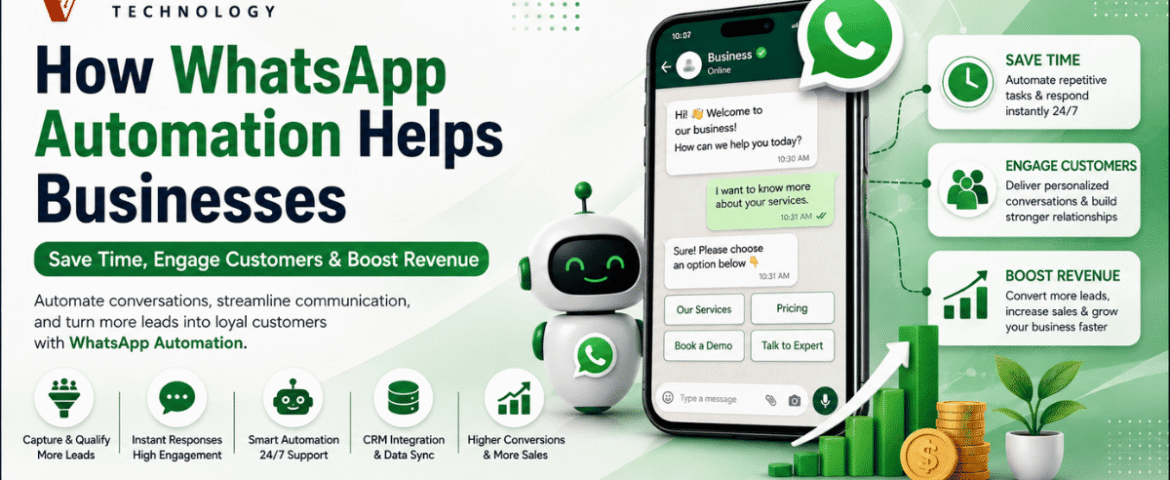
How WhatsApp Automation Helps Businesses Save Time, Engage Customers & Boost Revenue
- By KHUSHI LIMBASIYA
- 0 Comments
- Latest News technology
Introduction to the Power of WhatsApp Automation In the modern digital economy, the speed and quality of customer communication can dictate the success or failure of a business. As traditional channels like email and phone calls become increasingly saturated, businesses are looking for more direct and effective ways to connect with their audiences. With over 3 billion people globally checking the app multiple times a day, WhatsApp has emerged as the premier platform for customer interaction. However, managing a massive influx of messages manually is impossible for growing teams. This is where WhatsApp automation becomes an essential strategy. WhatsApp automation involves utilizing intelligent workflows, chatbots, and application programming interfaces (APIs) to handle conversations and send messages without requiring manual human intervention. Rather than being simple auto-responders, these systems provide smart, context-aware interactions that closely mimic human responses, allowing a business to scale its customer service seamlessly. By integrating WhatsApp automation, organizations can fundamentally transform their operations, significantly reducing manual effort while maximizing engagement and sales. The Shift from Traditional Channels to Messaging For years, businesses relied heavily on email marketing and standard customer service desks. Unfortunately, email campaigns today often struggle, typically yielding open rates of only around 20 percent and minimal click-through rates of 2 to 5 percent. Consumers are fatigued by cluttered inboxes and delayed email responses. In stark contrast, WhatsApp campaigns achieve staggering open rates of 98 percent. Furthermore, click-through rates on automated WhatsApp messages range between 45 and 60 percent. This massive disparity exists because WhatsApp feels inherently personal, immediate, and conversational to the user. When a business leverages WhatsApp automation, they are placing their brand directly into an environment that customers already trust and check constantly. How WhatsApp Automation Saves Time and Resources One of the most immediate and measurable impacts of implementing WhatsApp automation is the sheer amount of time and effort it saves for internal teams. By automating routine interactions, businesses can reallocate their human resources to more complex, strategic tasks. Providing True 24/7 Customer Support Customers do not only browse products or experience issues during standard business hours. Decision-makers and consumers alike frequently research solutions late at night or on weekends. Most businesses simply cannot afford the overhead of maintaining a 24/7 human support team. WhatsApp automation solves this by keeping your business available around the clock. Automated responses ensure that no inquiry goes unanswered, regardless of the time of day. Whether a customer is asking for a product catalog at midnight or requesting an appointment early Sunday morning, the automated system can acknowledge the request, provide the necessary information, or confirm a future meeting instantly. One sports facility that implemented such automation saved significant capital by avoiding the cost of hiring two full-time employees for off-hour shifts, all while providing continuous support. Resolving Common Queries Instantly A significant portion of incoming customer messages consists of repetitive, frequently asked questions (FAQs). Handling these manually creates bottlenecks and frustrates both customers and staff. By deploying AI-driven chatbots to handle the bulk of basic inquiries, businesses report that their response times improve drastically, sometimes by as much as 90 to 97 percent. This immediate resolution keeps the customer satisfied and allows live agents to dedicate their time to high-value, complex problem-solving. Streamlining Internal Workflows Beyond customer-facing interactions, WhatsApp automation can also be utilized for internal communications and operational workflows. Boosting Customer Engagement with WhatsApp Engagement is the lifeblood of customer retention and brand loyalty. Because WhatsApp is a platform that consumers actively monitor, businesses leveraging automation can achieve unprecedented levels of interaction. Leveraging Unmatched Visibility When you send an automated message via email, it may sit unread for days. When you send it via WhatsApp, it is almost guaranteed to be seen immediately. WhatsApp automation ensures that campaigns, from simple birthday greetings to localized promotions, enjoy exceptional visibility. This directness makes the platform ideal for quickly raising brand awareness and ensuring critical marketing messages are actually consumed by the target audience. Personalization at Scale A common misconception about automation is that it feels cold and robotic. However, modern WhatsApp automation can be highly personalized and contextually relevant, which actively builds customer trust. By integrating WhatsApp automation with your CRM platform, the system can dynamically pull specific customer data—such as their name, previous order history, or preferences—into the automated messages. Nurturing Leads Automatically A slow reply can quickly cost a business a valuable deal. Many potential sales are lost simply because leads are not nurtured quickly or consistently enough. WhatsApp automation ensures that no opportunity slips through the cracks by deploying automated follow-ups and continuous lead nurturing sequences. If a prospect abandons a booking or leaves a conversation, an automated message can gently nudge them to continue. Automated systems can even run interactive quizzes or chatbot flows to naturally qualify prospects and segment them before passing them to a human sales representative. Businesses utilizing automated follow-ups report seeing engagement levels 20 percent higher than when relying solely on manual follow-ups. Driving Revenue Growth Through WhatsApp Automation Ultimately, the goal of saving time and engaging customers is to drive bottom-line revenue. WhatsApp automation directly contributes to sales growth through several powerful mechanisms. Recovering Abandoned Carts In the e-commerce sector, shopping cart abandonment is a massive source of lost revenue. Customers frequently add items to their digital carts but leave the site before checking out. Upselling and Cross-Selling Strategies Once a customer is engaged, automated systems can actively recommend complementary products or upgrades. Utilizing AI suggestions for upselling and cross-selling through WhatsApp can boost a business’s average order value by 25 to 35 percent. Additionally, features like in-chat payments allow customers to complete their purchases directly within the messaging interface via one-click checkout links, drastically reducing purchase friction and accelerating the sales cycle. Lowering Customer Acquisition and Support Costs Revenue growth is not just about making more sales; it is also about reducing operational expenses. By successfully implementing these automated workflows, businesses globally are saving vast amounts of capital, freeing up resources for innovation and expansion.
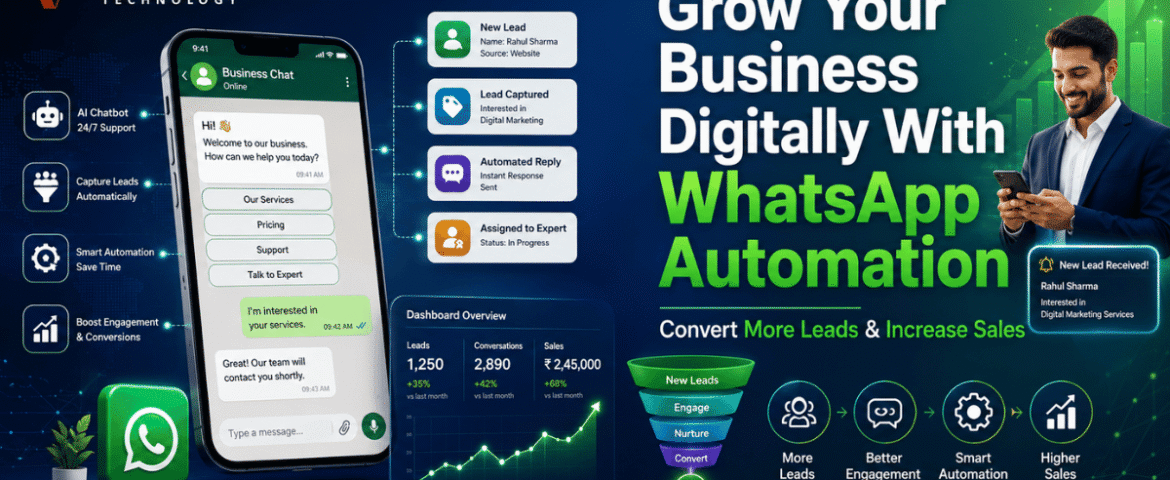
Grow Your Business Digitally With WhatsApp Automation: Convert More Leads & Increase Sales
- By KHUSHI LIMBASIYA
- 0 Comments
- technology Latest News
The digital landscape is shifting, and the way consumers communicate with businesses has evolved dramatically. In 2026, relying purely on traditional email capture forms and slow-moving sales funnels means leaving massive amounts of revenue on the table. Modern consumers demand instant, personalized, and interactive communication. Enter WhatsApp Automation—the single most powerful lead generation and sales channel available today. With over 3 billion active users globally, this messaging platform is no longer just a way to chat with friends. It has transformed into a highly efficient business ecosystem. By implementing WhatsApp Automation, businesses can capture verified leads instantly, reduce response times from hours to seconds, and guide prospects seamlessly through the sales funnel. If your goal is to convert more leads and increase sales, adopting this technology is no longer optional; it is an absolute necessity. The Shift from Traditional Funnels to Conversational Commerce Why Email and Web Forms Are Falling Behind For years, the standard lead generation model involved driving traffic to a landing page, forcing visitors to fill out a static form, and adding them to an automated email sequence. While this method once worked, it is fundamentally broken in today’s fast-paced digital economy. When a potential customer receives an automated email, there is a high probability it lands in a promotions folder or spam filter. Average email open rates hover around 20%, and click-through rates rarely exceed 2% to 5%. Furthermore, web forms often result in drop-offs; every extra field you ask a user to fill out decreases the likelihood of conversion. The traditional funnel creates friction, delays communication, and causes businesses to lose high-intent prospects simply because the response was not fast enough. The Superiority of Messaging Platforms By contrast, WhatsApp Automation completely flips this dynamic. Messages sent through this platform boast an astounding open rate of over 98%, with the vast majority of them read within three minutes of delivery. This medium is inherently conversational. Because it happens in an environment users are already familiar with and trust, they are far more likely to engage, answer qualification questions, and build a relationship with your brand. Key Benefits of WhatsApp Automation for Business Growth Capturing Verified Data Instantly One of the biggest hurdles in traditional lead generation is fake data. Users frequently submit temporary or “junk” email addresses to bypass forms. When you leverage WhatsApp Automation, you automatically capture a verified phone number and a real profile name. This ensures your sales team is dedicating their time to real people, completely eliminating the guesswork and dramatically improving the quality of your database. Achieving Lightning-Fast Response Times Speed is the ultimate competitive advantage. Studies consistently show that businesses replying within the first five minutes of an inquiry see significantly higher conversion rates. WhatsApp Automation allows you to deploy intelligent workflows that respond to new leads instantly, 24/7. Whether it is the middle of the night or a busy holiday weekend, your automated system ensures that no prospect is ever left waiting. A prompt, helpful response captures the lead while their interest is at its absolute peak. Gathering Zero-Party Data Without Friction Instead of relying on complex buyer persona assumptions or long surveys, WhatsApp Automation enables you to ask direct, conversational questions. By setting up an automated qualification flow, you can playfully ask a prospect about their budget, timeline, and specific needs. This zero-party data is given willingly by the customer in a chat interface, providing you with a perfectly qualified lead without the friction of a traditional web form. Powerful Strategies to Convert More Leads and Increase Sales Deploying Click-to-Chat Advertisements One of the most effective ways to fill your sales pipeline is by combining your paid advertising efforts with WhatsApp Automation. Instead of directing ad clicks to a slow-loading website, Click-to-Chat ads instantly open a conversation in the messaging app. When the user hits send on a pre-filled message, your automated system takes over. This strategy opens a crucial messaging window where you can interact with the prospect, answer their questions, and guide them toward a purchase without them ever leaving the app. By minimizing redirects and keeping the user in a native environment, you significantly lower your cost per acquisition and increase your return on ad spend. Utilizing Interactive Conversational Flows Modern WhatsApp Automation goes far beyond basic text replies. You can now build highly interactive flows directly within the chat window. Imagine a potential customer wanting to book an appointment, configure a product, or check availability. Instead of sending them a link to a website, the automation provides a rich, app-like interface right inside the conversation. These interactive elements reduce abandonment rates drastically because they eliminate the need for page loads and external navigation. The entire transaction, from initial inquiry to final confirmation, happens seamlessly in one place. Automated Lead Nurturing and Drip Campaigns Not every lead is ready to buy on day one. For those who need more time, WhatsApp Automation allows you to create sophisticated nurturing sequences. Unlike easily ignored email drip campaigns, conversational nudges delivered directly to a user’s phone are highly effective. If a prospect abandons a transaction or stops responding during the qualification phase, the system can automatically send a gentle, personalized follow-up message 24 hours later. You can share product tutorials, success stories, or limited-time offers, systematically moving the lead closer to a purchasing decision. Partnering with Velnus Technology for Automation Success Implementing a robust automation strategy requires technical expertise and a deep understanding of conversational design. This is where Velnus Technology excels. By partnering with Velnus Technology, businesses can unlock the full potential of WhatsApp Automation without struggling through a steep learning curve. Velnus Technology specializes in building tailored communication workflows that align perfectly with your specific sales objectives. From setting up complex API integrations to designing intelligent qualification chatbots, Velnus Technology ensures that your automated systems run flawlessly. Their expertise means you get a customized solution that not only captures leads but strategically guides them through a high-converting pipeline, leaving your competitors far behind. Step-by-Step Guide
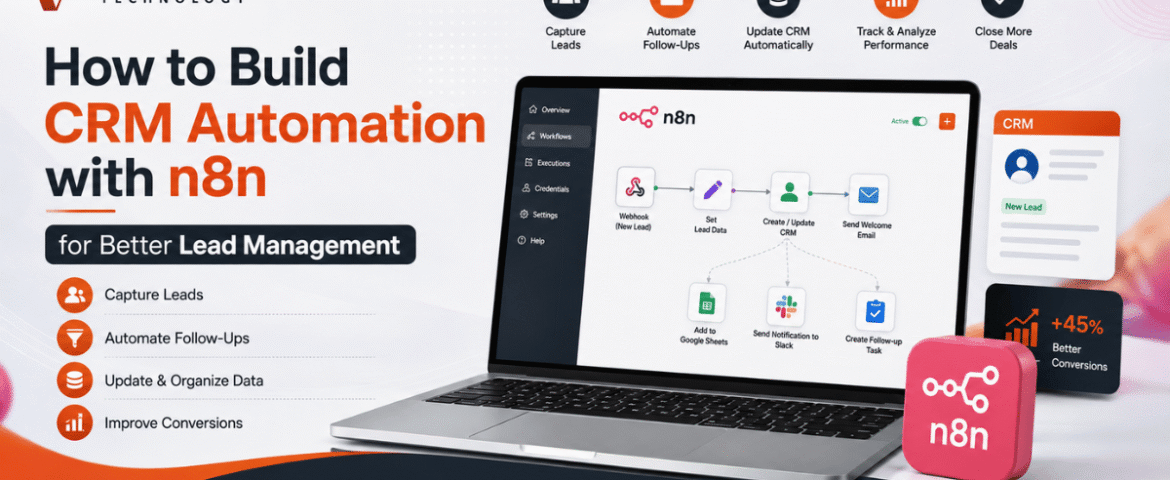
How to Build CRM Automation with n8n for Better Lead Management
- By KHUSHI LIMBASIYA
- 0 Comments
- technology Latest News
Generating and managing leads manually is one of the biggest challenges for growing businesses. As the number of inquiries increases, manually updating customer records, assigning follow-ups, and sending emails becomes time-consuming and prone to errors. This is where CRM Automation becomes a game changer. With n8n, businesses can automate repetitive CRM tasks without relying on expensive enterprise software or complex coding. Whether leads come from contact forms, social media campaigns, WhatsApp, Google Sheets, landing pages, or email, n8n can connect multiple platforms and automatically manage every step of the lead lifecycle. In this guide, you’ll learn how to build CRM Automation with n8n, create automated lead management workflows, improve response times, reduce manual work, and increase conversion rates. Why CRM Automation Matters Every business receives leads from different sources. Without automation, teams often face problems such as: CRM Automation removes these issues by automatically capturing, organizing, qualifying, and tracking leads. Some major advantages include: What is n8n? n8n is an open-source workflow automation platform that allows users to connect applications through visual workflows. Instead of writing lengthy code, users create automation using drag-and-drop nodes. n8n supports hundreds of integrations including: Its flexibility makes it one of the most powerful automation tools for CRM Automation. Why Use n8n for CRM Automation? Unlike traditional automation platforms, n8n provides complete workflow customization. Benefits include: No-Code and Low-Code Automation Business users can create workflows visually without programming knowledge. Multiple Integrations Connect multiple lead sources into one workflow. Self-Hosted Option Maintain full control over customer data. Advanced Logic Use conditions, loops, filters, delays, and custom scripts. Cost-Effective Reduce software expenses while building powerful automation. Essential Components of CRM Automation A complete CRM Automation workflow usually contains several stages. Lead Capture Collect leads from: Lead Validation Automatically verify: Lead Qualification Assign scores based on: Lead Assignment Automatically assign qualified leads to sales representatives. Follow-Up Automation Trigger: Activity Tracking Log every interaction inside the CRM automatically. Step 1: Connect Your Lead Sources The first workflow starts with lead collection. Common lead sources include: Website Contact Forms Whenever someone submits a form, n8n instantly receives the information. Collected information may include: Landing Pages Automatically push landing page submissions into your CRM. Social Media Leads Capture leads generated through advertising campaigns without manual downloads. WhatsApp Collect customer details directly from incoming conversations. Google Sheets Automatically monitor new spreadsheet entries. Step 2: Clean and Validate Lead Data Poor-quality data reduces CRM performance. n8n can automatically: Remove Duplicate Leads Search the CRM before adding new contacts. Verify Email Addresses Ensure emails follow valid formats. Format Phone Numbers Standardize country codes and mobile numbers. Normalize Customer Data Convert names into consistent formats. Example: Instead of: john smith The workflow stores: John Smith Step 3: Automatically Create CRM Records After validation, n8n creates new customer records. Each CRM entry may include: Everything happens automatically. Step 4: Lead Scoring Automation Not every lead has equal value. CRM Automation can assign scores using conditions. Example scoring: Total score determines priority. High-value leads receive immediate attention. Step 5: Assign Leads Automatically Instead of manually distributing leads, n8n can assign them based on rules. Examples: Round Robin Assignment Each sales member receives leads equally. Region-Based Assignment Assign according to customer location. Product-Based Assignment Different products go to different teams. Industry-Based Assignment Healthcare, retail, manufacturing, education, and technology leads go to specialists. Step 6: Trigger Instant Customer Responses Customers expect quick replies. CRM Automation allows immediate communication. Possible actions: Instant responses improve customer satisfaction. Step 7: Notify Sales Teams Sales teams receive instant alerts whenever new leads arrive. Notifications may be sent through: Notifications contain: Step 8: Schedule Follow-Up Activities Follow-ups are critical for lead conversion. n8n can automatically: No opportunity gets forgotten. Step 9: Update Lead Status Automatically Every interaction updates the CRM. Status examples: Sales pipelines remain accurate without manual updates. Step 10: Generate Reports Automatically CRM Automation can generate reports including: Daily Lead Reports Monitor new inquiries. Weekly Performance Reports Evaluate sales productivity. Conversion Reports Measure lead-to-customer ratio. Source Analysis Identify top-performing lead sources. Sales Pipeline Reports Understand deal progress. Reports can be emailed automatically. Popular n8n CRM Automation Workflows Website Form to CRM Automatically collect website inquiries and create CRM records. Google Sheets to CRM Import spreadsheet leads instantly. Email to CRM Convert incoming inquiries into customer records. WhatsApp to CRM Store conversations and customer details automatically. CRM to Email Marketing Send targeted campaigns based on CRM data. CRM to Calendar Schedule meetings automatically. CRM Reminder Workflow Send reminders before follow-up dates. Best Practices for CRM Automation Keep Workflows Simple Begin with basic automations before adding advanced logic. Eliminate Duplicate Records Prevent duplicate customers from entering the CRM. Use Lead Scoring Prioritize high-value opportunities. Maintain Data Quality Validate every incoming lead. Monitor Workflow Performance Regularly review execution logs. Secure Customer Information Use secure authentication and encrypted connections. Test Before Deployment Verify every workflow with sample data. Common CRM Automation Mistakes Avoid these mistakes: Overcomplicated Workflows Complex automation becomes difficult to maintain. Ignoring Error Handling Always create backup paths for failures. Missing Notifications Ensure failed workflows generate alerts. Poor Data Validation Invalid customer information reduces CRM accuracy. No Workflow Documentation Document automation logic for future updates. Advanced CRM Automation Ideas Once the basic workflow is running, additional automation can include: Benefits of CRM Automation with n8n Businesses using CRM Automation experience several long-term benefits. These include: Automation allows teams to spend more time building customer relationships instead of performing repetitive administrative tasks. Also Read : AI Workflow Automation with n8n: Build Smarter Business Processes Conclusion CRM Automation with n8n transforms the way businesses capture, organize, and manage leads. Instead of manually updating records, assigning leads, and sending follow-up messages, every process can run automatically through intelligent workflows. From lead collection and validation to scoring, assignment, notifications, reporting, and customer communication, n8n helps streamline the entire sales pipeline. As your business grows, automated workflows ensure consistency, improve efficiency, reduce errors, and enable faster responses that lead to higher conversion rates. By implementing CRM Automation with
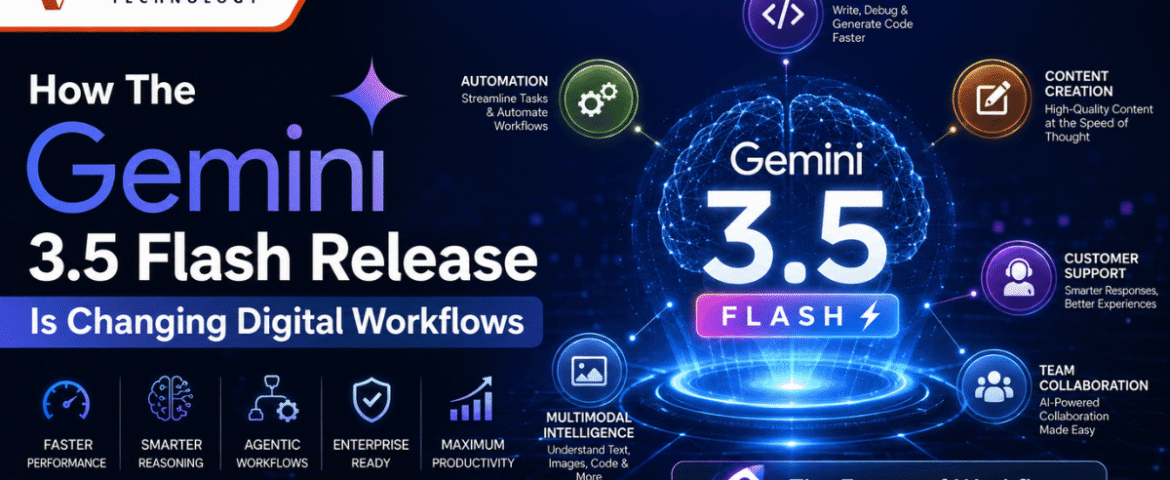
How The Gemini 3.5 Flash Release Is Changing Digital Workflows
- By KHUSHI LIMBASIYA
- 0 Comments
- technology Latest News
Introduction to Gemini 3.5 Flash The digital landscape is constantly shifting, demanding faster, smarter, and more integrated solutions to manage the overwhelming influx of daily data. At the forefront of this transformation is the Gemini 3.5 Flash release, a groundbreaking advancement in artificial intelligence that is completely redefining how professionals handle their digital workflows. This robust technology is not simply an incremental software update; rather, it is a comprehensive overhaul of how machines understand, process, and execute complex instructions. In modern environments, the sheer volume of information can easily bottleneck productivity. Professionals across various sectors find themselves toggling between countless applications, trying to synthesize text, video, audio, and visual data manually. The introduction of Gemini 3.5 Flash solves this critical issue by offering frontier-level intelligence combined with unprecedented processing speed. It is designed specifically to eliminate latency while maintaining the deep analytical capabilities required for sophisticated problem-solving. By integrating seamlessly into daily operations, Gemini 3.5 Flash is transforming static, manual tasks into dynamic, autonomous routines, ultimately freeing up human creativity for higher-level strategic thinking. The Core Mechanics Behind the Model To understand how the Gemini 3.5 Flash release is changing digital workflows, it is essential to look under the hood at the core mechanics that power this advanced system. Speed and Low-Latency Performance Historically, users have had to choose between speed and intelligence. High-speed systems often lacked the nuance required for complex reasoning, while highly intelligent systems suffered from severe latency, making them entirely impractical for real-time applications. Gemini 3.5 Flash entirely eliminates this compromise. It has been heavily optimized to deliver rapid responses without sacrificing the quality of its output. Whether you are analyzing a massive financial spreadsheet or compiling a lengthy report, the ultra-low latency of Gemini 3.5 Flash ensures that the data is processed in a fraction of a second. This immediate feedback loop is critical for maintaining a frictionless, conversational workflow where interruptions are minimized, and continuous progress is achieved. Unprecedented Context Windows One of the most significant technical achievements of Gemini 3.5 Flash is its massive context window, capable of retaining and processing over one million tokens of information simultaneously. In practical terms, this means the system can ingest entire libraries of documentation, extensive source code repositories, or hours of transcribed meetings in a single prompt. Because Gemini 3.5 Flash holds all this information in its active memory, it can draw accurate, cross-referenced conclusions without losing track of the initial instructions. This immense capacity allows professionals to feed the system massive raw datasets and receive highly structured, contextually accurate insights instantly. Advanced Multimodal Processing We do not work in text alone, and neither does Gemini 3.5 Flash. The model is built from the ground up as a natively multimodal system. It does not need to convert audio into text or images into descriptions before analyzing them; it comprehends these formats directly. You can upload a detailed schematic, a video walkthrough, a spoken recording, and a text-based manual simultaneously. Gemini 3.5 Flash will synthesize all these disparate media types, compare the visual data against the spoken instructions, and generate a cohesive output. This multimodal mastery is revolutionizing fields that rely heavily on visual and auditory information, providing a unified tool for comprehensive data analysis. Revolutionizing Daily Digital Workflows The practical applications of Gemini 3.5 Flash extend far beyond theoretical benchmarks. It is actively reshaping how daily tasks are approached, executed, and completed across various professional environments. Streamlining Data Analysis Data is only valuable if it can be understood and acted upon. For data analysts and researchers, parsing through unstructured data to find actionable insights has traditionally been a time-consuming, labor-intensive process. Gemini 3.5 Flash automates this heavy lifting. By connecting the model directly to your primary data sources, it can continuously monitor incoming metrics, identify anomalies, and generate real-time summaries. If there is a sudden spike in a specific metric, Gemini 3.5 Flash does not just alert you to the change; it cross-references historical data to explain why the spike occurred and suggests potential strategies to capitalize on it. This transforms data analysis from a retrospective review into a proactive, forward-looking strategy. Automating Multi-Step Processes Perhaps the most transformative aspect of Gemini 3.5 Flash is its ability to handle complex, multi-step workflows autonomously. Older systems required users to prompt the machine for every single step of a process. In contrast, Gemini 3.5 Flash thrives on long-horizon instructions. You can provide a broad objective—such as “analyze the past year of sales, identify the three worst-performing products, compare their features with current market trends, and draft a strategy to improve their market fit.” Gemini 3.5 Flash will independently break this macro-command into smaller, logical micro-tasks, execute each one sequentially, and present the final, polished strategy. This capability shifts the user’s role from a micro-manager to a strategic director. Enhancing Content Creation and Curation Content creators, marketers, and educators are also reaping the benefits of Gemini 3.5 Flash. The model’s deep reasoning capabilities allow it to generate highly nuanced, context-aware content that goes far beyond basic text generation. Whether you are drafting comprehensive training manuals, writing technical documentation, or developing interactive educational modules, Gemini 3.5 Flash adapts its tone and structure to meet specific audience needs. Furthermore, its multimodal nature means it can suggest appropriate visual pairings, format the layout, and even check the final draft for consistency against external reference materials, effectively serving as an autonomous editorial assistant. Impact on Software Development and Coding The technology sector, particularly software development, is experiencing a massive paradigm shift thanks to the coding proficiency embedded within Gemini 3.5 Flash. Rapid Prototyping and Iteration Building software requires constant testing, debugging, and rewriting. Gemini 3.5 Flash accelerates this lifecycle exponentially. Developers can describe the desired functionality of an application in plain language, and the model will generate the foundational code in seconds. But it goes beyond simple generation. Because it excels at continuous workflow execution, developers can engage in rapid, iterative loops. If a specific module fails during testing, the developer can

The Ultimate Guide to Google AI Updates 2026: Revolutionizing Search
- By KHUSHI LIMBASIYA
- 0 Comments
- technology Latest News
The digital landscape is undergoing its most dramatic transformation in a quarter of a century. With the rollout of the Google AI Updates 2026, the very foundation of how we retrieve information, manage our daily digital tasks, and interact with the web has shifted. This comprehensive guide explores the monumental changes introduced in 2026, focusing on the sophisticated new capabilities of modern AI, the complete overhaul of the search interface, and the autonomous tools now working seamlessly in the background of your devices. If you want to stay ahead of the curve in understanding digital search visibility and modern digital infrastructure, grasping the nuances of the Google AI Updates 2026 is no longer optional—it is absolutely essential. Introduction to the New Era of Search For over two decades, retrieving information meant typing a few fragmented keywords into a blank text box and scrolling through a list of blue links. The Google AI Updates 2026 have effectively ended that era. The search interface has transitioned from a static index of web pages into a dynamic, highly personalized digital environment. The tech giant has fundamentally re-engineered its core algorithms, prioritizing sophisticated artificial intelligence integrations that do much more than simply answer questions. The focus has moved toward autonomous action, deep contextual reasoning, and seamless cross-application functionality. This shift has massive implications for everyday users seeking quick answers, professionals managing complex workflows, and digital content creators striving for visibility in an increasingly automated web ecosystem. Core Advancements in the Ecosystem The announcements made throughout mid-2026 have proven that the industry is no longer satisfied with reactive chatbots. The ecosystem has evolved to prioritize proactive, multi-step execution. The Complete Redesign of the Search Experience The traditional search interface has received its largest redesign in 25 years. The static search bar is being replaced by a fluid, conversational interface that expands dynamically for complex queries. Instead of forcing users to refine their keywords manually, the interface now suggests intuitive follow-up questions in real-time as you type. AI Overviews now reach over 2.5 billion monthly users, fundamentally changing the traffic distribution of the internet. When you search for a concept, the engine synthesizes multiple perspectives, compiling a cohesive narrative rather than forcing you to click through five different websites. This unified digital experience is the crown jewel of the Google AI Updates 2026. Conversational and Multimodal Inputs We are no longer restricted to text. The modern interface fully embraces multimodal inputs. Users can now combine voice, video, images, and text into a single prompt. For instance, you can upload a video of a broken appliance, add a text prompt asking how to fix a specific visible part, and receive a step-by-step troubleshooting guide complete with generated diagrams. More than 16 percent of searches within the newly optimized AI mode are now multimodal, a number that is growing exponentially as users realize the power of combining different data formats. Deep Dive into the Latest AI Models At the heart of the Google AI Updates 2026 is a brand-new family of sophisticated models designed to balance extreme processing speed with unprecedented reasoning capabilities. The Arrival of Gemini 3.5 Flash The standout release of the year is Gemini 3.5 Flash. Designed to be the default engine powering the vast majority of consumer and professional queries, this model is incredibly fast and highly efficient. It excels in executing complex, multi-step workflows. Whether you need to analyze a 100-page document in seconds or build a working software prototype, this model operates with zero lag. It has been heavily optimized for lower latency, making the conversational experience feel as natural as speaking to a human expert. Multimodal Creation with Gemini Omni While previous models excelled at text generation, Gemini Omni represents the pinnacle of digital creation. This advanced system allows users to input any combination of media—audio, text, video, or images—and generate high-quality video outputs grounded in real-world physics and logic. This is an absolute game-changer for digital creators, educators, and professionals who need to visualize complex data instantly. Background Automation and Intelligent Processes Perhaps the most revolutionary aspect of the Google AI Updates 2026 is the introduction of software that runs autonomously in the background, minimizing the need for constant user input. Continuous Information Monitoring Instead of manually checking for updates on volatile subjects—like flight deals, housing market trends, or real-time sports scores—users can now deploy autonomous background processes. These intelligent routines monitor the web 24/7 on your behalf. When a significant change occurs, they do not just send a raw hyperlink; they synthesize the development, compare different data points, and deliver a comprehensive digest directly to your device. Generative User Interfaces and Dashboards One of the most visually striking features released this year is the Generative UI. When you ask a complex, ongoing question—such as tracking your fitness goals alongside real-time weather data and local gym schedules—the search engine builds a custom, interactive widget specifically for that query. These on-the-fly dashboards remain active, updating continuously, meaning your search results are no longer static pages but personalized, interactive software applications. The Evolution of Digital Assistants The year 2026 also marks the end of an era for legacy voice technology, making way for vastly superior artificial intelligence integrations. Sunsetting Legacy Assistants The tech ecosystem is officially phasing out older voice command software. Starting in September 2026, the legacy digital assistant that users have relied on for years will be discontinued across mobile devices, smartwatches, and wireless headphones. Users attempting to access the old system will be seamlessly transitioned to the newer, more capable Gemini infrastructure. The Shift Toward Autonomous Workflows The replacement technology is not just a voice that answers trivia; it is an autonomous digital helper. With proper permissions, this advanced software can navigate your device, open your email, extract necessary data, and fill out complex web forms on your behalf. It understands on-screen context, meaning you can simply hold a button and say, “Summarize this,” and it will read whatever is currently displayed on your monitor. Impact on Search
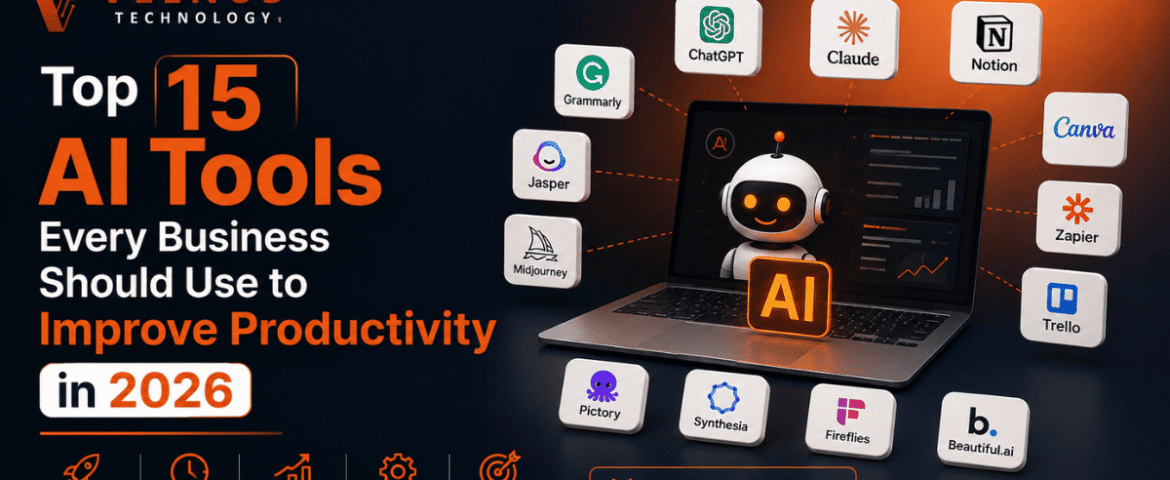
Top 15 AI Tools Every Business Should Use to Improve Productivity in 2026
- By KHUSHI LIMBASIYA
- 0 Comments
- technology Latest News
Modern organizational workflows have moved far beyond manual operations, static spreadsheets, and repetitive routine tasks. To stay competitive in today’s fast-moving digital economy, integrating advanced AI Tools into your daily business stack is no longer an option—it is a core necessity. From intelligent content generation and complex data analysis to automated project management and predictive customer service, artificial intelligence is actively restructuring how work gets done. This comprehensive guide breaks down the top 15 AI Tools that every modern business should deploy in 2026 to streamline operations, eliminate administrative bottlenecks, and maximize overall output. The Transformation of Business Operations Through AI The integration of artificial intelligence across corporate departments has transitioned from basic task automation to full-scale autonomous execution. Modern enterprises are adopting specialized software engines capable of processing vast amounts of unstructured data, recognizing subtle operational patterns, and executing complex, multi-step decisions in real-time. When deployed effectively, business-grade AI Tools serve as specialized digital force multipliers. They allow human teams to shed repetitive administrative tasks—such as manual data entry, routine scheduling, and basic customer inquiries—and direct their efforts toward strategic planning, high-level creative execution, and core business expansion. 1. ChatGPT Enterprise Next-Generation Conversational Intelligence & Reasoning ChatGPT Enterprise remains a foundational tool for organizational operations. Powered by advanced frontier models, this platform acts as a versatile internal assistant capable of analyzing massive datasets, drafting technical documentation, writing code, and answering complex business queries. Key Productivity Benefits 2. Microsoft 365 Copilot Native Suite Productivity Acceleration Microsoft 365 Copilot integrates artificial intelligence directly into standard workplace applications like Word, Excel, PowerPoint, Outlook, and Teams. It serves as an embedded digital assistant that understands full organizational context across your entire operational ecosystem. Key Productivity Benefits 3. Google Gemini Multimodal Workspace Integration Google Gemini offers deep integration across cloud storage, email, document processing, and spreadsheet applications. Its primary strength lies in its native multimodal processing, allowing it to interpret and synthesize text, high-resolution visuals, code, and audio seamlessly within a single workspace. Key Productivity Benefits 4. Claude Long-Document Processing and High-Reasoning Tasks Developed with a strict focus on precision, safety, and deep contextual understanding, Claude excels at processing massive volumes of complex text. It is widely adopted by legal, compliance, and research departments that require rigorous document analysis and nuanced logical reasoning. Key Productivity Benefits 5. Zapier AI Orchestration and Workflow Automation Zapier serves as the central neural network for modern tech stacks. By connecting thousands of distinct software applications, its AI-powered features allow non-technical teams to construct intricate, multi-step automated workflows using standard conversational language. Key Productivity Benefits 6. Notion AI Centralized Knowledge Management and Documentation Notion AI turns static company workspaces into dynamic knowledge repositories. It provides built-in writing, editing, summarization, and search capabilities across all internal project notes, meeting transcripts, and corporate wikis. Key Productivity Benefits 7. Motion Automated Task and Calendar Scheduling Motion acts as an intelligent executive assistant that manages time allocation for entire organizations. Using predictive algorithms, it builds custom daily schedules for team members, constantly rearranging priorities as new urgent tasks emerge. Key Productivity Benefits 8. GitHub Copilot Developer Productivity and Pair Programming For software engineering departments, GitHub Copilot acts as an AI pair programmer. Operating directly within developer coding environments, it provides real-time code completion, suggests optimizations, and writes unit tests automatically. Key Productivity Benefits 9. Perplexity Real-Time Market Research and Information Retrieval Perplexity functions as an advanced, citation-backed intelligence engine designed specifically for fast business research. Instead of requiring researchers to open dozens of search tabs, it scans the web in real-time, synthesizes verified answers, and cites every source explicitly. Key Productivity Benefits 10. Jasper Enterprise Marketing and Brand Copy Generation Jasper is an AI writing engine tailored specifically for enterprise marketing teams, brand managers, and creative agencies. It generates on-brand promotional material across multiple channels while strict adherence to brand voice guides. Key Productivity Benefits 11. Midjourney Visual Asset Conceptualization and Creative Ideation Midjourney is a premier generative image platform recognized for producing high-fidelity visual assets, photorealistic concept art, and innovative marketing graphics. Key Productivity Benefits 12. Fireflies Conversation Intelligence and Meeting Transcription Fireflies operates as an autonomous meeting assistant that joins digital video conferences, records discussions, generates transcriptions, and extracts key action items automatically. Key Productivity Benefits 13. Grammarly Real-Time Communication and Style Optimization Grammarly goes far beyond simple spell-checking, serving as an enterprise-wide communication assistant. It monitors written output across web browsers, email clients, and desktop applications to ensure clarity, proper tone, and brand compliance. Key Productivity Benefits 14. Synthesia AI Video Generation and Multilingual Localization Synthesia allows businesses to create professional video content using photorealistic avatars and synthetic speech, entirely eliminating the need for traditional camera setups, actors, or studio equipment. Key Productivity Benefits 15. Glean Enterprise Search and Grounded Context Layer Glean acts as an intelligent search engine that indexing data across all your disparate corporate tools, including cloud drives, messaging applications, ticketing systems, and databases. It provides a secure context layer so employees can find accurate answers without switching platforms. Key Productivity Benefits Strategic Framework for Evaluating AI Tools Selecting the right software requires a clear framework to avoid tool bloat and integration bottlenecks. Organizations should evaluate new software solutions using four essential criteria: Key Selection Criteria Also Read : How AI Chatbots Are Transforming Customer Support And Engagement Conclusion The corporate landscape in 2026 demands operational speed, contextual clarity, and administrative efficiency. Deploying the right suite of AI Tools allows modern businesses to automate repetitive tasks, extract actionable insights from unstructured data, and streamline cross-departmental workflows. By adopting enterprise-grade intelligence platforms—spanning conversational reasoning, automated project scheduling, intelligent software development, and centralized organizational search—businesses can eliminate operational bottlenecks and build a resilient, future-ready workforce. The key to sustainable growth lies in building a cohesive, connected software ecosystem that amplifies human capability at every level. Frequently Asked Questions (FAQs) Q1 What are AI Tools and how do they benefit modern businesses? AI Tools are software applications that leverage machine learning algorithms, natural language processing, and advanced neural models
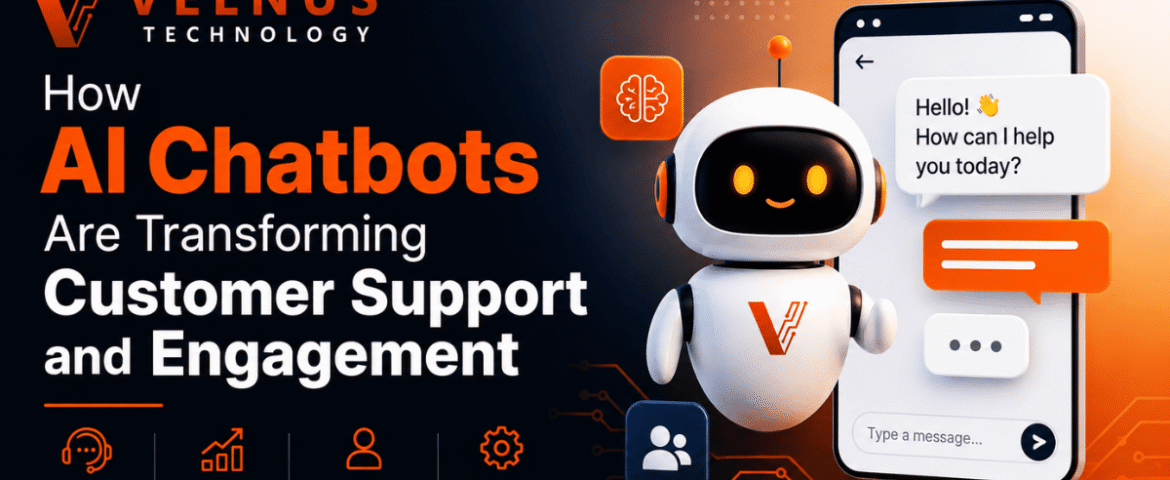
How AI Chatbots Are Transforming Customer Support And Engagement
- By KHUSHI LIMBASIYA
- 0 Comments
- Latest News technology
The landscape of customer experience has undergone a seismic shift. In 2026, we have definitively crossed the tipping point where artificial intelligence is no longer an experimental novelty but the foundational pillar of digital communication. At the heart of this transformation are AI Chatbots, intelligent systems that have evolved far beyond the rigid, rule-based scripts of the past. Today, these conversational engines are autonomous, context-aware, and emotionally intelligent tools capable of resolving complex issues, predicting user needs, and driving measurable business outcomes across every industry. The Evolution of Customer Support: From Rule-Based Scripts to Conversational AI Chatbots To understand the magnitude of today’s technology, one must look at how quickly the industry has evolved. For years, digital support was synonymous with frustration. Early iterations of virtual assistants were built on simple decision trees. If a user’s query did not exactly match a pre-programmed keyword, the bot would fail, leading to cyclical errors and ultimate user abandonment. Breaking the Limitations of Legacy Systems Legacy systems relied on static logic. They were fundamentally reactive, waiting for a user to input a command and responding with a generic, one-size-fits-all answer. These systems lacked memory, meaning that if a user switched from a mobile app to a desktop browser, the conversation would reset. This lack of continuity was a primary driver of customer dissatisfaction. Modern AI Chatbots have completely broken free from these limitations. Driven by advanced Large Language Models (LLMs) and sophisticated machine learning algorithms, today’s conversational AI does not look for exact keyword matches. Instead, it understands the underlying intent and semantic meaning behind a user’s words. It can decipher colloquialisms, handle typos, and even interpret the emotional state of the user, crafting responses that are dynamic, empathetic, and highly accurate. The Rise of Context-Aware AI Chatbots The most significant leap in modern customer support is the transition to context-aware systems. In 2026, an AI Chatbot does not treat each message in a vacuum. It accesses a rich tapestry of historical data—previous purchases, past support tickets, browsing behavior, and real-time signals—to inform its responses. If a user visits a pricing page, leaves, and later opens a chat widget, the AI Chatbot already knows what the user was looking at and can proactively offer tailored assistance or relevant discounts. This level of contextual awareness transforms a simple support tool into a proactive engagement engine. Core Capabilities of Modern AI Chatbots The transformation of customer engagement is fueled by several core technological advancements. The capabilities of AI Chatbots have expanded rapidly, making them indistinguishable from top-tier human representatives in many routine scenarios. Natural Language Processing and Sentiment Analysis At the core of every modern AI Chatbot is Natural Language Processing (NLP). NLP allows the system to read, decipher, and understand human language in a way that is highly valuable. However, the true game-changer in 2026 is the integration of real-time Sentiment Analysis. AI Chatbots can now detect frustration, urgency, or satisfaction in a user’s text or voice. If a customer uses urgent language or types in all caps to express dissatisfaction about a delayed delivery, the AI Chatbot recognizes this negative sentiment immediately. It can automatically adjust its tone to be more empathetic, prioritize the ticket, or instantly route the conversation to a specialized human escalation team, ensuring that high-risk situations are diffused rapidly. Memory-Rich and Omnichannel Experiences Personalization is no longer a luxury; it is a baseline expectation. AI Chatbots now operate with shared memory across all communication channels. Whether a customer initiates contact via SMS, transitions to a web chat, and finally sends an email, the AI Chatbot maintains the entire thread of the conversation. This omnichannel consistency eliminates the most universally despised aspect of customer support: forcing the user to repeat their problem multiple times to different systems. By providing a continuous, unbroken narrative, AI Chatbots ensure that every interaction feels like an ongoing relationship rather than an isolated transaction. Multimodal Interactions Text-based chat is no longer the sole medium for support. The latest AI Chatbots are multimodal, meaning they can process and respond to multiple forms of input simultaneously. A user attempting to assemble a piece of furniture or troubleshoot a blinking router can now upload a photo or a short video directly into the chat. The AI Chatbot analyzes the visual input alongside the text, identifies the specific model or the error in the setup, and provides visual annotations or step-by-step video responses to solve the problem. This multimodal capability bridges the gap between digital convenience and the hands-on guidance traditionally requiring a physical technician. How AI Chatbots Are Driving Unprecedented Business Outcomes The financial and operational impacts of deploying sophisticated conversational AI are staggering. The global AI customer service market is projected to reach $15.12 billion in 2026, on its way to $47.82 billion by 2030, representing a compound annual growth rate (CAGR) of over 25%. This growth is driven by tangible, measurable returns. Scalability and 24/7 Availability One of the most immediate benefits of AI Chatbots is infinite scalability. A human workforce is limited by physical constraints, time zones, and shift schedules. During seasonal spikes, product launches, or unexpected outages, support queues can stretch for hours. AI Chatbots absorb these massive spikes in volume instantaneously. They provide instant resolutions at 2:00 AM on a Sunday just as effectively as they do at 10:00 AM on a Tuesday. This 24/7 availability ensures that global consumer bases receive immediate attention, fundamentally eliminating the concept of “business hours” in the context of customer support. Substantial Return on Investment (ROI) The deployment of AI Chatbots is no longer viewed purely as a cost center, but as a massive driver of profitability. Organizations implementing advanced AI support are currently seeing returns on investment ranging from 3.5x to 8x. By successfully resolving up to 80% of routine interactions autonomously—such as password resets, order tracking, and basic troubleshooting—AI Chatbots drastically reduce overhead. It is estimated that conversational AI will reduce contact center labor costs by a staggering $80 billion globally in 2026 alone.
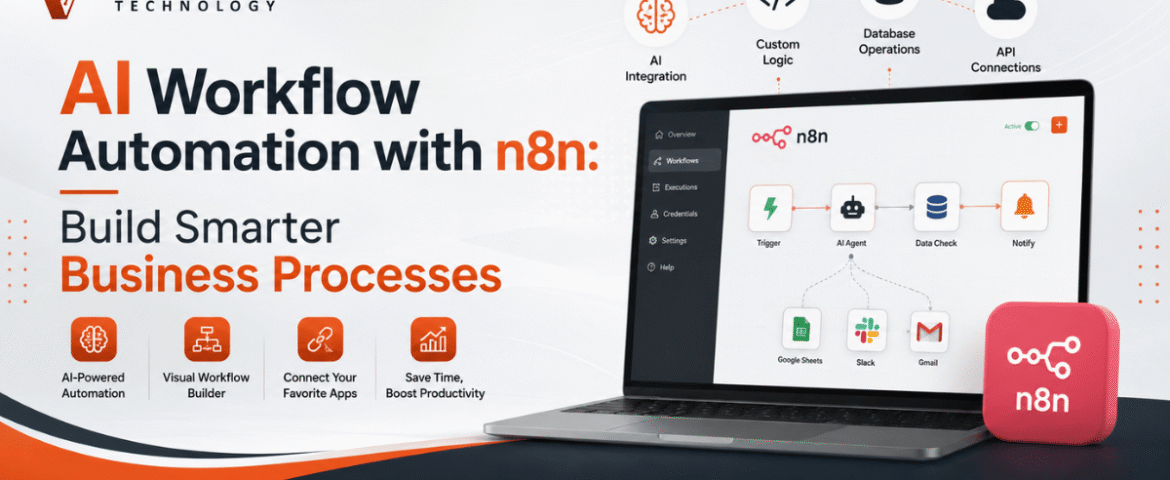
AI Workflow Automation with n8n: Build Smarter Business Processes
- By KHUSHI LIMBASIYA
- 0 Comments
- technology Latest News
Artificial intelligence is transforming the way organizations manage everyday operations. Businesses no longer need to rely on repetitive manual work, disconnected systems, or time-consuming data handling. By combining AI with workflow automation, teams can automate complex tasks, improve productivity, reduce errors, and make faster decisions. AI workflow automation has become one of the most valuable technologies for businesses looking to scale efficiently. With n8n, organizations can connect hundreds of applications, integrate AI models, automate data processing, and build intelligent workflows without spending months on development. Whether you want to automate customer communication, content generation, lead management, reporting, or document processing, n8n provides a flexible and scalable platform for creating AI-powered workflows. What is AI Workflow Automation? AI workflow automation is the process of combining artificial intelligence with workflow automation tools to complete business tasks automatically. Unlike traditional automation, AI-powered workflows can analyze information, generate responses, classify data, summarize documents, and make intelligent decisions. Instead of simply moving data from one application to another, AI enables workflows to understand context and perform tasks that previously required human involvement. Common AI capabilities include: When integrated into n8n workflows, these capabilities become powerful business automation solutions. Why Choose n8n for AI Workflow Automation? n8n is an open-source workflow automation platform that allows users to visually build complex automations while maintaining complete flexibility. Some key advantages include: Visual Workflow Builder Build workflows using drag-and-drop nodes without creating complicated code. AI Integration Connect AI models directly into workflows for intelligent automation. Large Integration Library Connect hundreds of applications from CRM systems to cloud storage and communication platforms. Custom Logic Create advanced conditions, loops, filters, and decision-making paths. Self Hosting Option Maintain full control over your data with self-hosted deployments. API Friendly Integrate with virtually any platform using REST APIs and webhooks. How AI Workflow Automation Works in n8n A typical AI workflow consists of several connected steps. Step 1: Receive Input Data enters the workflow through: Step 2: Process Information n8n transforms and organizes incoming data before passing it to AI services. Step 3: AI Analysis The AI model performs tasks such as: Step 4: Decision Making The workflow decides what action to take based on AI output. Step 5: Automated Actions The workflow automatically: Benefits of AI Workflow Automation Businesses adopting AI automation experience improvements across multiple departments. Increased Productivity Employees spend less time on repetitive work and more time on strategic activities. Faster Response Times Automated workflows operate instantly without waiting for manual intervention. Better Accuracy AI reduces manual data entry mistakes and improves consistency. Lower Operational Costs Automation minimizes labor-intensive tasks and improves resource utilization. Improved Customer Experience Customers receive faster responses and more personalized interactions. Scalable Operations Workflows continue operating efficiently even as business volume increases. Popular AI Workflow Automation Use Cases AI Content Generation Automatically create: Content can then be reviewed before publication. AI Email Automation Incoming emails can be: This reduces inbox overload. Lead Qualification AI analyzes incoming leads based on: Qualified leads can automatically move into sales pipelines. Document Processing AI extracts information from: Extracted data is automatically stored in business systems. Customer Support Automation AI can: Support teams handle only complex issues. Data Synchronization Keep information updated across multiple platforms without manual copying. Whenever records change, every connected application stays synchronized. Meeting Notes Automation AI summarizes meeting transcripts and automatically creates: This saves hours every week. Essential Components of an AI Workflow A well-designed workflow usually contains several important elements. Trigger Starts the automation. Examples include: Data Processing Clean, organize, and transform information before AI processing. AI Model The intelligence layer performs: Decision Logic Conditional branches determine the next workflow path. Output Results may include: AI Workflow Automation for Marketing Marketing teams benefit significantly from AI automation. Examples include: Content Planning Generate weekly content ideas automatically. Campaign Reporting Collect marketing metrics into one dashboard. Audience Segmentation AI categorizes customers based on behavior. SEO Assistance Generate: Social Media Scheduling Automatically generate captions and prepare publishing workflows. AI Workflow Automation for Sales Sales departments can automate repetitive administrative work. Examples include: Lead Routing Assign leads to appropriate sales representatives. Proposal Generation Create customized proposals automatically. Sales Follow-Up Schedule follow-up emails based on customer behavior. CRM Updates Automatically update customer information. AI Workflow Automation for Human Resources HR teams can improve efficiency with AI. Examples include: Resume Screening AI evaluates resumes using predefined criteria. Interview Scheduling Automatically coordinate interview availability. Employee Onboarding Generate onboarding tasks for new employees. Policy Assistance Answer employee questions using AI knowledge. AI Workflow Automation for Finance Finance teams save time through intelligent automation. Examples include: Automation reduces processing delays and human error. AI Workflow Automation for Operations Operations departments often manage numerous repetitive tasks. AI workflows help automate: Best Practices for AI Workflow Automation Start Small Begin with one workflow before expanding automation. Keep Workflows Simple Avoid unnecessary complexity. Simple workflows are easier to maintain. Validate AI Output Review important AI-generated information before final use. Monitor Performance Track execution times and workflow success rates. Handle Errors Create fallback paths whenever external services fail. Secure Sensitive Data Protect confidential information through encryption and access controls. Common Challenges While AI workflow automation offers major benefits, some challenges should be considered. Poor Data Quality Incorrect input leads to poor AI results. Clean data improves workflow accuracy. Over Automation Not every business process should be automated. Human review remains valuable for critical decisions. API Limitations External services may impose request limits. Proper error handling is essential. Workflow Maintenance Regular updates keep automations reliable as connected applications evolve. Tips for Building Better AI Workflows in n8n Design Before Building Create a workflow diagram before implementation. Use Modular Workflows Break large workflows into reusable components. Test Frequently Validate each workflow section individually. Add Logging Track every important workflow step. Optimize Execution Reduce unnecessary processing to improve speed. Keep Documentation Document workflow logic for future maintenance. Future of AI Workflow Automation Artificial intelligence continues to evolve rapidly. Future workflows will become even more intelligent through: Organizations adopting AI workflow automation today